Observability vs. Telemetry vs. Monitoring
Observability vs Telemetry vs Monitoring - What they are, differences and what lies in future.


Observability vs Telemetry vs Monitoring - What they are, differences and what lies in future.
Simply defined, Information Technology (IT) is the use of computers and related technology, such as software, cloud-based applications, and networks to communicate or transmit data, build organizational infrastructure, and secure information. Anything a business or organization uses an endpoint device for could technically be classified as IT.
The security camera is one of the most prevalent IoT devices being used today. Ironically, one of these cameras' primary vulnerabilities is that they may be stolen or damaged - you need protection for the security cameras. Having gadgets that operate independently saves time since you may leave them to do the job they intended. However, remotely placed, unsupervised equipment must be monitored, and the most effective method is through the use of an automated monitoring system.
Docker: it’s one of those technologies that seems to be everywhere. Whether you’re a junior developer just starting out or a seasoned.NET developer, at some point in your career, you’ll most likely come across Docker for.NET. So, what is Docker?
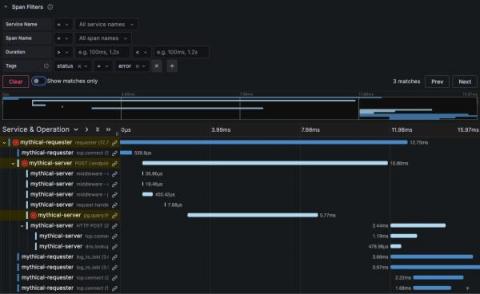
At Grafana Labs, we are constantly improving our feature set, and tracing is no different. Traces are often overshadowed by logs and metrics, but they’re a pillar of observability for a reason. Used correctly, organizations that can quickly and successfully follow a chain of events through a system gain a more holistic view of their systems and are better equipped to find and fix issues faster.
If you’re a software developer in the public sector, you’re familiar with the unique challenges public sector professionals face. From grappling with tight deadlines and limited resources to working with complex legacy systems, the journey of a public sector software dev seems to be filled with obstacles at nearly every turn.
AzCopy is a command-line tool provided by Microsoft to transfer data to and from Azure Storage services like Blob, File, and Table storage. It’s a vital tool for IT professionals who handle large-scale data operations, offering an efficient way to move data where it’s needed. However, as with any robust tool, users might encounter errors or issues while working with AzCopy. In this article, we’ll explore some common AzCopy errors and provide solutions on how to fix them.