

Operations | Monitoring | ITSM | DevOps | Cloud

Introducing Obkio's Severity Summary Widget: See Network Events at a Glance

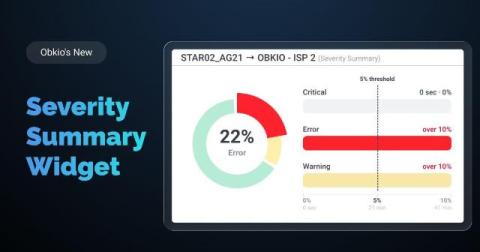
Obkio’s new Severity Summary widget is built to answer one question fast: “How healthy was my network overall, across every session I'm tracking?” Instead of opening session after session to check each one individually, you get a single combined view showing how much time your network spent in each severity level.

Why Your Internet Is Slow: Is It Your Network, ISP, or Your Machine?

Someone on your team says "the Internet is slow." Twenty minutes later, IT finds out the Internet was never the problem. Maybe it was a laptop with a full RAM disk. Maybe it was an ISP outage two towns over that had nothing to do with your office. Misdiagnosing slow Internet wastes time. It sends you down the wrong fix path, like rebooting a router when the real issue is sitting on someone's desktop.

WiFi Monitoring 101: What It Is and Why Remote Teams Need It

For years, IT teams had a fairly contained job: keep the office network running. Every device, router, and switch that mattered was inside a building they controlled. That job doesn't exist anymore. Remote and hybrid work moved the "network" into hundreds of living rooms, home offices, and coffee shops, none of which IT can see, configure, or troubleshoot directly. So when a help desk ticket comes in saying "the app is slow" or "my calls keep dropping," IT is left guessing. Is it the company's network?

How to Monitor Internet Uptime

Your ISP tells you your connection is up 99.9% of the time. Your users tell you the MS Teams video calls keep freezing. Both can be true at once, and that gap is exactly why you need to monitor Internet uptime yourself instead of taking your provider's word for it. This article covers what Internet uptime actually means, how to calculate it, what a good internet uptime SLA looks like, and how to monitor internet uptime with your own data so you're not stuck relying on your ISP's version of events.