
Next-Generation Apple CarPlay: iOS 26's Real Limit

iOS 26 turned CarPlay widgets from a 2022 promise into a shipping surface. What you actually see, though, is decided by your car — not your iPhone. Most head units render one or two widget stacks; three arrived only on the largest screens with iOS 26.2 in December 2025. That one constraint drives every decision below.
iOS 26 puts a widget stack next to the map — but how many stacks you get is set by the head unit, not the phone.
Back in 2022 Apple demoed a “next generation” CarPlay that spanned every screen in the dash. That vision shipped in 2025 as CarPlay Ultra, a separate, deeply integrated product for a short list of cars. Widgets were part of that reveal. Apple then did something pragmatic: it decoupled widgets from Ultra and dropped them into standard CarPlay in iOS 26, where any iPhone running the update can use them.
Here's the architectural part ops readers care about. A widget on CarPlay is not a bespoke “CarPlay app.” iOS 26 lets you place any widget your installed apps already publish — the app doesn't need CarPlay entitlements at all. Widgets group into stacks of up to five, with optional Smart Rotate cycling through them. The rendering budget — one stack, two, or three — is negotiated between iOS and the head unit's reported screen geometry.
What the stock surface does and doesn't do
| Capability | iOS 26 stock CarPlay | Note |
|---|---|---|
| Widget stacks shown | 1–2; three on large screens (26.2) | Set by head-unit screen size |
| Widgets per stack | Up to 5, Smart Rotate optional | Glanceable, not dense |
| Widget source | Any installed iPhone widget | No CarPlay entitlement needed |
| Live Activities | Multiple, auto-added to Home Screen | Flights, deliveries, scores |
| Custom startup sound | Not available | — |
| Synced lyrics on screen | Not available | — |
Live Activities are the other new surface. A flight tracker, an Uber Eats order, a live score — each is pushed from the phone and pinned to the CarPlay Home Screen automatically, several at once. No configuration, no per-app CarPlay support required.
Why the screen is the ceiling for everyone
The limit is not laziness. A widget stack needs physical room; an 8-inch factory unit and a 15-inch aftermarket panel report very different geometries, and iOS sizes the surface to what fits. That is why two drivers on the same iOS build see a different widget count. It is also why manufacturers can't simply “turn on” three widgets — the head unit's resolution and safe-area constraints bind them exactly as they bind you. In my own car, an 8-inch factory unit, iOS 26.2 changed nothing: still two stacks, not three. Apple made this a shared limit, deliberately, to keep the layout legible at a glance.
Working within the limit
- Read what your unit actually reports. Open Settings ⇾ General ⇾ CarPlay on the iPhone and select your car; the widget editor only offers the stack count your screen supports. If you're unsure whether a specific car or aftermarket head unit even qualifies, check your car's CarPlay support against its year and trim before buying anything.
- Fill the stack deliberately. Five slots per stack is the budget — pick widgets you read in under a second at 30 mph, not dashboards.
- Decide on Smart Rotate. On, the stack cycles; off, it stays fixed. Fixed wins for anything you glance at repeatedly.
- Hand transient status to Live Activities — deliveries, flights — instead of spending a widget slot on them.
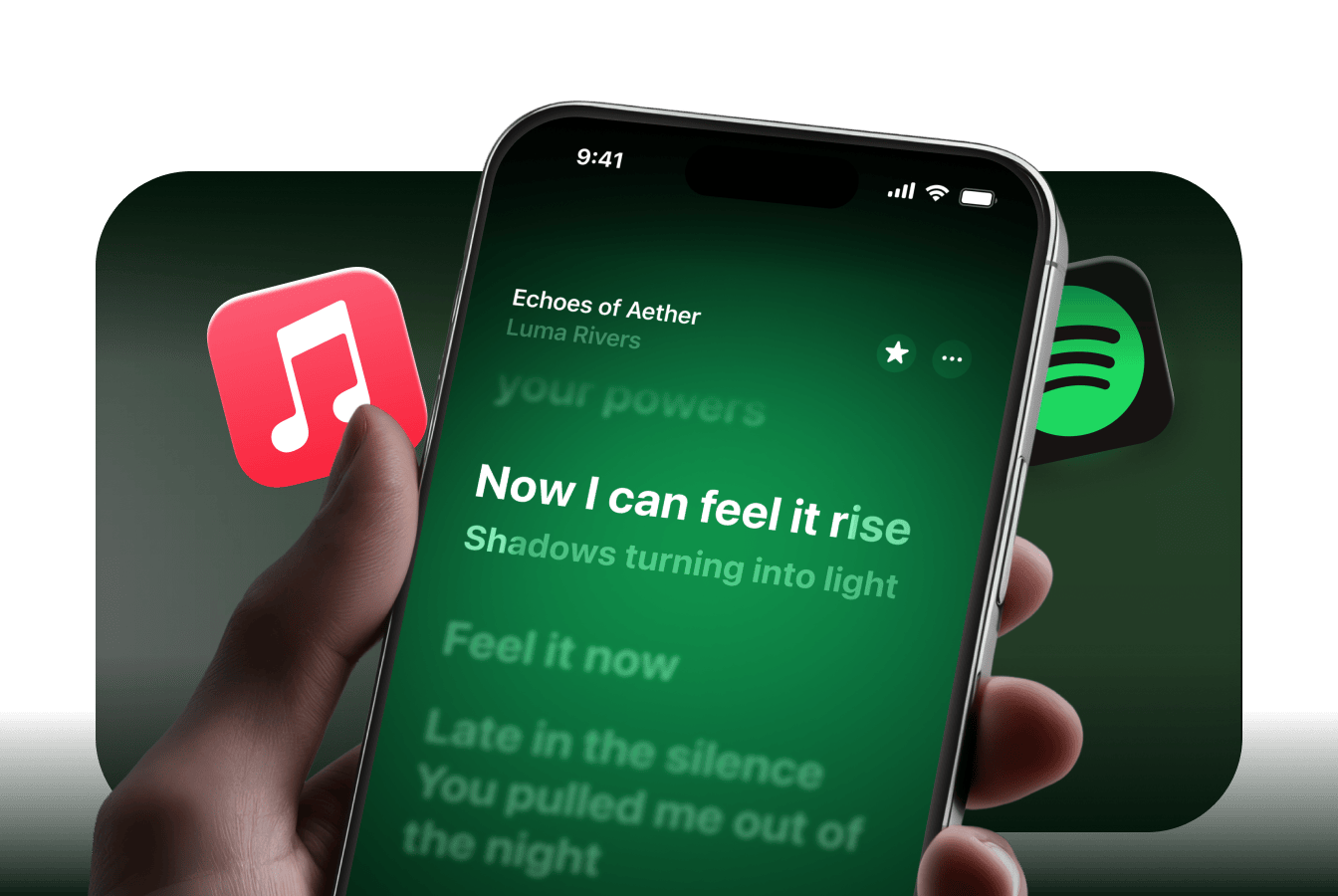
Two things iOS 26 never renders natively: a custom startup sound and time-synced lyrics on the CarPlay screen.
Two gaps stay open after all that. The stock surface has no concept of a custom startup sound, and it won't put time-synced lyrics on the CarPlay display. Car Play Connect (App Store name “Car Play Connect: Auto Sync”) is one app built for exactly those gaps: eleven widget templates that fill the five slots on first launch, plus built-in audio packs for a startup sound and Apple Music/Spotify lyrics. It's free, rated 4.6 from 2,669 ratings, and needs iOS 16.3, with the full widget stack on iOS 26.0+.
Alternatives, honestly
- Stock iOS 26, nothing added. Free, zero install, and for many drivers two well-chosen widgets plus Live Activities is enough. The ceiling is the app widgets you already own.
- An older car with no wireless CarPlay at all. A hardware adapter is the fix here, not software — match a wireless adapter to your car's head unit rather than guessing on price.
- Mount Mode, for cars with no CarPlay. It runs the dashboard on the iPhone itself, which is a fallback, not a replacement for a real head unit.
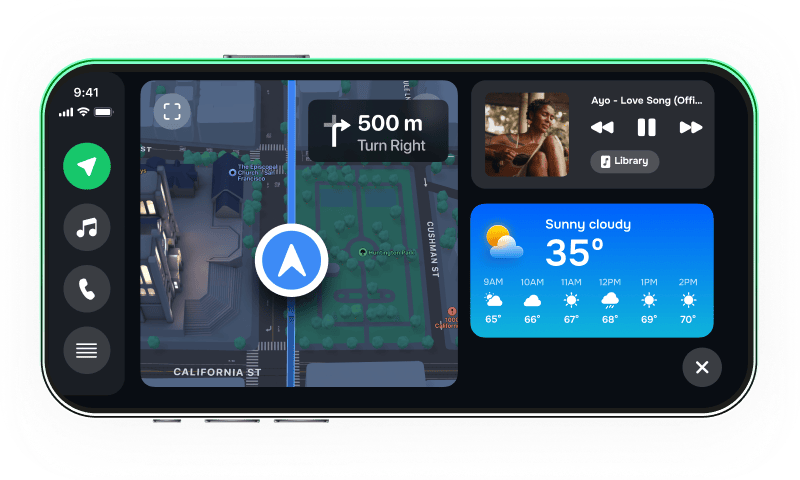
Mount Mode is the fallback when the car has no CarPlay at all — the phone becomes the display.
One honest limit of the app-based route: it still lives inside Apple's widget surface, so it cannot show more stacks than your head unit allows. It adds templates, sound, and lyrics; it does not override the screen-size ceiling. If your unit renders one stack, one stack is what you get.
A quick self-check for your setup
- Does Settings ⇾ General ⇾ CarPlay offer you one, two, or three stacks?
- Are your five slots filled with glanceable widgets, not dense ones?
- Is Smart Rotate set the way your driving actually needs?
- Are deliveries and flights handed to Live Activities, not widgets?
- Do you want a startup sound or on-screen lyrics — features the stock surface omits?
FAQ
Is this the same as CarPlay Ultra? No. Ultra is a separate, multi-display product for select new cars. iOS 26 widgets run on ordinary CarPlay on any iPhone with the update.
Why do I see fewer widgets than a friend on the same iPhone? Your head unit reports a smaller screen. The stack count is set by the car, and iOS 26.2's three-widget option only reaches larger displays.
Do widgets need special CarPlay apps? No. Any widget already on your iPhone can go on the CarPlay screen; a CarPlay entitlement isn't required.
Can I add a custom startup sound in stock iOS 26? No native option exists. That's one of the gaps third-party apps fill.
Will more stacks come later? Apple expanded to three on large screens in 26.2. Anything beyond that is unconfirmed — treat the current ceiling as fixed.