Operations | Monitoring | ITSM | DevOps | Cloud

Crash Course in Crash Grouping

Supporting large applications with enormous crash volumes can be a real pain in the hindquarters. It is extraordinarily difficult for organizations to optimally dispatch engineering resources without excellent data and proper tooling. At BugSplat, we recently upgraded the tooling we provide to developers so that they can group related crashes and better target their support efforts, deliver more stable applications, and deliver more value to their customers.

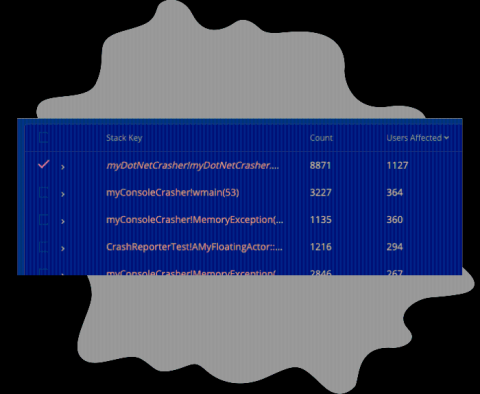
New Feature: Number of Users Affected by a Crash

We've just released a way to track the number of users affected by a crash! If you navigate to the Summary page, you'll now see a column labeled 'Users Affected’, this column shows how many unique users have been affected for each row in the crash summary table. With the data provided by this new column, you’ll have additional information available for prioritizing fixes. The ‘Count’ column is unchanged, and reports the total number of crashes reported by all users.

Introducing Android Crash Reporting with BugSplat

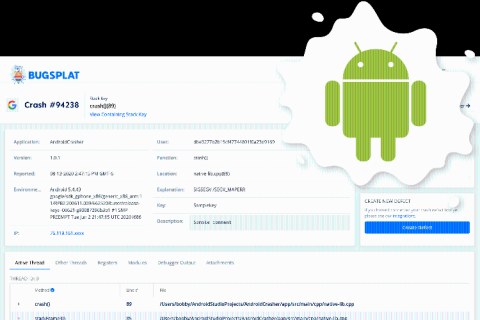
BugSplat users can now collect Android crashes with the Crashpad SDK. If you're supporting a cross-platform C++ application, porting a C++ application to Android, or creating a new NDK library from scratch, you can now use BugSplat to track, collect, and debug your Android crashes. This will bring the same in-depth view of crash events you get with BugSplat on other languages to your Android application.

Support for Crashpad Attachments

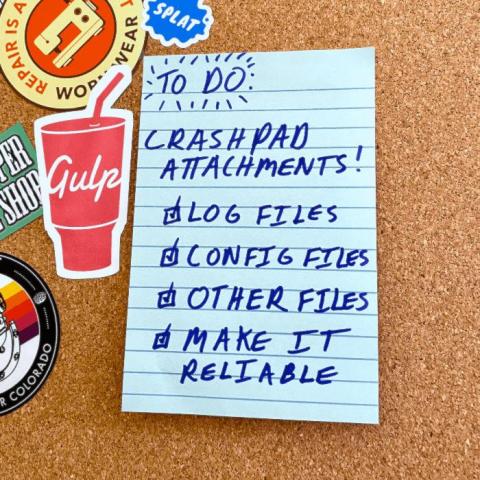
BugSplat now supports attachments for Crashpad out of the box. Developers can include additional files with the Crashpad crash upload using the newest release of the BugSplat Crashpad SDK. This release includes updated examples that show how to include Crashpad attachments for Windows, Linux, Android, Qt Windows, and Qt Linux (but not yet for macOS). Before this change, including attachments with Crashpad out of the box was difficult.

Find What You Need! All About Our New Search Tool.

Product Releases Update Our new Search tool allows you to quickly build detailed queries without having to leave the page. Our new search tool expands on our column filtering feature. You can now create even more detailed queries by filtering on 20 unique criteria. New for this release is the ability to search Call Stack Function Names, Call Stack File Names, and Call Stack Line Numbers.

What is Subkeying?

Subkeying is a way to group a set of crashes at some level other than the top level of the call stack. Subkeying is a way to group a set of crashes at some level other than the top level of the call stack. At BugSplat, crashes are grouped by a stack key and groups of crashes can be found on the Summary page. By Default, BugSplat groups crashes using the topmost level of a call stack. A subkey is created when crashes are grouped at a level other than the top level of a call stack.

Build or buy your crash reporting tool?

You’re in the process of creating and launching new softwareand you want it to be as stable as possible. Or, maybe your software has been running for a while, but you’re frustrated with the bug-reporting workflow in place. Either way it’s time to look for a crash reporting process that fits your application. This leads to a natural question: Should we build it? Or should we buy it? To expand on this question, which will be better for my business?

8 Tips To Improve Working From Home

Most of us here at BugSplat spend the majority of our day at our computer. If you are reading this post, there's a good chance that you probably do too. And, like us, you probably expect that computers are just supposed to work for you. However, in my experience, this close relationship we share with our machines just expands the realm of possible annoyances we encounter day-in and day-out.

Customizing the UE4 Crash Report Client

Crash Report Client is an Unreal Engine tool that allows developers to capture C++ crash reports from supported platforms. At crash time, a dialog is shown to the user so that they may add comments or replication steps to the details of the report. Once the crash report is submitted, it’s pushed to one of Epic’s servers so that developers can review the crash and fix the underlying issue. Often, the crash is a result of code that wasn’t written by Epic.