Operations | Monitoring | ITSM | DevOps | Cloud

Run Your GitHub Actions Workflows on CircleCI (Open Preview)

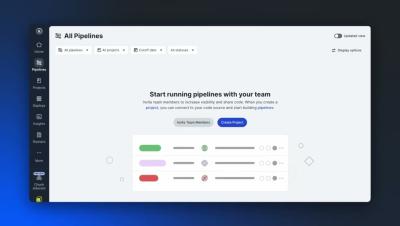
CircleCI can now run supported GitHub Actions workflows directly on CircleCI infrastructure, using the YAML you already have. In this quick demo, we’ll walk through setting up a CircleCI project with an existing GitHub Actions workflow and running your first build. You’ll see how to: GitHub Actions compatibility is currently available in open preview on Linux. Not all GitHub Actions features are supported yet, so check the documentation for current compatibility.


What is a software factory?

A software factory is a system for turning engineering intent into production software through repeatable, increasingly automated workflows. It connects the tools, infrastructure, people, agents, validation, and delivery controls required to move work from an idea or issue into production. Coding agents have made the model newly relevant. Teams can now produce software changes much faster than traditional development processes were designed to evaluate and coordinate.

How to build a Language Server Protocol (LSP) plugin for Claude Code

Language servers give editors structured, real-time feedback: diagnostics, hover docs, autocomplete, and other guidance that would otherwise surface later. Language servers already exist for many of the languages and tools developers use every day, but Claude Code doesn’t automatically receive their feedback.

Connect Codex to CircleCI: Fix Failing CI Without Leaving Your Terminal

Connect Codex to CircleCI and give your coding agent direct access to the CI feedback it needs to keep working. In this tutorial, we’ll walk through setting up the CircleCI CLI and CircleCI plugin for Codex, then show how Codex can check pipeline results, validate your CircleCI config, diagnose failed builds, trigger new pipelines, and keep iterating on a fix until CI is green. Instead of bouncing between your terminal and CircleCI to copy logs and errors back to your agent, you can bring the full CI feedback loop directly into your Codex session.

How to Use Claude Code with CircleCI to Fix Failed Builds

Give Claude Code direct access to CircleCI and let it diagnose failed builds, fix issues, and keep iterating until your pipeline is green. In this tutorial, we walk through how to connect Claude Code to CircleCI using the CircleCI CLI. You’ll see how Claude can read pipeline results, identify test failures, make fixes, trigger new builds, and monitor CircleCI without leaving the terminal.

How to set up CircleCI with Cursor Origin

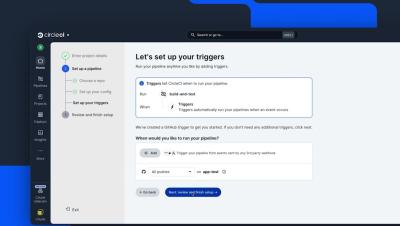
CircleCI now integrates with Cursor Origin, bringing scalable CI/CD to Origin-hosted repositories. In this demo, see how to connect an Origin repository to CircleCI, configure your pipeline triggers, run a build, and report CI status back to your Origin pull request. Already using CircleCI? Your existing.circleci/config.yml works as-is, with no Origin-specific CI syntax or separate config to maintain.

CircleCI Smarter Testing: Stop running tests that don't matter

Testing consumes up to 50% of CI/CD pipeline time. That’s the single most expensive place in your delivery pipeline, and a meaningful share of that time is often wasted running tests unaffected by the change. Every time a developer pushes a commit, the full test suite runs. A two-line bug fix in auth.py triggers 2,000 tests, including 1,900 that don’t touch anything near auth.py. Those unrelated tests are overwhelmingly likely to pass, but the pipeline still spends 20 minutes running them.