Operations | Monitoring | ITSM | DevOps | Cloud

7 Types of Incident Response Tools

Incident response tools are software applications or platforms designed to assist security teams in identifying, managing, and resolving cybersecurity incidents. Incident response is a crucial part of an organization’s cybersecurity strategy, making it possible to detect threats, analyze vulnerabilities, respond to attacks, and recover from security breaches. Incident response tools are vital for safeguarding organizations against evolving cyber threats.

Why Incident Management is an Essential Part of Risk Management

In any operation or activity, unforeseen happenings can derail progress. The job of a good manager is to try their best to make the hitherto unforeseen visible and planned for. It’s all too easy to find yourself reacting to occurrences that can throw you and the company into turmoil, with frantic fixing on the back foot being the result. The best managers can make it look like they don’t do much.

Mastering IT Response Time

In today’s fast-paced digital landscape, businesses heavily rely on their IT departments to ensure smooth operations and deliver exceptional customer experiences. When it comes to IT support, one critical metric stands out: response time. A prompt and efficient response can be the difference between a satisfied customer and a frustrated one. In this blog post, we will explore strategies to improve IT response times, enhance customer satisfaction, and optimize overall productivity.

New Features: Next-Generation Notifications UI, Take-On Call Widget, Alert Templates, Dynamic Policy Routing, Service Groups

This post highlights some of the features and improvements that we have released in the last two months. If you want to submit your own ideas or vote on existing feature requests, you can now use our public roadmap at roadmap.ilert.com.

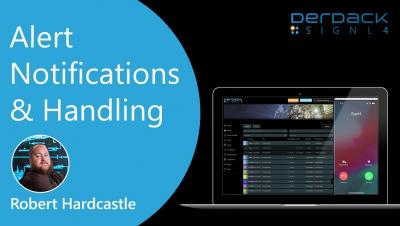
SIGNL4 Onboarding: Scheduling - Creation & Options

The SIGNL4 Onboarding series walks users through the process's of SIGNL4 from Signup to Alerts to Settings. Todays video focuses on Scheduling users for duty shifts. Learn how to schedule users for SIGNL4 shifts and about the scheduling options and how they affect your team and schedule. Learn how to create a schedule and then copy this schedule so you only have to create it once. This video is packed with helpful tips to help you get the most out of your account.

The Dangers of Alert Fatigue: Strategies for Effective Alert Management

Alert fatigue is a serious issue that affects numerous professions, especially in the IT industry. It can lead to neglecting critical events and delaying response times. IT teams need to continuously monitor their systems and applications to avert possible downtime and keep operations running smoothly. However a high number of incoming alerts inundating these teams can make them less responsive. The ramifications of such disregard can severely affect the efficiency and dependability of IT teams.

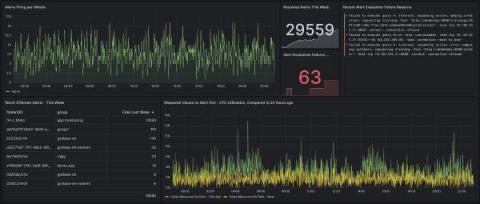
Grafana 9.5 release: Grafana Alerting updates, stronger security with service accounts, upgraded dashboards, and more

Grafana 9.5 has arrived! 🔥🎉 Get Grafana 9.5 The latest Grafana release introduces new features and improvements, such as major Grafana Alerting improvements, dashboard and visualization enhancements, a redesigned navigation experience, support bundles for faster issue resolution, and much more to provide you with better insights into your data.

Alerting on the User Experience

When your alerts cover systems owned by different teams, who should be on call? We get this question a lot when talking about SLOs. We believe that great SLOs measure things that are close to the user experience. However, it becomes difficult to set up alerting on that SLO, because in any sufficiently complex system, the SLO is going to measure the interaction between multiple services owned by different teams.