Whether you need a quick undo or a complete overhaul, Git reset's options – soft, mixed, and hard – have you covered. See how you can manage changes in just a few clicks within GitKraken Desktop.
Simplify your development workflow with Git Integration for Jira! Admins can connect to their Git hosting service and select which repos should be included, so devs can seamlessly sync commit messages with Jira issue keys. Watch our full Getting Started guide here on YouTube to see how easy it is!
In this step-by-step Git Integration for Jira tutorial, we'll show you how to connect GitHub to Jira, enabling efficient project management and improved team collaboration. You'll learn about authentication options, managing permissions, and connecting repositories, plus tips to track commit messages and using detailed commit insights within Jira. Whether you're using GitHub Cloud or Enterprise, this guide will help you get started quickly and easily!
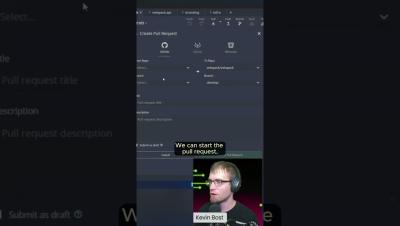
Boost your code reviews with Code Suggest! Propose changes on any file – not just those in the PR. Discover how it can enhance your workflow and improve dev-to-dev collaboration in our latest Workshop here on YouTube.
Enjoy the flexibility of suggesting edits from wherever you code – your IDE, GitKraken Desktop, GitKraken.dev, and more! Make your code reviews faster and more efficient with Code Suggest! Watch our latest Workshop to learn how Code Suggest can transform your review process.
Setting up your first Git repository is a bit like writing your first “Hello World” program – it’s a fundamental step in your development journey! And just like “Hello World” introduced you to the basics of coding, creating a Git repo is the first step towards effective collaboration and project management.
See combined changes, identify misplaced code, and edit files with ease using Code Suggest. Check out our latest Workshop here on YouTube to see how you can keep everything organized and efficient within GitKraken Desktop.
Made changes in review mode? Suggest file changes and then send them off to your colleagues in a Cloud Patch for seamless collaboration. Watch our Workshop to learn more about features to save time and expedite your workflow!
With our new Team mode in Launchpad, you can quickly view your entire Workspace, monitor pull requests, and track progress instantly. Perfect for engineering managers and team leads to stay updated and aligned!
Launchpad consolidates info across repos, shows PRs ready to merge, highlights unassigned reviewers, and more – all without leaving GitKraken Desktop. Check out our latest Workshop for more tips to keep your team unblocked and your projects moving forward!