Operations | Monitoring | ITSM | DevOps | Cloud

Connection Center for ServiceNow Deep Dive

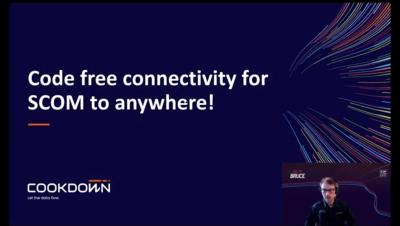
Take a deep dive into our SCOM Connection Center for ServiceNow. Discover how to convert critical SCOM alerts into actionable ServiceNow incidents with real-time, two-way synchronization. Plus, find out how we use out-of-the-box, code-free integration to get SCOM and ServiceNow working as one! You can download a FREE 30-DAY TRIAL on our website.

Connection Center Overview

A deep dive into Cookdown's Connection Center designed to make SCOM your single source of truth. Find out all about how it works, our code-free integrations, and much more. Unlock SCOMs full potential by connecting it to all your IT enterprise tools and you'll never miss a critical SCOM alert again! The setup is super simple! To get started just download a FREE 30-DAY TRIAL and you'll be syncing alerts in minutes.

SCOM Connection Center your single source of truth for all your enterprise tools

Most companies have SCOM. But you can never realize the true value of SCOM unless you integrate it with your other tools! Here at Cookdown, we’re passionate about making SCOM integrations, which is why we are so excited to announce the launch of our SCOM Connection Center. Now you can connect SCOM to anything with an API, allowing you to send notifications in real-time to any location or device.

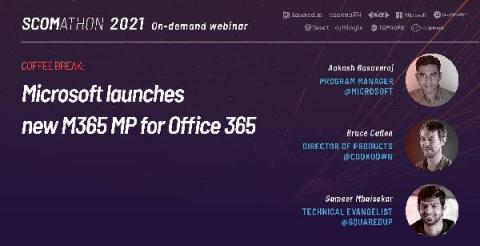
New Microsoft M365 Management Pack for SCOM

Microsoft have announced a new management pack for Office 365 – M365! It completely replaces the Office 365 management pack and is packed with new capabilities. Aakash Basavaraj, Program Manager at Microsoft, and Sameer Mhaisekar, Technical Evangelist at SquaredUp, joined Bruce Cullen, Director of Products at Cookdown, to reveal the new capabilities of the M365 management pack and the accompanying dashboard pack created for SquaredUp.

Dashboard Server: Working with the Azure Tile

SquaredUp, Technical Evangelist In this part of the Dashboard Server Learning Path, let’s take a look at the Azure tile. This tile will allow you to connect to and query App Insights and Log Analytics workspaces using Kusto Query Language( KQL), which offers features such as sorting, projection and calculated values, which we can use to control the display of data in our dashboard. If you are new to KQL, We have a series of blogs that can help you get started.

Dashboard Server: Working with the ServiceNow tile

SquaredUp, Technical Evangelist This should be a quick one. As some of the existing SquaredUp customers might recognize, this tile is basically an enhanced version of the more generic WebAPI tile – with the enhancement being easy authentication. In comparison to the <>, configuring an integration to SNOW is much easier and more GUI based.

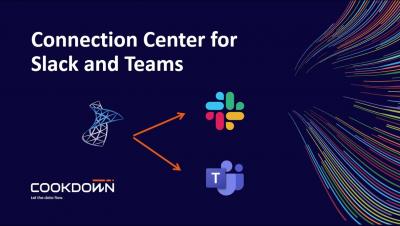
SCOM Connector for Microsoft Teams

The SCOM connector helps you to manage SCOM alerts by using a bi-directional connection between Microsoft Teams and SCOM. When a new SCOM alert is generated it will appear in a Microsoft Teams Channel, the members of the Microsoft Teams Channel can collaborate on resolving an alert by using all the collaborative tools available in Microsoft Teams. Because the alerts forwarded to Microsoft Teams are context sensitive, it is easy to have conversations and meetings in an alert thread. The forwarded alert in Microsoft Teams also contains a wealth of information like you would see in your Operations Manager Console. The great part is that you do not need to open SCOM to view performance data or update the status of an alert, this can be seamlessly done in the SCOM Connector. Want to give it a test run? Use the free version and experience what it is like to truly collaborate on solving issues in your IT environment.

Key differences: Dashboard Server vs. SquaredUp for SCOM/Azure

If you’ve checked out SquaredUp for SCOM/Azure and decided for one reason or another that it wasn’t the right tool for you, you are in for a treat! Our latest free tool, Dashboard Server, addresses many of the same pain points, but this time, for a variety of platforms not tied to SCOM or Azure. On the flip side, if you’re currently using SquaredUp for SCOM/Azure, don’t click away!

Build a CircleCI Dashboard to visualize all your CI/CD data

If you’ve checked out SquaredUp for SCOM/Azure and decided for one reason or another that it wasn’t the right tool for you, you are in for a treat! Our latest free tool, Dashboard Server, addresses many of the same pain points, but this time, for a variety of platforms not tied to SCOM or Azure. On the flip side, if you’re currently using SquaredUp for SCOM/Azure, don’t click away!