Operations | Monitoring | ITSM | DevOps | Cloud

Get Started with Splunk for Security: Splunk Security Essentials

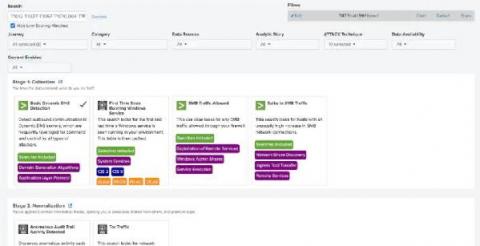
Continuing to ride the waves of Summer of Security and the launch of Splunk Security Cloud, Splunk Security Essentials is now part of the Splunk security portfolio and fully supported with an active Splunk Cloud or Splunk Enterprise license. No matter how you choose to deploy Splunk, you can apply prescriptive guidance and deploy pre-built detections from Splunk Security Essentials to Splunk Enterprise, Splunk Cloud Platform, Splunk SIEM and Splunk SOAR solutions.

Deep Learning Toolkit 3.6 - Automated Machine Learning, Random Cut Forests, Time Series Decomposition, and Sentiment Analysis

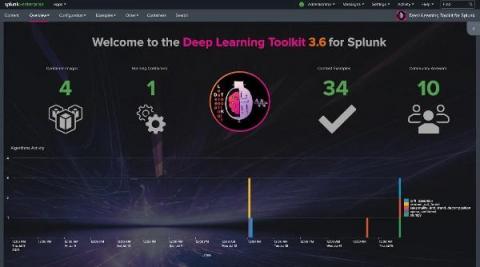
We’re excited to share that the Deep Learning Toolkit App for Splunk (DLTK) is now available in version 3.6 for Splunk Enterprise and Splunk Cloud. The latest release includes: Let’s get started with the new operational overview dashboard which was built using Splunk’s brand new dashboard studio functionality which I highly recommend checking out. You can learn more about it in this recent tech talk which you can watch on demand.

How to Instrument a Java App Running in Amazon EKS

As we start to see big moves from monolith deployments to microservices, the adoption of Kubernetes has become top of mind for many SREs. Organizations can leverage the open-source system to automate deployments, scale, and manage containers, making Kubernetes one of the primary solutions for delivering workloads. However, maintaining the system can be difficult and, in some cases, overwhelming.

Taking Inventory of Your Google Cloud

Splunk Cloud Architect Paul Davies recently authored and released the GCP Application Template, a blueprint of visualizations, reports, and searches focused on Google Cloud use cases. Many of the reports included in his application require Google Cloud asset inventory data to be periodically generated and sent into Splunk. But HOW exactly do you craft that inventory generation pipeline so you can "light-up" Paul's application dashboards and reports?

Introducing Splunk Federated Search

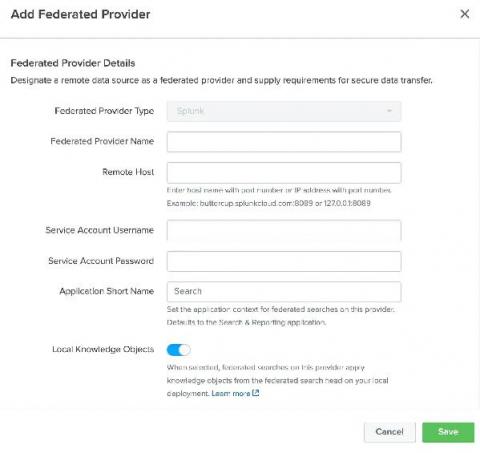
Rapid digital transformation partnered with increased cloud adoption have resulted in organizations generating unprecedentedly large volumes of data. This data is stored in disparate data repositories due to organizational boundaries, data protection, and privacy laws (e.g. GDPR). Additionally, it is stored across environment types with some kept in the cloud and often historical data and other sensitive data types are kept in on-premise environments contributing to more data silos.

API 2.0: TruSTAR Operationalizes Data Orchestration and Normalization for a New Era in Intelligence Management

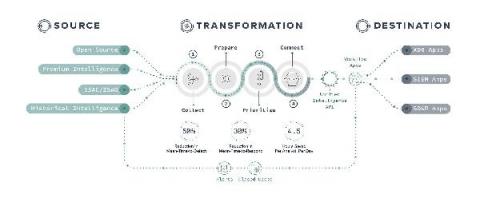
Today we released API 2.0, the latest version of TruSTAR’s API-First Intelligence Management Platform. This new version continues our commitment to simplify and streamline intelligence for automation in enterprise security intelligence management, and breaks through long-standing industry limitations around operationalizing data orchestration and normalization.

Managing Updates to the Splunk Cloud Vetting Process

Before apps can be installed in a customer’s Splunk Cloud deployments, these apps have to go through Splunk’s cloud vetting process. Cloud vetting helps ensure that apps are safe and performant for our mutual customers to use in Splunk Cloud. It’s important for us to make regular updates to our cloud vetting requirements in order to ensure apps running on Splunk Cloud are “up to snuff”.

Demystifying the Hype Around XDR

Extended Detection and Response (XDR) has generated a lot of buzz recently with press, analysts, and even customers. There’s no denying that, at face value, its promise of reduced complexity and cost while increasing detection and response is alluring. As security teams look to modernize their security tooling, they’re also looking for solutions to some of their largest challenges. Is XDR the answer? What is XDR, exactly, and how do you determine if it’s right for your organization?

Real User Monitoring: Past, Present and Future

Most front-end developers and practitioners are familiar with real user monitoring (RUM) tools as a means to understand how end-users are perceiving the performance of applications. Few people, however, are aware of the history of the RUM market, going back more than two decades. Over the years, as the internet has evolved with new technologies, RUM tools have evolved in lock-step to cater to the ever changing needs and use cases of engineering teams.