Operations | Monitoring | ITSM | DevOps | Cloud

How to build automatic remediation workflows in Grafana Cloud

When incidents occur, engineers must jump into action to get systems back to running at peak performance. However, there are a myriad of challenges that can prevent them from resolving the issues swiftly. Imagine a scenario where a team of DevOps engineers manages a cloud-based e-commerce platform that experiences occasional spikes in traffic during peak shopping seasons. During one of those major sales events, the team notices a sharp spike in CPU usage across several critical application servers.
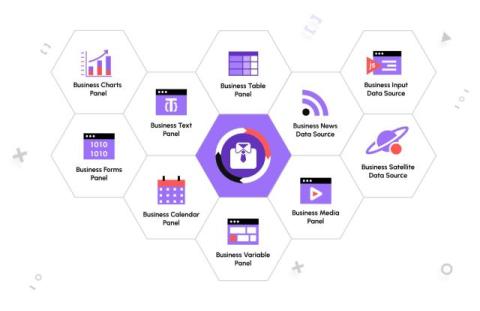
Convert your dashboards into comprehensive web applications with the Business Suite for Grafana

Daria Volkova is a Grafana champion and Volkov Labs co-founder. The Business Suite for Grafana is a collection of uniquely positioned plugins developed by Volkov Labs. Each offers flexible and adaptable solutions for a wide range of business needs that go beyond observability, including file uploads, building a chart of any kind and configuration, leveraging all aspects of web design, video streaming, and more. This blog post provides details, examples, and short tutorials.

Grafana Cloud updates: The Explore apps suite for queryless data analysis, Adaptive Logs for cost optimization, and more

We consistently roll out helpful updates and fun features in Grafana Cloud, our fully managed observability platform powered by the open source Grafana LGTM Stack (Loki for logs, Grafana for visualization, Tempo for traces, and Mimir for metrics). And this month, on the heels of ObservabilityCON 2024 — our flagship observability event — we have no shortage of updates to share.

Explore Logs app now generally available | Grafana

In this video, Mat Ryer, Senior Principal Engineer at Grafana Labs, demonstrates how you can use the Explore Logs app to quickly gain insights from your data using a simple, point-and-click interface. Mat also discusses how you can use Explore Logs to drill down into your logs to investigate issues further, and how to use patterns to get rid of noise.

Explore Traces app now in public preview | Grafana

In this video, Mat Ryer, Senior Principal Engineer at Grafana Labs, provides an overview of the Explore Traces app for Grafana, which lets you automatically surface insights from your traces with an intuitive, point-and-click interface. Mat demonstrates how you can use the Comparison view to quickly identify the source of errors, and how to drill down to see a full trace in detail to gain a more comprehensive understanding of your system.

Contextual root cause analysis in Grafana Cloud

In this video, you will learn how to troubleshoot your application faster with Grafana Cloud Asserts, which provides contextual root cause analysis in Grafana Cloud. You'll learn how SLO alerts, the RCA (root cause analysis) Workbench, and prebuilt Grafana dashboards for Grafana Cloud solutions seamlessly work together to help you quickly investigate an issue.

Lower observability bills, reduced MTTR, and more: why companies migrate to Grafana Cloud

There are a lot of factors that go into choosing an observability solution. And even after all that careful consideration, sometimes the platform you initially invest in doesn’t meet your needs, especially as your organization grows and evolves. For that very reason, we’ve seen users begin their observability journeys with another tool, and then decide to migrate to Grafana Cloud, our fully managed cloud-hosted observability platform.

How to monitor metrics and logs from Altinity.Cloud in Grafana Cloud

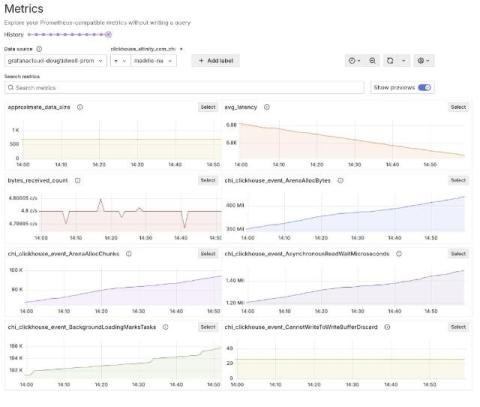
Doug Tidwell is the Director of Content at Altinity, responsible for creating useful content for ClickHouse users in general and Altinity customers in particular. He has more than 30 years of experience in databases, CI/CD systems, development tools, and middleware. When it comes to visualizing, monitoring, and logging ClickHouse clusters, there’s no easier way to accomplish all three than with Grafana Cloud, the open and composable observability stack powered by open source.

Grafana OpenTelemetry distributions: prioritizing simplicity, sticking to OSS values

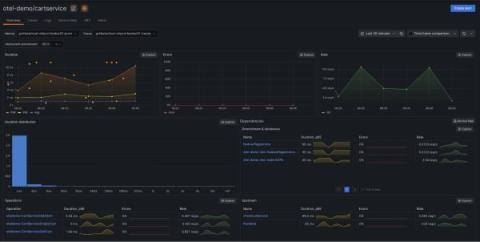
The OpenTelemetry (OTel) project offers numerous components and instrumentations that support different languages and telemetry signals. However, this flexibility can be overwhelming, and new users often struggle to choose the right components and configure them properly for their specific use cases. To address this, OpenTelemetry defines the concept of a distribution, a tailored and customized version of OpenTelemetry components.

Combining Data Visualization and Advanced Analytics for Stronger Data Insights

A typical enterprise generates a flood of information every day in the form of infrastructure and network data, operational and application data, security data, user access data, and more. With the right visualization capabilities, companies can thoroughly examine the multitudes of data they create daily to glean critical insights. The catch, however, is capturing actionable insights without exhausting the human resources of IT.

Galileo SMARTboards Feature Updates

In 2023, Galileo Suite introduced SMARTboards, our innovative customizable dashboards. Our initial launch was met with enthusiasm, especially after our live demo showcased their versatility and functionality. Today, we are excited to announce several Galileo SMARTboards feature updates that enhance their usability and value.

Introducing the SquaredUp Cloud Plugin for GripMatix's Citrix Logon Simulator

We are thrilled to announce the new SquaredUp Cloud plugin for the GripMatix Citrix Logon Simulator, bringing enhanced capabilities for monitoring, visualizing, and troubleshooting Citrix logon performance in real time.

Bloom filter changes for Grafana Loki (Loki Community Call Sep 2024)

In this Community Call, Senior Software Engineer Christian Haudum talks to us about bloom filter changes for Grafana Loki, including the deprecation of the bloom compactor and a pivot towards creating bloom filters for structured metadata. Bloom filters are a probabilistic data structure that we're using to improve query performance in Loki. Community Calls are monthly meetings that are open to everyone interested in the development of Loki. They are an opportunity for software engineers working on Loki to discuss new features as well as for open-source users of Loki to ask questions.

OpenTelemetry and vendor neutrality: how to build an observability strategy with maximum flexibility

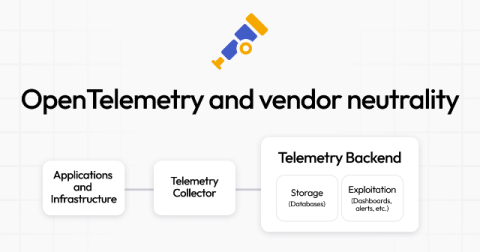
One of the biggest advantages of the OpenTelemetry project is its vendor neutrality — something that many community members appreciate, especially if they’ve spent huge amounts of time migrating from one commercial vendor to another. Vendor neutrality also happens to be a core element of our big tent philosophy here at Grafana Labs. We realize, however, that this neutrality can have its limits when it comes to real-world use cases.

The Catchpoint Enterprise data source for Grafana: key features and how to get started

Earlier this year, we were thrilled to announce that Catchpoint is now available as an Enterprise data source for Grafana! With the public preview release of the Catchpoint Enterprise data source, you can seamlessly bring Catchpoint’s extensive Digital Experience Monitoring (DEM) and Internet Performance Monitoring (IPM) capabilities into your Grafana dashboards, enhancing your ability to visualize and analyze performance metrics in real-time.

Grafana access management: How to use teams for seamless user and permission management

If you’re looking to simplify user access and permissions in your Grafana instance, then this blog post is for you.That’s because we’re going to walk through how to set up a streamlined system for managing user permissions with Grafana teams. We’ll focus on Entra ID (formerly Azure Active Directory) as our user repository and identity provider, but these steps can be adapted to other identity providers as well, including Okta and Keycloak.

Better root cause analysis: Mastering alert insights with the new central history timeline

A year ago we rebuilt our alert rule state history, using Grafana Loki for storage and updating the UI to display a timeline of all state changes of an alert rule. As a result, users can now conduct better root cause analysis by going down to the level of an alert rule and seeing when certain alert instances started or stopped firing. But we aren’t stopping there. To ensure system stability and avert outages, you also need one place to see the state history for all the alerts in your system.

What is an Incident Management Dashboard and How to Create One?

Managing incidents effectively is crucial for maintaining service quality and customer satisfaction. But with so many variables at play, how do you keep track of it all? The answer lies in a well-designed Incident Management dashboard. Think of it as your control center, providing real-time insights and helping you make data-driven decisions. Creating an Incident Management dashboard might sound like a complex task, but it doesn’t have to be.

Why native Azure DevOps dashboards fall short

Azure DevOps is a robust tool that integrates a wide range of development and project management functionalities into one platform. It covers various aspects of the software development lifecycle, from version control to continuous integration and deployment. However, when it comes to dashboards, Azure DevOps leaves much to be desired. Here’s why these dashboards often frustrate users.

Grafana Tempo 2.6 release: performance improvements and new TraceQL features

Grafana Tempo 2.6 is here with performance improvements and buckets of new TraceQL features! Watch the video above for an overview of the new TraceQL features, or continue reading to get a quick overview of the latest updates in Tempo. If you’re looking for something more in-depth, don’t hesitate to jump into the Grafana Tempo 2.6 release notes or the changelog.

How to Automatically Remediate Incidents with Grafana IRM

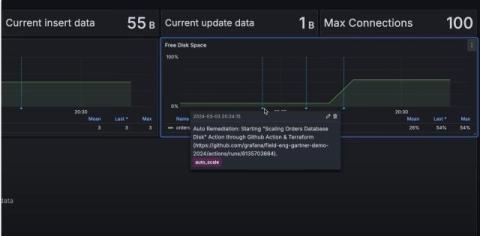
Build automatic remediation workflows to preemptively resolve system issues and minimize downtime. With observability-native IRM, you can automate routine tasks, ensure consistent responses, and reduce the manual effort required to manage incidents. Grafana Cloud is the easiest way to get started with Grafana dashboards, metrics, logs, and traces. Our forever-free tier includes access to 10k metrics, 50GB logs, 50GB traces and more.

Navigating VMware licensing changes with SquaredUp: Insights from a Global IT service provider

The recent changes in VMware's licensing model under Broadcom have introduced new complexities for IT teams worldwide. The shift from perpetual to subscription-based licensing has raised concerns about cost management, compliance, and resource optimization. One global IT service provider has leveraged SquaredUp to navigate these challenges, providing a real-world example of how organizations can use SquaredUp to adapt to these changes and maximize efficiency.

Visualize Catchpoint, PagerDuty, and Amazon DynamoDB data: what's new in Grafana Enterprise data source plugins

As part of our big tent philosophy here at Grafana Labs, we believe you should be able to access and derive meaningful insights from your data, regardless of where that data lives. One of the ways we stay true to that philosophy is through our Grafana Enterprise data sources.

3 powerful tools for reporting Azure DevOps metrics

Azure DevOps has become a cornerstone for development teams, providing comprehensive tools for managing, planning, and delivering software projects. But effective project management isn’t just about setting up pipelines and managing repositories – it’s about measuring progress and making data-driven decisions. Here’s a look at three powerful tools for reporting Azure DevOps metrics: Azure DevOps built-in dashboards, Power BI, and SquaredUp.

Dashboards vs. Boards in Azure DevOps: A comparative guide

Azure DevOps is a powerful toolset that helps teams plan, develop, deliver, and operate software projects efficiently. Among its many features, Dashboards and Boards stand out as critical tools for project management and team collaboration. While they may seem similar at first glance, they serve different purposes and cater to different needs within the DevOps lifecycle. This blog will explore the differences between Dashboards and Boards in Azure DevOps, highlighting when and how to use each effectively.