

Operations | Monitoring | ITSM | DevOps | Cloud

The latest News and Information on IT Networks and related technologies.

How to Break Into Network Engineering With Network+ and No Prior Experience

Breaking into network engineering can feel difficult when every job posting seems to ask for experience you do not have yet. But experience does not always have to start with a full-time networking role. Certifications, hands-on labs, personal projects, and entry-level IT work can all help you build the foundation employers expect.


AI in the public sector (infrastructure challenges and solutions)

The U.S. government has cataloged over 1,700 active AI use cases, and nearly 90% of federal agencies are already using or planning to use AI. The European Commission has disclosed nearly 1,500 AI use cases across EU member states. With over 3,200 combined AI use cases cataloged across the US and EU, public sector IT leaders face an identical roadblock: traditional application delivery controllers were not designed to parse or throttle Layer 7 LLM payloads, leading to backend GPU exhaustion.

What is Network Visibility and How do you Achieve It?

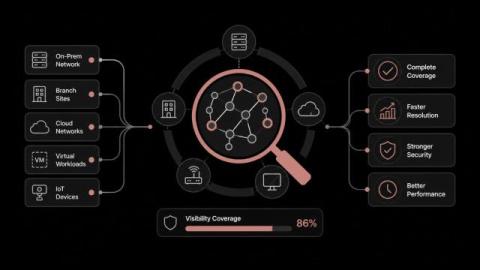
What happens when the segment that failed was never reporting to anything? The incident stops being a diagnosis and turns into a search, and the cost of that search lands on the business rather than on the network team. Network visibility measures how much of your environment can account for itself under pressure. Most teams assume their coverage is broadly complete because their monitoring platform reports thousands of healthy objects.

Observability Masterclass | Trust Before Autonomy: A Framework for AI in Observability

How to Prepare for Human-in-the-Loop AI in Observability AI is rapidly reshaping IT operations, but pushing forward blindly introduces massive risks. To scale automation safely, your teams need the right foundation in place. Join SolarWinds experts for a tactical session on how to strengthen data quality, eliminate tool fragmentation, and establish clear governance guardrails. Discover how to confidently transition from human-managed workflows to safe, guided AI autonomy.

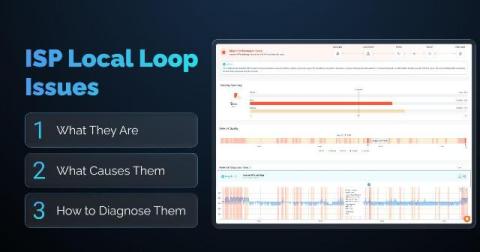
ISP Local Loop Issues: What They Are, What Causes Them, and How to Diagnose Them

Latency spikes that come and go. Packet loss that shows up for a few minutes, then disappears. None of it traces back to anything on your LAN, your firewall, or your switches because it isn't happening there. It's happening on the physical link between your building and your ISP's network: the local loop. This article covers what the ISP local loop is, what typically goes wrong with it, the most common root causes, and how to diagnose a local loop issue using traceroute data and Obkio Insights.

The big question at Black Hat USA 2026: "how do I know?"

Black Hat USA 2026 brought more than 20,000 people to Mandalay Bay in Las Vegas. We were there as a Platinum sponsor at booth 4208, and across two days on the business hall floor we had more than 750 conversations with security engineers and architects. Almost every one of them, whatever it started as, turned into a version of the same question: how do I know? How do I know whether a vendor's AI does what the banner says? How do I know what my agents are doing on the network?

AI harnesses for telco autonomous networks

Across the global landscape, telecommunications operators have already deployed machine learning for predictive maintenance, customer care chatbots, and anomaly detection. However, as the industry transitions toward Autonomous Networks Level 4 (AN L4), where networks can make intent-driven, predictive decisions and perform closed-loop management with minimal human intervention, a fundamental architectural challenge has emerged.

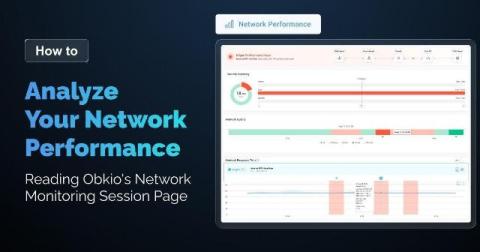
How to Analyze Your Network Performance: Reading Obkio's Network Monitoring Session Page

Every pair of Monitoring Agents in your Obkio account create a Network Monitoring Session to monitor network performance between the two agents. Every one of those monitoring sessions comes with its own dedicated page, automatically. You'll find it under the Network Performance tab: click into it, pick a network monitoring session from the list, and the full page loads for that specific connection.