Operations | Monitoring | ITSM | DevOps | Cloud

The latest News and Information on IT Networks and related technologies.

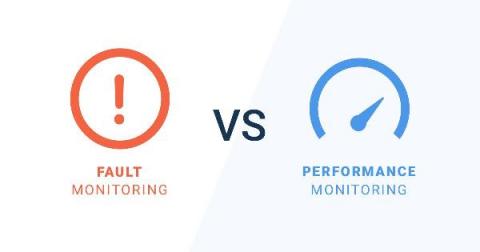
Network Fault Monitoring vs. Network Performance Monitoring

Every IT administrator knows that users typically complain of two things: the network doesn’t work or it’s slow. When your network isn't working, it’s usually because something is down and we can rely on Network Fault Monitoring tools to notify us. But where do we start when users complain of poor performance? And what tools are available to help us? In these situations, Network Performance Monitoring tools might be just what you need.

Charting a Course to Clearer Visibility | Discovering Observability: Session 1

As a monitoring professional, you’re responsible for tracking the elements in your infrastructure – regardless of where they live. You have the metrics, you’re collecting the logs, and you’re tracing the most important business processes, so you already have the critical parts required for true infrastructure visibility. But correlating the data, detecting anomalies, and being informed when things go awry is the challenge. Knowing a value is outside a threshold is great, but does that constitute a problem? Thankfully, SolarWinds® Hybrid Cloud Observability is here to give you that next level of insight.

NGINX Logging Configuration: How to View and Analyze Access and Error Logs

NGINX is one of the most widely used reverse proxy servers, web servers, and load balancers. It has capabilities like TLS offloading, can do health checks for backends, and offers support for HTTP2, gRPC, WebSocket, and most TCP-based protocols. When running a tool like NGINX, which generally sits in front of your applications, it’s important to understand how to debug issues. And because you need to see the logs, you have to understand the different NGINX logging mechanisms.

A Layman's Guide To HTTP/2

HTTP stands for Hypertext Transfer Protocol and is the backbone of the World Wide Web. HTTP/2 is the second major version of the HTTP protocol, which offers a performance improvement over its prototype. The new protocol has been in development for a long time, with the first draft published in 2012 and it was finalized in 2015. In recent times, HTTP is the obligation that boards almost all of the networks.

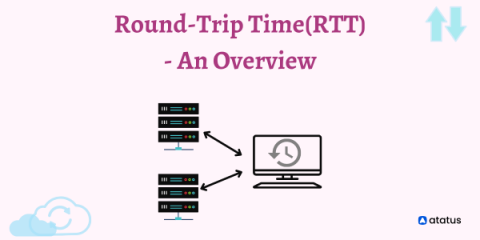
Round-Trip Time (RTT) - An Overview

A notable tool that renders the fortune of a web is Round Trip Time, which is also known as Round Delay Time. The time taken for a network request for a data packet and the flourishing of that data is the round trip time. The duration of RTT is calculated in milliseconds. RTT can be diagnosed and prompted by pinging a specific address. The time takes for an internet request to hit a destination and to lapse back to the primary resource.

From Baud to Awed: The History of the Modem

From 300 baud to multiple gigabits per second, it’s time to celebrate the history of the modem. It occurs to me that we will soon be entering a period where no one will remember the ear-shredding screech of a dial-up modem connecting their computers to the internet—all the while hoping no one picks up the phone and wrecks it. The humble modem is, at least as a device sitting on your desk alongside your computer, largely consigned to history—and more than a few recycling centers.

5 Executive Blindspots Around Hybrid IT Observability

For tech leaders, staying on top of hybrid and multi-cloud complexity with traditional monitoring tools is not easy task -- and can create distinct visibility gaps across your environments. SolarWinds Hybrid Cloud Observability can help put you on the path to better business outcomes.
Featured Post

Network topology software for your enterprise networks

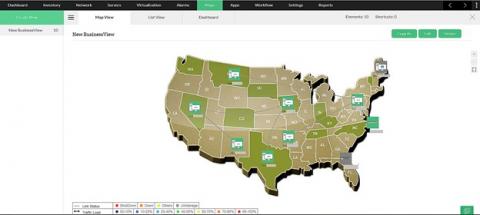
Every network has a topology. It is the task of the network admin to discover and build upon it. So it's vitally important you have an extremely detailed understanding of your network topology. A network topology diagram graphically depicts the devices, connections, and paths of a network so you can see how the different components interact and communicate with one another. A network topology diagram is essential for creating and managing a network. Without it, even basic troubleshooting can become unnecessarily difficult.