

Operations | Monitoring | ITSM | DevOps | Cloud

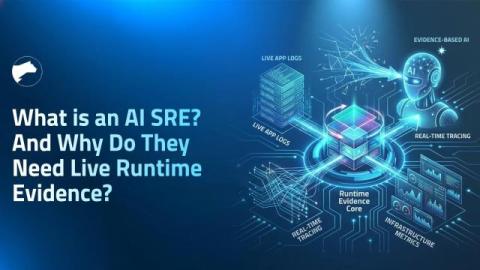
What Is an AI SRE? And Why Do They Need Live Runtime Evidence?

AI SREs are autonomous systems that handle incident triage, root cause analysis, and remediation by correlating logs, metrics, traces, and code signals. However, as they rely on pre-configured telemetry, the critical execution details of a specific failure, such as variable state and code paths, can often be missed. As a result, they either force users into manual redeploy loops or make inferences from partial data, diagnosing issues using probability rather than proof.
Beyond the Prompt: AI Agent Design Patterns and the New Governance Gap

If you are treating Large Language Models (LLMs) like simple question-and-answer machines, you are leaving their most transformative potential on the table. The industry has officially shifted from zero-shot prompting to structured AI agent design patterns and agentic workflows where AI iteratively reasons, uses external tools, and collaborates to solve complex engineering problems.

AI vs. Hype: Redefining Engineering Excellence with Ron Miller

In this episode of "ShipTalk: Engineering Excellence," host Thomas Dockstader sits down with Ron Miller, editor at Fast Forward, to discuss the real-world impact of AI on software development. They dive deep into the maturity of AI-driven code, the rise of the "citizen developer," and why traditional writing and communication skills are becoming the new must-have for modern engineers.

Building Agent-Friendly CLIs - What we learned at Checkly

Building Agent-Friendly CLIs: Why Your AI Agent Already Loves the Checkly CLI Stefan explains why products, docs, and CLIs must be AI-ready as coding agents rapidly become primary users of the Checkly CLI. He outlines key CLI features for agent workflows: Stefan demos how an agent initializes project-tailored Checkly setup from scratch without any human intervention and also shows how agents can entirely automate the incident life cylce from resolution to status page communication.

How AI-Powered Phishing Is Changing What 'Suspicious Email' Looks Like

For years, spotting a phishing email was almost a checklist exercise. Look for typos, watch for broken grammar, be suspicious of generic greetings like "Dear user," and check if the sender's address looks strange. That mental model worked because phishing emails actually looked bad. Which is no longer true. With the rise of AI, attackers can generate emails that are grammatically perfect, context-aware, and indistinguishable from legitimate business communication. The obvious red flags are gone. What used to look suspicious now looks completely normal.