

Operations | Monitoring | ITSM | DevOps | Cloud

The latest News and Information on Incident Management, On-Call, Incident Response and related technologies.

Automated Medical Answering Services: Cost and Setup Guide

After-hours calls can create missed messages and send urgent issues to the wrong clinician. For private medical practices, that risk grows when call answering and on-call escalation rely on the same loosely defined workflow. Answering service receives an inbound call, captures information, and categorizes the request. On-call routing identifies the responsible clinician, delivers the message, and escalates it when the clinician does not respond.

How savepoints quietly throttled our Postgres queue

At incident.io we are huge fans of Postgres; we've written about it a lot over the years, including how to choose the right indexes and how we're proud of being boring (The Pet Shop Boys). We use Postgres as our primary transactional database, which as of today has ~900 tables, and counting! The vast majority of our codebase does something along the following lines: read some data from Postgres, execute some business logic, then write that data back to Postgres. It is not, however, always that simple.

New features: ilert AI SRE GA, ilert CLI, Compass and more

ilert AI SRE is now generally available. Alongside it, this quarter brings Compass, a lifecycle assistant that surfaces the next move during an incident, a dedicated space for postmortems, rich incident cards in Microsoft Teams and Google Chat, on-call schedules that follow support hours and holidays, a new CLI, and dark mode. Here's everything that shipped.

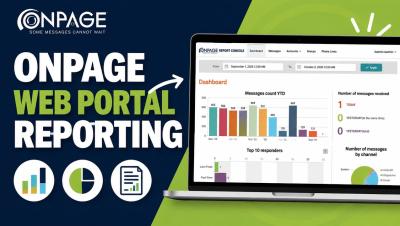
OnPage Web Portal Reporting: Dashboard & Analytics Guide

Learn how to navigate the OnPage Web Portal Reporting Console and gain greater visibility into your organization’s critical messaging activity. In this video, we walk through OnPage’s reporting tools and show how administrators can review alert and message activity, delivery and response metrics, responder performance, account and group activity, and communication trends from one centralized dashboard.

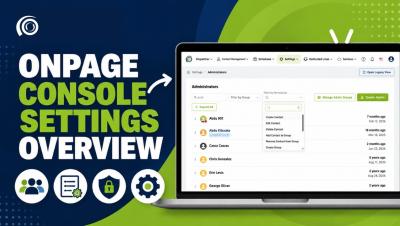
How to Use OnPage Console Settings | Settings Overview

Learn how to navigate and manage the Settings section in the OnPage Console. In this video, we walk through the OnPage Console Settings and show administrators how to manage administrator accounts, permissions and groups, reusable message templates, notifications, security settings, and other organization-level preferences. The Settings section gives administrators a centralized place to configure their OnPage environment, control user permissions, and manage important account preferences.

The September 30, 2026 Railway Outage

Railway-hosted domains returned HTTP 404 to new connections in all four Railway regions on September 30, 2026, for about five minutes between roughly 07:35 and 07:40 UTC. This happened after a new version of Railway's routing service went live before the database schema change it depended on had been applied.

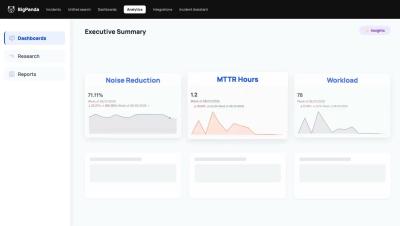
BigPanda Analytics: AI-driven insights and faster answers across all your ITOps data

See how BigPanda Analytics turns IT operations analytics into instant answers, no hand-built reports required. IT leaders are used to waiting on a report someone on the ops team had to hand build, and every follow-up question starts the cycle over again, while the business keeps moving. This demo shows how IT executives get direct access to IT operations analytics: prebuilt dashboards, AI-powered insights, and a natural language research tool that answers questions in real time.

Building Investigations: what it takes to build an AI SRE

At incident.io, we've spent the last two years building Investigations, our AI SRE. When you get paged, it starts investigating straight away, looking across your telemetry, recent deploys, past incidents, docs and code, and posts what it's found in your incident channel (or on your phone, if it's 2am and you're still deciding whether you need to get out of bed). By the time you open your laptop, you're starting at step six of triage rather than step one.

Top 10 RMM (Remote Monitoring and Management) Tools for IT Teams in 2026

Managing a growing IT environment requires more than reacting to problems as they appear. IT teams and managed service providers (MSPs) need continuous visibility into endpoints, servers, networks and other infrastructure so they can identify potential issues, perform maintenance and resolve problems remotely. That is where remote monitoring and management (RMM) software comes in. RMM tools provide IT teams with a centralized way to monitor and manage distributed IT environments.