Operations | Monitoring | ITSM | DevOps | Cloud

Need to do Integration Testing without a real Postgres SQL Database? #speedscale #postgres #sql

Struggling with integration testing because you need a real Postgres SQL database running? This video walks you through how to use Speedscale's proxymock to easily record and mock a live Postgres connection. You'll see how to: By the end, you'll be able to create realistic database mocks for your testing and development, saving you time and hassle.

New in Flyway: Pre and post deployment scripts for state-based deployments via callbacks

Flyway provides a lot of flexibility for releasing database changes in a safe and repeatable manner. Earlier this year, we added the ability to automate state-based deployments. This means the structure of the database is defined in version control and Flyway handles updating a target database to match it. The Flyway comparison engine does all the hard work of identifying what’s different and creating a script that will run on the target database to alter it so it matches the latest state.

SQL NTILE Function Explained with Practical Examples

NTILE in SQL transforms raw lists into structured distributions before they reach a dashboard. By pushing distribution logic upstream, it divides ordered rows at the query level, so the insights in Power BI, Tableau, or Excel are accurate, not just polished visuals. This guide explores its syntax, practical examples, and comparisons with other ranking functions. It also highlights how database IDEs bring NTILE insights directly into analysis and reporting workflows. Table of contents.

Welcome PostgreSQL 18: A New Era of Performance on Aiven

Aiven is proud to launch the newest version of PostgreSQL, version 18, alongside with the open source community as the first managed PostgreSQL provider to support the latest version. This year we had three Aiveners join in on contributing to this major release, a trend which we hope to only see increase. Congrats to Patrick Stählin, Ronan Dunklau, and Thomas Krennwallner for your contributions to the codebase.

Learn to mock your MySQL database and get realistic test data without the hassle of a live server!

Proxymock allows you to record real interactions between your application and a MySQL database. Use proxymock to simulate your database during local development and testing. Get real data without running a live MySQL server. Modify mock responses to fit your testing needs. Simplify your testing workflow and replicate production data easily.

Creating a Sustainable Open Source Business Model - Introduction

Open source defies everything you’ve ever heard or learned about business before (author’s quote). Yes, open source software has been around since the 90s, but there’s still little else like it. If anything, as time has gone on, we’ve added adjacent concepts like “open core” and “source available” that have added complexity to a model that isn’t that straight forward to grasp to begin with. VictoriaMetrics is an open source company.

SecureBridge 11.0, EntityDAC 3.5, and dbExpress Drivers: Latest Versions Released

We are excited to announce a new release of SecureBridge, EntityDAC, and the dbExpress product line. This update introduces support for the newest RAD Studio version, enhances compatibility with popular databases, and adds new components and options to simplify development and strengthen security.

Authentication Methods and Features in Microsoft Entra ID

What is Microsoft Entra ID, and why is this important in the database ecosystem? If you have ever used the Microsoft Authenticator app, you’ve already seen how the MS Entra ID works, but only a fraction of it. Microsoft Entra Identity (formerly Azure Active Directory) is a modern identity platform that unifies authentication, strengthens access controls, and integrates with the applications and databases businesses rely on most.

dbForge Hits a New Milestone With 2025.2!

A new milestone is achieved with the release of dbForge 2025.2! This time, it brings you enhancements in dbForge AI Assistant, long-awaited user interface improvements, and further significant advancements across dbForge tools for SQL Server, MySQL/MariaDB, Oracle, PostgreSQL. Interested in learning more? Let’s get started!

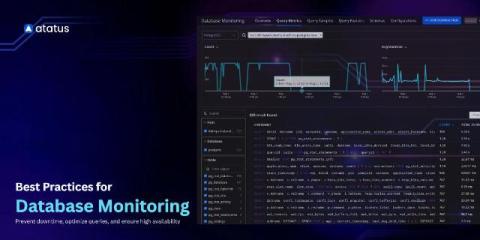
10 Best Practices for Proactive Database Performance Monitoring to Prevent Downtime

Databases are the core of modern applications, whether it is an e-commerce platform, a banking system, or a social media app. Slow database performance or unexpected downtime can cause serious problems, from lost revenue to poor customer experience. Proactive database performance monitoring helps teams identify issues before they escalate. Unlike reactive monitoring, which only addresses problems after they occur, proactive monitoring ensures your database remains fast, stable, and reliable.

Feature Spotlight: PostGres Mocking #speedscale #postgres #postgresql

Struggling with integration testing because of a Postgres database dependency? Testing can feel impossible when you need to replicate realistic data in Postgres. That’s where Speedscale’s Postgres Mocking Tool comes in. Speedscale drops a recorder into your live system, observes all Postgres traffic, and shows you the actual sequence of statements and responses—making it easier than ever to test reliably.

Major DAC Update: Expanded Database Support, Enhanced Security, and AI-Powered Features

We are thrilled to announce a significant update across our DAC (Data Access Components) product line. This release focuses on expanding compatibility with the latest development environments, extending support for modern databases, strengthening security, and adding powerful new functionality for AI-driven applications.

Building a .NET PostgreSQL MCP Server for Claude Desktop

Querying PostgreSQL in plain English is no longer a futuristic idea; it’s something you can build today. With a Model Context Protocol (MCP) server, Claude Desktop connects securely to external systems, including databases, through a structured interface. Here, MCP acts as the bridge between Claude and PostgreSQL, allowing it to run queries, explore schemas, and return results instantly in Markdown. This guide walks you through building that bridge in C#.

Introducing PostgreSQL Static Data in Flyway

One kind of data in most relational databases is what we call static data. This is also referred to as lookup data, code data, domain data or even list data. Whatever you like to call it, it’s usually smaller data sets consisting of data that never changes, or changes very slowly. One example might be Canadian postal codes. Another example, and one I’m going to use, is the amateur radio band definitions within a given country.

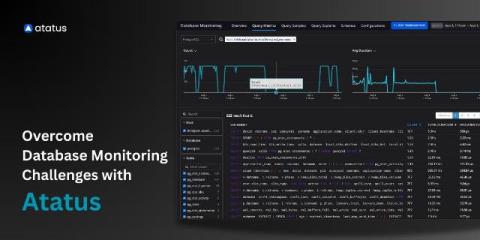
Database Monitoring Challenges Every DevOps Engineer Should Know

Databases form the critical foundation of modern applications, and maintaining their performance and reliability is essential for operational efficiency and user satisfaction. Effective database monitoring however presents numerous challenges. Modern systems produce extensive metrics, operate across diverse environments, and must scale in line with growing workloads, all while ensuring compliance and security.

From Productivity to Performance: SQL Prompt's Next Chapter with AI

For nearly 20 years, SQL Prompt has been a trusted companion for database professionals, helping them write cleaner code, reduce errors, and save time. From its earliest days, the focus has been on productivity while removing the repetitive, mundane tasks that slow people down. It’s been about building the reliability and performance that developers and DBAs depend on every day and that story doesn’t stop here.

Simple Talk Podcast - Coffee Chat with Tom Hodgson

Steve Jones is at Redgate’s Cambridge, UK headquarters once again, this time joined by Tom Hodgson, Innovation Lead on Redgate’s Foundry team. Tom gives an overview of The Foundry, which is Redgate’s innovation hub, offering some insight on what they do and what they’re working on (spoiler: it involves AI)! Also, hear Tom’s thoughts on AI & LLMs in general – including why sometimes just the basic version of a model is enough.

SQL performance improvements: finding the right queries to fix (part 1)

A few weeks ago, we massively improved the performance of the dashboard & website by optimizing some of our SQL queries. In this post, we'll share how we identified the queries that needed work. In the next post, we'll explore how we fixed each of them. We'll cover the basics and gradually work our way up to the more advanced/complex ways of identifying slow queries. In this post, you'll see: Let's go!

Faster, more memory-efficient performance in Grafana Mimir: a closer look at Mimir Query Engine

Until recently, Grafana Mimir — our open source, horizontally scalable, multi-tenant time series database (TSDB) — has exclusively used Prometheus’ PromQL engine to evaluate queries. While the PromQL engine works great, it sometimes needs a lot of memory to run, specifically in the Mimir querier component. To address this memory consumption issue, we recently introduced Mimir Query Engine (MQE).

Future-Proofing Your Historian with a Time Series Database

As technology scales and data volumes accelerate, organizations face a pressing challenge: how can they modernize data infrastructure without putting daily operations at risk? Data historians, specialized databases that capture and store time-stamped machine and sensor data, have long been the foundation for reliability and compliance. However, they were not designed for the openness and advanced analytics that modern workloads demand.

Best Practices for SQL Formatting: Write Clear and Consistent Code

Inconsistent SQL formatting is a silent productivity killer. The database will execute it, but for developers, poorly structured queries lead to slower reviews, harder debugging, and errors that slip through unnoticed. Over time, this lack of consistency compounds into costly technical debt. This guide shows how to format SQL code so it remains clear, consistent, and easy to maintain.

What is Database Monitoring? A Guide for Developers, DevOps, and SREs

Databases handle critical operations for applications, from online banking to e-commerce and streaming services. Any slowdown or failure can directly affect application performance and user experience. Database monitoring tracks performance, detects issues, and helps prevent downtime. It also ensures efficient use of resources, maintains security, and supports compliance requirements.

How to migrate data from Snowflake to SQL Server using SSIS

Learn how to connect SSIS to Snowflake, access your cloud data warehouse, and load data into SQL Server using Devart SSIS Data Flow Components. This clear, step-by-step guide covers setting up the connection, selecting and previewing Snowflake data, and running smooth, efficient data transfers—all without coding. Ideal for data professionals looking to simplify Snowflake integrations with SSIS.

Breaking Free from SQLite - Why We Added PostgreSQL Support to SigNoz

"Let us support different relational databases apart from SQLite. Nobody likes to run SQLite in production." This was one of the most requested features from our community. Your requests have been heard, and we've added support for different relational databases, starting with PostgreSQL. If you're self-hosting SigNoz, you no longer need to worry about SQLite's limitations. Let's dive into what we've built and why it matters for your production deployments.

Guardrails and Gains: How Flyway Brings Stability to Cloud Migrations

Avoid the pitfalls of cloud database migration with Redgate Flyway. Learn how automation, schema discipline, rollback strategies, and traceability reduce risk and enable fast, compliant cloud deployments, with these insights from John Q. Martin, Technology Partner Manager at Redgate Software. Cloud migrations promise faster releases and more flexible scaling, but a poorly executed database migration will stop you from exploiting them.

ClickUp Integration Guide

ClickUp integration has become a key driver of operational efficiency for over 3 million teams worldwide. By connecting the ClickUp platform with business applications, organizations simplify operations, eliminate manual handoffs, and give leaders the visibility needed to act with confidence. But achieving these outcomes requires a stable integration approach because not all methods offer the same flexibility or access.

How to Connect to MariaDB Using Devart ODBC Driver

MariaDB has become a preferred backend for many enterprises, thanks to features like Galera clustering, JSON functions, and ColumnStore for analytics. But to extract value from MariaDB, organizations need reliable integration with BI tools, ETL pipelines, and custom apps, and this is where MariaDB ODBC drivers come in. These drivers bridge the gap between your database and external systems. But not all of them are production-ready.

Best Applications and Tools for Connecting to Snowflake

Snowflake is the backbone of modern enterprise data architecture, powering over 10,600 organizations—including 800+ Fortune Global 2000 leaders. But thriving in this ecosystem takes more than just the platform. It requires a data architecture that can handle real-world complexity—and that’s where Snowflake connectors come in.

How to Export Data from Zendesk: Best Methods Explained

Zendesk is a goldmine of customer insights, but extracting that value from its usage is not simple. Teams trying to export data from Zendesk often run into paywall restrictions, API rate limits, and third-party tools that promise simplicity but falter at scale. For organizations integrating support data into BI platforms, migrating systems, or automating reporting pipelines, these challenges stall analytics and strategy.

Full-Stack Observability with VictoriaMetrics in the OTel Demo

The OpenTelemetry Astronomy Shop is a widely used demonstration environment designed to illustrate the concepts and practical implementation of observability in distributed systems. Built as a microservice-based e-commerce application, the demo provides developers with a near real-world environment where they can explore how telemetry data—metrics, logs, and traces—can be collected, processed, and visualized.

How to migrate data from Salesforce to SQL Server using SSIS

Learn how to easily connect SSIS to Salesforce, access your CRM data, and load it into SQL Server using Devart SSIS Data Flow Components. This step-by-step guide shows you how to set up the connection, select and preview Salesforce data, and run efficient data transfers—all without coding. Perfect for data professionals looking to simplify Salesforce integrations with SSIS.

Data Historians vs. Time Series Databases: A Practical Path Forward

Industrial data strategy often feels like a choice: keep legacy systems or replace them outright. But neither extreme is ideal. Full replacements are disruptive and costly, while avoiding change leaves businesses stuck with tools that limit growth. The better path is incremental. Each organization has different needs, and modernization works best when you build on proven systems while adding new capabilities.

How to Improve MariaDB Performance: Track Slow Queries with Logs and Metrics

Database latency rarely starts in your app layer because it’s almost always a query doing more work than it should. Metrics tell you when that happens, but slow-query logging tells you which statement did it and how. That’s gold for tracking down missing indexes, inefficient filters, or accidental full scans. Pair the logging with a some lightweight counter metrics, and you get both an early warning and a clear path to a fix.

10 Mistakes I've Made When Migrating Databases to the Cloud

John Q Martin, Technology & Alliances Partner Manager at Redgate, covers 10 mistakes he's made when migrating databases to the cloud - and the strategies he now implements to avoid them happening again. But first, John explains exactly why databases are the hardest part of cloud migration.

Database Performance Analyzer Overview

The cross-platform solution for performance monitoring for both cloud and on-premises databases. Anomaly detection powered by machine learning combined with forensic-level wait-time analysis gives you the power to diagnose performance issues in a matter of minutes, not days. Both real-time and historical data give you down-to-the-second answers to resolve critical problems, while expert advice via query and table tuning advisors allow you to proactively optimize your enterprise.

Simple Talks Podcast | S3, Episode 2 - Coffee chat with Jeff Foster

Steve Jones sits down for a chat with Jeff Foster, Redgate’s Director of Technology & Innovation, at the company’s Cambridge, UK headquarters. The main subject covered is hugely topical – AI – with Jeff explaining how he feels about AI today and how it might impact us, and our jobs, in the future. You’ll also learn a bit more about Jeff’s background and Redgate’s ways of working.

Why database monitoring is critical for application performance

When an application slows down, users rarely think about the database—but in many cases, that’s where the bottleneck lies. Databases sit at the core of nearly every application, storing, retrieving, and processing the information that powers business transactions, analytics, and user interactions. A minor inefficiency in query execution or a spike in resource usage can cascade into multiple issues, starting with degraded application performance, service interruptions, or even downtime.

New in Redgate Monitor: Oracle Data Guard support

Redgate Monitor now supports Oracle Data Guard environments, giving DBAs instant visibility into replication health, lag and role transitions, so Standbys stay in sync and are ready to protect availability and data when needed. DBAs running Oracle Data Guard know that keeping replicas healthy requires constant vigilance. It often involves querying dynamic performance views, such as V$DATAGUARD_STATS, or running Data Guard Broker commands to check lag and role status.

Database monitoring for beginners

Understand what's happening inside your database before your users do. Modern applications live and breathe through their databases. But when slow queries, connection spikes, or failed transactions start to pile up, the impact isn't just technical—it's customer-facing. That's why tracking your databases gives you the visibility into how your databases are performing under the hood.