Operations | Monitoring | ITSM | DevOps | Cloud

New Digital Asset Inventory Capabilities in InvGate Asset Management

InvGate Asset Management now tracks certificates, AI agents, automation workflows, and scripts as native Configuration Items (CIs). Each one carries the ownership, lifecycle fields, alerts, and change history already applied to hardware and software records. The components that run daily operations without appearing in any inventory now have a place in one. These four CIs are a starting point rather than the full definition of a digital asset.
Introducing Selector Foundry: Agentic NetOps

Network operations teams have heard plenty about AI this year. Most of it answers the alert in front of it, then hands the rest of the incident back to an engineer. Someone still has to correlate the evidence, find the cause, prepare the fix, and prove it held. This week, we announced Selector Foundry, the agentic NetOps solution built into the Selector platform. Foundry adds a team of specialized AI agents on top of the full-stack observability and AIOps foundation our customers already run.

Meet Ada - AI Assistant: Ask the Question, Approve the Change

Ask any operations team what question comes up most, and it isn’t about alert routing or escalation logic. It’s the one typed into a channel a dozen times a day: who’s on call for this right now? It’s also one of the slowest questions to answer. The schedule is set up correctly, the overrides are in place, and the group’s ownership is right.

The StatusGator mobile app is here

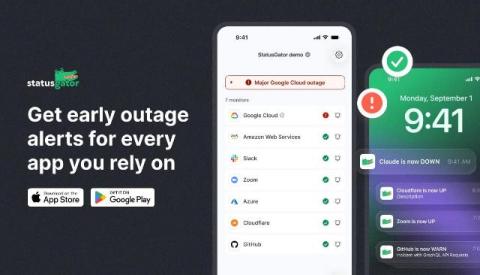
We’re excited to launch the StatusGator mobile app for iOS and Android, designed to put outage alerts right in the palm of your hand. Your StatusGator status page is the central hub for your entire organization to view and understand the status of all your services. These pages have always been accessible on mobile. Now, with the dedicated app, end users of your status page can take the services they depend on with them and receive updates directly on their phones.

What is New in Flowmon 13.1 and Flowmon ADS 13.1

Improvements to the Progress Flowmon product family continue, and we are pleased to announce the release of Flowmon 13.1. The latest 13.1 release builds on the strong foundations we laid in Flowmon 13. Headline enhancements include a rebuilt visualization layer, automated investigation workflows and a set of AI-assisted capabilities in the Flowmon Anomaly Detection System (ADS). And the Flowmon team is eager to share how your team can utilize these new capabilities.

Introducing Flyway Insights: see the change, know the impact

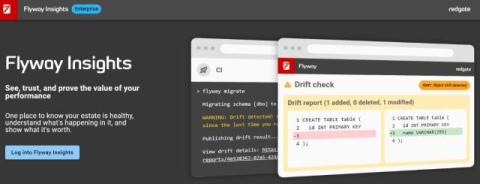
How much of your database delivery can you actually see? For most teams, the picture is scattered. Deployment status lives in CI logs and scripts. Drift appears outside the process. And with AI multiplying the volume and speed of changes moving through pipelines, the risk that comes with low visibility rises with every release.

Grafana 13.2 release: easier ways to query and explore your data

Grafana 13.2 is here, bringing more improvements to help you and your team explore your data and get to insights faster. Download Grafana 13.2 In this post, we’ll highlight the latest updates to saved queries, a feature that lets teams share, discover, and reuse queries to get to trusted answers faster and help new teammates get up to speed. We’ll also explore how the new View panel sidebar makes exploring busy panels a breeze.

Harness Announces Capabilities that Enable Security at Machine Speed | Harness Blog

Vulnerabilities used to move at human speed. A researcher found one, disclosed it, and defenders had days - sometimes weeks - to respond before it was weaponized in the wild. That window is gone. According to the Edgescan 2026 Vulnerability Statistics Report, it still takes an average of 55 days to fix a vulnerability - but the Zero Day Clock shows attackers going from disclosure to first exploit in as little as 6 hours.

Introducing the next generation of the BigPanda AI Incident Assistant

Effective incident response depends on having all of the context surrounding what’s happening. You have to understand your systems, services, architecture, and teams deeply enough to correctly interpret whatever alert just fired. Too often, that context doesn’t arrive packaged neatly in one place. Gathering and interpreting context correctly under time pressure is one of the most difficult parts of the job.