Operations | Monitoring | ITSM | DevOps | Cloud

Where Jev fits in ops

If you're using agents and MCPs to get a better understanding of your environment or work through an investigation, you can get a lot of useful information back. You can pull logs, look at recent changes, and check how services are configured, but you're still the one deciding what to do with all of it. That part of the process still lives in your head. To see where Jev might fit, look at decisions your team already makes and work backwards from them.
How to Monitor Database Backups and Get Alerted When One Fails

To monitor a database backup, make the backup script check its own output (exit code, file size, a table you know must be there) and ping a heartbeat URL only when all of it passed. If that ping does not arrive on schedule, you get an alert. A backup that failed, wrote an empty file, hung, or never started all look the same from the outside: no success ping.

How to Monitor Celery Beat and Catch Missed Periodic Tasks

To monitor Celery beat, give each periodic task its own heartbeat URL and ping it from the worker when the task succeeds, with a task_success signal handler. If beat is down, the message sits in a queue no worker reads, or the task raises, the ping does not arrive and you get an alert. The trap is that beat only publishes messages: its log prints Sending due task on schedule whether or not anything ever runs the task.

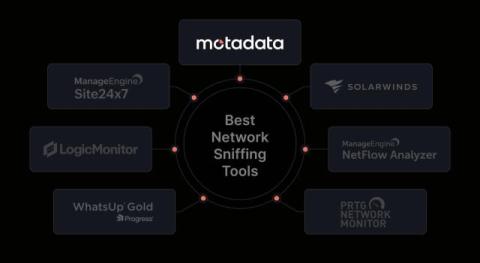
7 Best Network Sniffing Tools for 2026

Ever wondered what is actually using your network when it suddenly slows down? It could be a device sending too much data, a backup running at the wrong time, or an application taking too long to respond. Without visibility into network traffic, finding the real cause can take hours. That’s where network sniffing tools can help. They let you inspect network traffic, capture packets, and see what is happening between devices, servers, and applications.

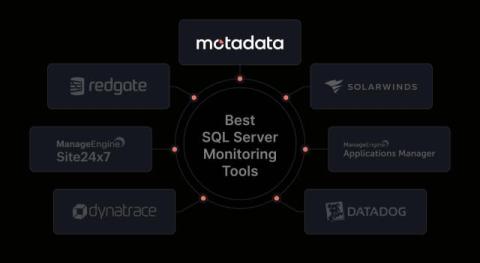
7 Best SQL Server Monitoring Tools for 2026

A slow query can affect an application before the database team knows what is causing it. A blocked session, failed job, or growing database file can create more problems if no one spots it early. That’s where SQL Server monitoring tools come in. They help you track database performance, find slow queries, monitor waits and locks, and see what changed before a problem occurred.

Building AI SRE Agents, Part 3: Autonomous in the Cloud

Your agent has earned trust in shadow mode. Now it runs on its own: an alert fires, the agent starts, investigates and proposes a fix before anyone opens a laptop. Here is what it takes to make that safe, scalable and better every week. This is the third article in a series on taking an AI SRE agent from a weekend experiment to production. Part 1 built a local, read-only agent on a throwaway cluster and refined it against a synthetic eval set.

How we investigate Sentry errors with an AI agent

We built an AI agent on Qovery to investigate Sentry alerts before our team picks them up. Here’s how the workflow runs, what it delivers, and where engineers still need to step in. Rémi is a staff frontend engineer at Qovery. He writes about frontend architecture, developer experience, and building scalable UI systems for platform engineering tools.

Manage your OpenTelemetry Collectors with Fleet Management in Grafana Cloud

If you’ve built your telemetry pipelines around OpenTelemetry Collectors, you’ve already invested in a collector distribution, YAML configuration, and a deployment model that fits your infrastructure. As that deployment grows, managing it means keeping shared configuration consistent, accommodating different workloads, and understanding whether your collectors are healthy. Fleet Management in Grafana Cloud brings those tasks together in one place.

From Git Repo to Docker Image: Building Your First CI Pipeline in Harness

Connect GitHub, let Harness generate your CI pipeline, then build and push a Docker image to DockerHub. No YAML required. Creating your first CI pipeline usually sounds simple until you actually start. You connect your repository, figure out what stages you need, configure the build steps, set up the runtime, add caching, testing, credentials, and then hope the first run actually works.

Deploy Your First App with Harness CD in Under 15 Minutes

Deploy your first app with Harness CD in under 15 minutes. Learn how to build, configure, and execute a rolling deployment using a real sample application. TL;DR: Deploying shouldn't feel like crossing your fingers. With Harness CD, you set up your deployment once and get rollback and a full history of what shipped, without writing it all yourself.