Operations | Monitoring | ITSM | DevOps | Cloud

5 Reasons OnPage Tops the Best HIPAA Messaging Apps List

Choosing a HIPAA-compliant messaging app is rarely about security alone. Healthcare teams need messages that get read, on-call schedules that route to the right provider, and reliability that holds up at 3 a.m. Most apps clear the encryption bar. Fewer guarantee a missed page never happens. Or that critical alerts from medical systems and urgent after-hours calls from a discharged patient reach the right on-call staff.

AI Is Not a Switch: The Real Path to AI-First Operations

Organizations are no longer asking whether to adopt AI; that question is settled. The focus now is on reaching a point where AI is doing meaningful operational work—or as the industry calls it, being “AI-first.” But being “AI-first” isn’t binary. You don’t go from zero AI to meaningful autonomy by flipping a switch. In reality, getting there means moving through distinct stages.

7 Secure Medical Messaging Apps Private Practices Trust in 2026

For private medical practices in 2026, secure and efficient communication is non-negotiable. Standard consumer messaging apps like iMessage and WhatsApp are not compliant with privacy regulations and create significant risks for both patients and providers. Adopting a dedicated, HIPAA-secure messaging solution is essential for protecting patient data and streamlining clinical workflows.

How to Prioritize Incident Management Integrations for Faster Response

Incident response rarely fails because teams lack tools. More often, it fails because those tools are disconnected when pressure is highest. A monitoring system detects the issue. An ITSM platform holds the incident record. Engineers coordinate in chat. A bridge is created manually. A cloud team checks infrastructure events. Security teams review detections. Leaders ask for updates. Meanwhile, responders are jumping between systems, chasing context, and trying to make decisions quickly.

How AI-First Operations Unlocks Compounding Engineering Productivity

Engineering teams have plenty of ideas, but they’re often short on time to act on them. As software systems grow more complex, an increasing share of engineering capacity is consumed by non-building activities: investigating alerts, coordinating fixes, and managing operational incidents. Every hour spent diagnosing failures is an hour not spent shipping features or experimenting with new product ideas. Over time, that lost capacity compounds.

June 24 Global Shopify outage: Timeline and impact

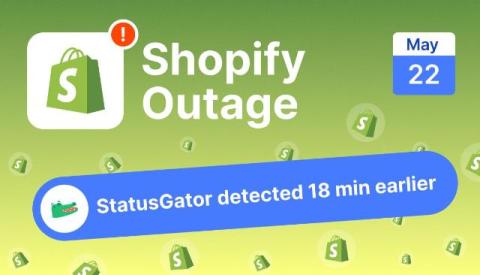
On June 24, 2026, Shopify experienced a widespread service disruption that affected storefronts, admin dashboards, and merchant access across multiple regions. While the outage did not impact every user, reports quickly surfaced from merchants around the world who were unable to access stores, log in to administrative tools, or complete routine operations.

Multi-Agent Architectures - What we shipped, what broke, and what we'd do differently

At LLMday Lisbon, our Software Engineer, Viktor Vasylkovskyi, highlights the realities of building production AI agents with LangGraph - sometimes getting it right, often learning the hard way. This talk is about what was actually shipped, including a distributed multi-agent setup at PagerDuty. Viktor breaks down the real tradeoffs between LLM-driven and deterministic orchestration, what broke, and how he’d approach it differently now.

6 use cases for agentic AI in major IT incident management

Enterprise IT operations leaders are realizing that legacy incident management processes cannot keep pace with today’s sprawling, hybrid-cloud enterprise environments. Enterprise IT doesn’t look anything like it did even five years ago. Hybrid cloud architectures, distributed microservices, and increasingly rapid CI/CD cycles have increased the speed and complexity of IT operations by orders of magnitude, leaving ITOps teams struggling to keep up.

Making Critical Incidents Impossible to Ignore - Derdack SIGNL4 - The Alerting Experts

In this episode, Doreen Jacobi talks with Henri-Paul Bourassa, IT Administrator at exo, the public transit organization serving the Greater Montréal area. Like many IT teams responsible for around-the-clock operations, Henri-Paul's team already had monitoring in place. The challenge wasn't finding issues - it was making sure the right people were alerted quickly enough to respond.

Incident Management Teams: Ready for Critical Situations

A malfunction in the baggage handling system at Berlin Brandenburg Airport disrupts the conveyor network that transports luggage across the airport. With more than 70,000 passengers traveling through BER every day and flight schedules timed down to the minute, even a small disruption can quickly lead to delays, missed connections, cancellations, and high costs. Fortunately, the Incident Management team receives the alert in real time and responds immediately.
Featured Post

From firefighting to forward planning: a practical route to operational innovation

Operational innovation is often treated as a back-office efficiency exercise, but in practice, it is becoming a strategic discipline. As AI moves deeper into day-to-day operations, technical leaders need a clearer way to cut toil, reduce risk and build the capacity to innovate. For many operations teams, it starts with incident management. When responders are trapped in noisy alert streams, manual escalations and fragmented workflows, innovation is pushed aside by the urgent work of keeping services available.

Top Mobile Incident Notification Systems for IT Teams 2026

Modern IT incidents don’t stick to a 9-to-5 schedule. System failures, security breaches, and performance degradations can happen at any time, and today’s distributed teams must respond instantly, wherever they are. The ability to receive, acknowledge, and manage incidents directly from a smartphone is no longer a luxury—it’s a core requirement for effective incident response in 2026.

How to Reduce On-Call Burnout in IT Teams

On-call duty is a high-stakes reality in modern IT and digital ops teams. While essential for ensuring system reliability, the chronic stress it creates doesn’t have to be a given. On-call burnout is a serious threat to your team’s well-being and your organization’s performance, but it isn’t inevitable. It’s a systemic problem, not a personal failing.

We redesigned Spike

Last Christmas, after everyone had gone quiet for the holidays, I sat down with a pen and some paper and started drawing Spike. Not the Spike we actually had, but the Spike I wanted, the one I had been carrying around in my head for a long time without ever really putting it down anywhere. A little while later I brought a few of those screens into Figma and showed them to the team over coffee one afternoon.

Vendor Outage Monitoring for MSPs: Per-Client Status Pages and Custom Dashboards

Handling client calls when a third-party vendor has an outage - this will sound familiar if you are a managed service provider (MSP). Your first instinct would be to check if the vendor's status page or social media handle shows anything, or check crowdsourced websites like Downdetector. Or even ask your client to check themselves. These approaches do not scale when you have more than a few clients, many vendor status pages to check, and clients with different stacks.

Creating Schedule Overrides in OnPage

Learn how override schedules work in OnPage and how admins can quickly manage temporary on-call coverage changes without rebuilding the entire schedule. With OnPage overrides, teams can adjust coverage for vacations, sick days, shift swaps, after-hours changes or last-minute availability issues. During the override window, alerts are automatically routed to the covering responder. Once the override ends, the schedule returns to the regular on-call rotation.

What's New in the Updated OnPage Enterprise Management Console

Take a quick walkthrough of what’s new in the updated OnPage Enterprise Management Console. In this video, we highlight the latest updates designed to give admins more visibility, flexibility and self-service control across critical communication workflows. You’ll see what’s new across the console, including: The updated Enterprise Management Console helps teams manage on-call schedules, critical alerts, escalation workflows and Dedicated Lines more efficiently from one centralized place.

How Property Managers Can Respond Faster to Critical Issues | OnPage

When managing properties and facilities remotely, every minute matters. Whether it's an HVAC failure, maintenance request, or after-hours emergency, critical issues need immediate attention. Traditional communication methods like phone calls, emails, and text messages can easily be missed, delaying response times and impacting tenant satisfaction. In this video, discover how OnPage helps property managers and facilities teams receive critical alerts in real time, coordinate responses faster, and maintain visibility throughout the incident lifecycle.

OnCall Rotation Software for IT Ops Boosts Response (2026)

The chaos of manual on-call management is a familiar story for many IT Operations teams: frantic phone calls, confusing spreadsheets, missed alerts, and frustrated engineers on the verge of burnout. This reactive approach doesn’t just strain your team; it risks service-level agreement (SLA) breaches and customer churn.

Route Critical Alerts Evenly and Move Faster from Message to Phone Call

It’s been a busy quarter at OnPage. We recently rolled out our updated Enterprise Management Console to a select group of beta customers, and the early feedback has been exciting to see. The new experience gives teams a cleaner, more modern way to manage critical communication workflows, on-call schedules, alerting activity and team visibility from one place. But we have not slowed down there.

Resilience for an AI-Powered Future: PagerDuty's FY26 Impact Report

The impact vision for PagerDuty.org is to enable mission-driven teams to build a resilient world and a sustainable future for all. As a leader in modern, AI-first operations, we know that operational excellence supercharges social impact. As artificial intelligence rapidly reshapes the social sector, this commitment to resilience and efficiency has never been more vital.

From Telemetry to Shared Understanding: Why Operations Teams Need Better Visual Incident Notes

Modern operations teams are rarely short on data. A production incident can generate thousands of log lines, multiple dashboards, traces across several services, deployment events, alerts, chat messages, and customer reports. The harder problem is turning that data into shared understanding quickly enough for people to act.

New: Save time during incidents with incident templates

Creating incidents often means filling out the same information over and over again. That’s why we’ve added Incident Templates – a faster way to create incidents using pre-configured settings. With templates, you can save commonly used incident details and apply them with a single click whenever you need them.

Product Update - June 2026

IncidentHub's latest product update includes private status ingestion for Microsoft Azure and Microsoft 365, a simpler UI for alerts configuration, an option to disable the public status page, and a better looking status page layout. Plus, support for more vendors (1070+ and counting). As always, I am grateful to all our customers and beta testers who have shared their feedback which has made IncidentHub better.

What Major Incidents Really Cost Your Business

When a major IT incident hits, most organizations know what it costs in the moment: lost transactions and missed SLAs. But according to the findings of our 2026 State of AI-First Operations report, the most significant consequences often don’t show up until long after the incident is closed—in customer relationships, team health, and brand reputation.

Stop Missing After Hours Calls with SIGNL4 Call Routing

Many teams invest time building an on-call rotation, but inbound calls often ignore that structure completely. A support number forwards to a single phone. One engineer ends up taking every call. Sometimes the call goes unanswered and the voicemail lands in a shared mailbox that nobody checks until the next morning. Even worse, the team might have several engineers on duty, but the phone system has no awareness of who is actually responsible at that moment.

Automated Alerting: Stop Losing Money to Delayed Notifications and Inefficient Alerting Workflows

When incidents are not addressed – or not addressed quickly enough – businesses incur significant costs. Mean Time to Resolution (MTTR) increases. In the worst cases, the financial impact extends beyond your organization to customers and partners. Automated alerting reduces response times and notifies the right people when action is needed.

PagerDuty Report Finds Two-Thirds (66%) of Office Professionals Have Used Unauthorized AI Tools at Work

Three-quarters of office professionals (75%) say they would be likely to look for a new job that offered better AI skills development, a figure that climbs to 80% at companies with $1 billion or more in revenue.

Tencent Cloud: When systems start reacting to themselves

Distributed systems don't just fail. They adapt. Services in Tencent Cloud environments are tightly interconnected. Compute, load balancing, databases, and networking layers continuously respond to each other based on changing conditions. Under normal load, this coordination stays in the background. As pressure builds, the behavior shifts. The system does not degrade in a straight line. Instead, it starts adjusting itself.

Shadow AI Is Happening Within Your Organization

A majority of office professionals (72%) believe they understand how to use AI for their job better than the team responsible for managing AI at their company. While it’s encouraging to see employees embrace AI with such confidence, organizations will want to ensure they are providing the tools, guidance, and safeguards needed to help employees use AI safely.

Introducing the Rootly Agent

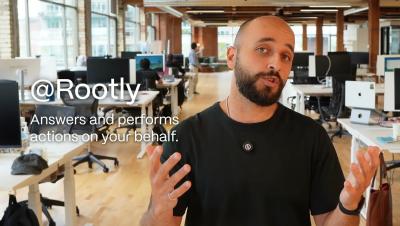
During an incident, ask the Rootly Agent anything and it'll respond (and act) based on context and your data. Use the Rootly Agent to: The Rootly Agent performs actions on your behalf, so it is bound by the permissions assigned to your user. It will also ask for confirmation before taking significant actions. Rootly admins can turn it on for their workplaces and start running incidents even more efficiently.

The new G2 Summer Badges are here!

We're thrilled that SIGNL4 is appreciated by the G2 community! SIGNL4 has been recognized by G2 as High PerformerBest Results Most Implementable for delivering the Best Estimated ROITop 50 Best German Software Companies Thank you all! ���������� ������������: SIGNL4 is a mobile alerting and incident response solution designed for modern operations teams. With features like duty scheduling, time off management, and real-time mobile alerts, SIGNL4 ensures the right people are notified – even when schedules change.

incident.io vs PagerDuty: Which Wins IT Response in 2026?

The world of IT incident response is no longer just about getting an alert. As systems grow more complex, teams need tools that not only notify them of a problem but also help them solve it quickly. In this evolving landscape, two names dominate the conversation: PagerDuty, the established enterprise leader, and incident.io, the modern, Slack-native challenger.

Why Small Business IT Disasters Are Almost Always Preventable

A server goes down on a Tuesday morning. A ransomware file starts encrypting documents at 2 a.m. A key employee clicks a link in what looked like a vendor invoice, and by the time anyone notices, credentials have been sitting in the wrong hands for six hours.

Tap-to-call | OnPage New Feature Release

Introducing Tap-to-Phone Call in OnPage. When critical incidents require more than messaging, teams need a fast way to connect. With Tap-to-Phone Call, users can place a direct phone call to group members directly from within an OnPage conversation. By simply tapping the phone icon, responders can transition from secure messaging to live voice coordination through their mobile carrier network, helping teams communicate faster when every second counts.

Round-Robin Alert Distribution in OnPage | Incident Management Application

Introducing Round-Robin Alert Distribution in OnPage. When every alert starts with the same responder, critical issues can pile up fast and put too much pressure on the same on-call team members. With Round-Robin Alert Distribution, OnPage can route alerts sequentially across responders, helping teams distribute urgent work more evenly, reduce workload concentration and support a more balanced on-call experience.

Incident Prevention & Incident Assistant Demo - The best incident is one that never happens

The best incident is one that never happens. The BigPanda team recorded a live demo of the AI Incident Prevention & AI Incident Assistant as part of ITSM Week, hosted by the Service Desk Institute. ITSM teams are measured by how effectively they prevent disruption. Yet many teams still spend too much time reacting to noisy, low-context incidents after impact has already begun. Watch this on-demand session to learn how leading organizations are moving beyond manual firefighting to autonomous operations with Agentic AI.

MTTR - Mean Time to Repair: Definition and the Hidden Costs of Downtime

When a critical system goes down, the clock starts ticking. Every minute matters. Whether it’s a cloud platform, manufacturing operation, logistics center, airport infrastructure, or business-critical software, downtime creates more than just technical issues — it often leads to significant financial losses. That’s where MTTR comes in. MTTR measures how long it takes an organization, on average, to restore normal operations after an incident.

11 Incident Management Best Practices Every IT Team Should Follow

A well-defined incident management process can mean the difference between a minor disruption and a major business outage. When critical services fail, every minute of downtime matters. Yet many IT teams still face challenges such as unclear ownership, poor prioritization, communication gaps, alert fatigue, and manual processes that delay resolution. The result is longer outages, missed SLAs, and frustrated users.

Shopify outage affects stores, admin panels, and APIs on June 3, 2026

On June 3, 2026, Shopify experienced a widespread service disruption that affected merchants and customers across multiple regions. Users reported storefront failures, admin dashboard issues, API connectivity problems, and authentication errors that disrupted ecommerce operations for several hours. While the outage did not affect every Shopify customer, reports quickly began arriving from around the world, indicating a significant platform issue.

Behind the Scenes: Shift-Based Schedules

The PagerDuty team lifts the hood on the newly rolled out Shift-Based Schedules. This session breaks down how PagerDuty is moving away from layer-based architecture to a flexible system that natively scales with modern engineering teams and naturally fits their workflows. Timestamps: Speakers: Ken Choate (Software Engineer) Kelsey Yocum (Sr. Product Designer) MJ (Sr. Engineering Manager) Todd Murphy (Principal Product Manager)

Top IT Ticketing & SOAR Tools for Automated Workflows

For IT and SecOps teams, the challenge is not a lack of alerts. It is the sheer volume of noise coming from monitoring tools, security systems, and support channels. Trying to manage this volume manually is not just slow; it’s a recipe for mistakes, team burnout, and critical system failures.

Pager Replacement: Modern Alternatives to Physical Pagers

While physical pagers were once the undisputed gold standard for urgent communication, their technological limitations now create dangerous bottlenecks for modern healthcare and IT teams. Carrying multiple devices is not only inconvenient but increasingly inefficient, prompting a widespread shift away from legacy hardware. As of May 2026, the obsolescence of traditional pagers is undeniable.

Insights Agent: Deep operational intelligence where your team works

This blog post is part of PagerDuty’s ongoing series on how we’re helping customers navigate their journey towards autonomous operations. Read on to learn about how PagerDuty Advance Insights Agent (now Generally Available for Microsoft Teams users) builds towards this vision. As AI accelerates development and teams ship more code than ever, operational data is everywhere; insights aren’t.

Scribe Agent updates: no more manual note-taking or lost context

This blog post is part of PagerDuty’s ongoing series on how we’re helping customers navigate their journey towards autonomous operations. Read on to learn about how PagerDuty Advance Scribe Agent updates (Generally Available) build towards this vision. When a major operational issue hits, there’s always someone drawing the short straw to take on the most thankless job in incident response: scribing the call. Chances are you were already that someone.

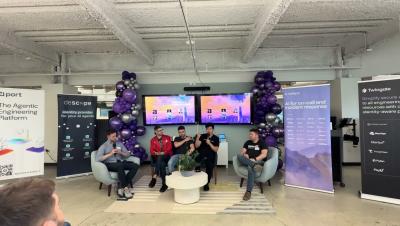
Running AI at Enterprise Scale w/ Anthropic, Descope, Port, Rootly and Twingate

The debate about whether AI can write production code is over. Companies are handing work to fleets of agents, and for many, they write most of the code that ships to production. The next challenge is everything that happens once an entire engineering organization runs this way, at full speed. Teams that generate code 10x faster still review it at human speed, and that mismatch is now the constraint. Code ownership is also becoming an issue, as developers learn to trust agentic processes a little too much. When an agent breaks production, who is responsible?

Scribe Agent Updates

Scribe Agent enriches two new Incident Workflow actions: add a Google Meet bridge and automatically transcribe it from the moment it starts, and post Periodic Incident Progress updates to the incident channel, enhanced with context from the ongoing call. Responders stay focused on resolution. Stakeholders stay informed. Critical incident knowledge documented.

How AI Improves Service Desk Automation and Client Experience

Artificial intelligence is reshaping the IT service desk, moving it from a reactive cost center to a proactive, value-driven business partner. By automating repetitive tasks and providing deep analytical insights, AI helps IT teams resolve issues faster and deliver a superior client experience. This shift allows support staff to focus on more complex challenges, improving both efficiency and employee morale. The result is a more agile and responsive IT support system that directly contributes to organizational success.

From Detection to Resolution: Why ServiceNow + xMatters Is the Fastest Path to Incident Resolution

AI is changing incident management, but not in the way most people think. For years, operations teams focused on getting better at detecting problems. Monitoring improved. Observability improved. AI is now helping teams correlate signals, reduce noise, and identify issues faster than ever before. That’s all valuable, but many organizations are discovering that finding the problem is no longer the hardest part. The harder part is everything that happens next. Who owns the issue?

How to Build Escalations That Actually Work

Most IT teams already know when something breaks. The real problem is making sure the right person responds fast enough. A server goes down. A customer-facing application crashes. A security alert triggers after hours. The monitoring system sends the notification. But nobody responds. The alert gets buried in Slack. The on-call engineer misses the push notification. The wrong person is scheduled. Everyone assumes somebody else is handling it. That is how small incidents become expensive outages.

ER-to-Physician Communication Workflow: Healthcare Critical Alerting Case Study

When a nurse calls for help, every second counts. ER nurses juggle a lot: admission decisions, discharge approvals, orders, physician consults. When they need support fast, they can't afford to chase down the right person manually. Here's how one physician-led medical group solved it using OnPage: Nurses leave a voicemail on a single intake line It's automatically routed into OnPage as an alert to the on-call triage coordinator.