
Rethinking Sprite Creation Costs for Indie Developers

The gap between game design ambition and art production has never been more visible. Over the past twelve months, a growing number of indie teams have discovered that the bottleneck isn't always code, mechanics, or level design—it's the sheer volume of sprite frames required to bring a single character to life. A walking cycle alone can consume an entire weekend. A complete character with idle, attack, and jump animations often stretches into weeks of pixel-by-pixel work. Against this backdrop, a new category of tools has emerged, promising to compress that timeline without sacrificing the visual cohesion that makes games feel polished. One name that keeps surfacing in developer forums and Discord servers is AI Sprite Generator, a platform built specifically around the problem of style consistency across animated game characters. Rather than treating AI as a magic wand, it positions itself as a practical production tool for developers who need game-ready assets on a schedule that manual workflows simply cannot support.
A Real-World Test: Can a Tool Replace 20 Hours of Pixel Work?
To understand whether SpriteFlow delivers on its promises, I ran a series of tests across different character types and animation needs over the course of a week. The goal wasn't to produce museum-quality pixel art—it was to simulate the actual conditions of indie development: tight deadlines, limited budget, and zero dedicated art staff. I started with a simple brief: a side-scrolling platformer character, roughly 64x64 pixels, with a walk cycle, idle animation, and a basic attack. In a traditional Aseprite workflow, this would mean drawing each frame individually, checking proportions across poses, and constantly adjusting colors to prevent drift between frame 1 and frame 30. With SpriteFlow, the process followed a different rhythm entirely.
Step 1: Character Input and Style Setup
The first step asks you to either upload a reference image or describe your character in plain text. I opted for text input, specifying a "stocky knight with a red cape and silver armor, 16-bit pixel art style." The system also allows you to select from preset art styles—pixel art, 2D cartoon, anime, or custom—or upload three to five reference images to train the AI on your specific aesthetic. I chose the pixel art preset and uploaded a few reference sprites from an old SNES game to lock in the color palette and detail level. The interface makes this feel less like training a model and more like setting a visual rulebook: once the style is captured, every subsequent generation uses that exact color palette, line thickness, and proportional logic.
Palette Locking in Practice
What stood out here was the palette-locking mechanism. In manual sprite work, keeping colors consistent across frames is surprisingly difficult—a slightly different brush opacity or a mis-clicked hue adjustment can break the illusion of a single character. SpriteFlow's approach extracts your approved colors from the reference images and prevents the AI from introducing any color not present in that palette. This isn't a suggestion; it's a hard constraint. During my tests, every frame generated across multiple animation types used the same red, silver, and brown tones without exception. That level of control addresses what the platform identifies as the number one complaint from developers using AI art tools: inconsistent output that looks like different artists worked on different frames.
Step 2: Animation Selection and Generation
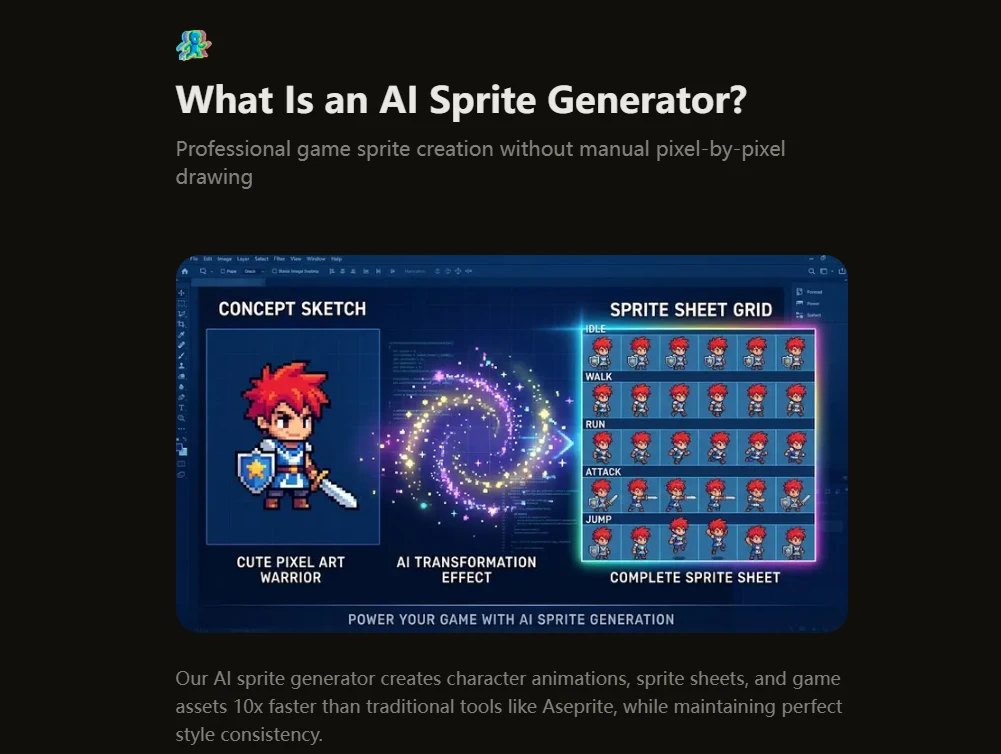
Once the character and style are defined, you select an animation type from a dropdown menu. The available options cover movement (idle, walk, run, jump), combat (melee attack, ranged attack, magic cast, hit reaction, death), and advanced actions (crouch, roll, climb, swim, victory). You also set the frame count—typically six to twelve frames per animation—and the frame rate, which can range from 8 FPS for retro pixel art to 24 FPS for smoother modern 2D. I selected an eight-frame walk cycle and clicked generate. The system returned a complete animation in just under sixty seconds. The frames were consistent in proportion, color, and line weight. The character's cape flowed naturally through the cycle, and the armor maintained its reflective highlights across every pose.
Speed and the Reality of Iteration
From a practical user perspective, the generation speed matters less for a single animation and more for the iteration loop. In my testing, I generated three different walk cycles with slight variations in stride length and arm swing before settling on the one that felt right for the game's physics. Each regeneration took roughly the same amount of time—around a minute—which meant I could experiment without the mental cost of "wasting" hours on a direction that might not work. The platform also supports generating complete character sets in one go: idle, walk, run, jump, and attack animations can be produced in a single session, with the first run taking about five to seven minutes and subsequent runs with saved style presets dropping to two to three minutes.
Step 3: Export and Engine Integration
The final step is where SpriteFlow separates itself from generic image generators. Instead of handing you a folder of loose PNGs, it offers one-click export to Unity, Godot, or Unreal Engine with full metadata. For Unity, this includes a sprite sheet atlas, JSON with frame positions and durations, an animation controller preset, and collision box suggestions. For Godot, it exports AnimatedSprite-compatible.tres resource files with properly named frames. For Unreal, it provides Paper2D-compatible sprite sheets with flipbook data. I tested the Unity export with a fresh 2D project and found that the animation controller was pre-configured with the correct timing and transitions—no manual setup required. The time saved here is significant: what would normally be an hour of slicing, naming, and configuring becomes a drag-and-drop operation.
Where SpriteFlow Excels: Scenarios and Real-World Performance
Rather than evaluating the tool in isolation, it's more useful to consider how it performs across different game development contexts. Based on my testing and the platform's stated design goals, three scenarios stand out as particularly strong fits.
Rapid Prototyping and Game Jams
For developers who need to test gameplay mechanics before committing to final art, SpriteFlow offers a way to generate presentable characters in minutes rather than days. The platform explicitly calls out game jams as a use case, and it's easy to see why: a 48-hour jam leaves no room for 20-hour sprite creation. During my tests, I was able to generate a complete player character with four animations in under thirty minutes—enough to populate a prototype level with a visually cohesive protagonist. The trade-off, as with any generative tool, is that the output may not have the bespoke charm of hand-drawn work, but for playtesting and iteration, the speed advantage is overwhelming.
RPGs and 8-Directional Character Sets
One of the platform's more specialized features is its support for four- and eight-directional sprite generation. For top-down and isometric games, this is a major productivity boost. Instead of drawing the same character from eight angles across multiple animations, you generate a single character base and the AI produces all views automatically. In my test with a top-down adventure character, the eight-directional output was consistent in both style and proportion, though the side and diagonal angles occasionally required a second generation to get the perspective exactly right. The platform's FAQ notes that this feature is particularly popular among RPG and strategy game developers, and the results bear that out.
Character Variations and Asset Scaling
For games with large casts or customizable characters, SpriteFlow's variation system is arguably its most practical feature. Once you have a base character locked in, you can change colors, outfits, equipment, or hair and regenerate in about two to three minutes. I tested this by creating four variants of the knight character—different cape colors, weapon types, and armor tiers—and each generation maintained the same proportions and animation timing. The platform claims this would take over twenty hours using traditional methods, and based on my experience with manual sprite editing, that estimate is not exaggerated. For idle games, match-3 titles, and any project requiring dozens of NPCs with distinct visual identities, this capability directly addresses the scaling problem that often forces developers to reuse the same few character models.
A Practical Comparison: SpriteFlow vs. Traditional Workflows
To put the tool's positioning in context, here is a comparison based on my testing and the platform's stated benchmarks:
|
Aspect |
SpriteFlow AI Workflow |
Manual Pixel Art (Aseprite/Photoshop) |
|
Learning Curve |
Text-based input, dropdown selections, minimal setup |
Steep; requires drawing, animation, and color theory skills |
|
Time for 8-Frame Walk Cycle |
60–90 seconds per generation |
8–16 hours |
|
Style Consistency |
Palette-locked, proportion-constrained across all frames |
Artist-dependent; requires deliberate effort to maintain across frames |
|
Export Setup |
One-click with engine-specific metadata and controllers |
Manual slicing, naming, and controller configuration |
|
Character Variations |
2–3 minutes per variant |
20+ hours per variant (redrawing all frames) |
|
Cost per Character |
Fraction of professional rates; free tier available |
$500–$5,000 for commissioned work |
|
Best Use Case |
Rapid prototyping, large casts, game jams, solo developers |
Hero characters, final polish, bespoke artistic expression |
Honest Limitations: Where the Tool Falls Short
No generative tool is without constraints, and SpriteFlow is no exception. The most important limitation is that the quality of output depends heavily on the quality of input. During my tests, vague or overly complex character descriptions produced results that required multiple regeneration attempts. The platform's FAQ acknowledges this implicitly by recommending reference images for style training—the more specific your inputs, the more consistent your outputs. For developers who expect perfect results on the first try regardless of prompt quality, the tool may feel inconsistent.
Another limitation is that complex or highly detailed animations—such as multi-hit combos or elaborate magic effects—may require multiple generations to achieve a satisfactory result. The platform's speed benchmarks are accurate for standard animations like walk cycles and idle loops, but more intricate sequences introduce more variables, and the output may vary from one generation to the next. The platform does not claim to eliminate the need for manual touch-ups, and several developers in the testimonials mention using Aseprite for hero characters while relying on SpriteFlow for supporting assets. This hybrid workflow—AI for volume, manual for polish—appears to be the most practical approach based on my testing.
Style consistency, while strong, is not absolute. The palette-locking mechanism prevents color drift, and the proportion constraints keep the character recognizable across frames, but subtle details like the exact curve of a cape or the angle of a weapon grip can shift slightly between generations. For pixel art purists, these differences may be noticeable. The platform's response to this is to offer individual frame exports and the option to import into Aseprite for final adjustments, which suggests that the developers themselves view the tool as a production accelerator rather than a complete replacement for human artistry.
Who Should Use SpriteFlow—and Who Should Look Elsewhere
Based on my testing and the platform's own positioning, SpriteFlow is best suited for solo indie developers, programmers without art backgrounds, and teams that need to generate large volumes of consistent sprites on a tight schedule. The one-click engine exports and pre-configured animation controllers make it particularly valuable for Unity and Godot users who want to move from concept to playable character without wrestling with import pipelines. For game jams, rapid prototyping, and any project where speed and consistency outweigh bespoke artistry, the tool delivers on its core promise.
Conversely, developers who require highly specific, hand-crafted pixel art with idiosyncratic charm may find the tool's output too uniform. The style consistency that makes it valuable for large casts can also make characters feel like they were generated from the same template—because, in a sense, they were. For hero characters or games where art is the primary differentiator, a hybrid approach—using AI for base generation and manual tools for refinement—offers a more balanced path. The platform itself acknowledges this workflow, and several user testimonials describe exactly that pattern: AI for the bulk of sprites, manual touch-ups for the ones that matter most.
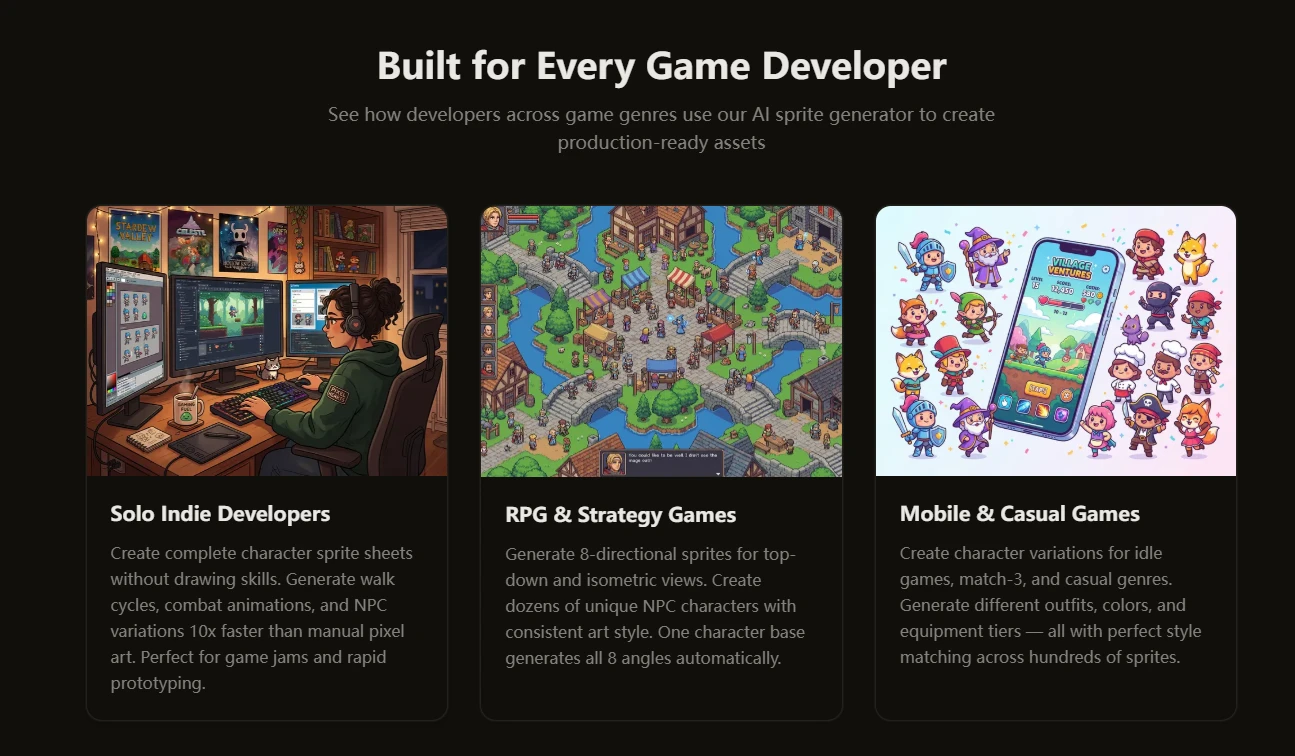
The broader takeaway is that SpriteFlow does not pretend to replace the craft of pixel art. Instead, it repositions that craft within a modern development pipeline—one where iteration speed and asset volume are just as important as visual fidelity. For the solo developer staring down a spreadsheet of 47 required NPC sprites, that repositioning is not just convenient; it is the difference between shipping a game and abandoning it. And in an industry where the gap between concept and completion is often measured in months, any tool that closes that gap deserves a closer look.
AI Sprite Generator offers a practical entry point into that workflow, with a free tier that lets developers test the process before committing. The results may not always be perfect on the first try, and the tool works best when treated as a partner rather than a replacement. But for developers who have spent countless hours on frame-by-frame animation, the speed and consistency it provides are not just incremental improvements—they are a fundamental shift in what is possible within a typical development cycle.