
Route Planning Software for Operational Efficiency
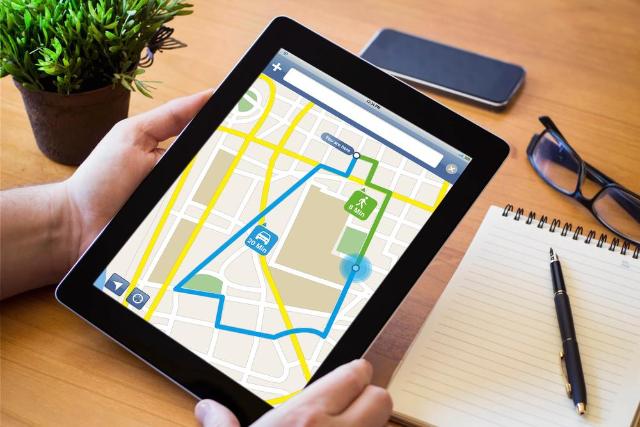
Image Source: depositphotos.com
Route planning affects more than delivery speed. It influences fuel use, labor costs, customer satisfaction, fleet capacity, dispatch workload, and service reliability. For companies that move products, parts, equipment, technicians, or field teams, poor routing creates daily operational waste.
Manual route planning may work for a small number of stops. It becomes unreliable when delivery windows, traffic patterns, driver availability, vehicle capacity, customer priorities, and same-day changes increase.
Route planning software helps operations teams make better decisions with real-time data and structured workflows.
Why Manual Routing Limits Growth
Manual routing often depends on dispatcher experience, spreadsheets, phone calls, and static maps. This creates inconsistent results.
A dispatcher may know the local area well, but they cannot manually calculate every constraint across dozens of stops and drivers. Traffic changes, late orders, failed deliveries, and urgent requests can break the plan quickly.
Manual processes also make performance harder to measure. If routes are built differently every day, it becomes difficult to compare cost per stop, driver productivity, mileage, service time, or delivery accuracy.
Software creates a repeatable routing process that can be adjusted, measured, and improved.
Route Planning and Last Mile Delivery
The last mile is often the most expensive and complex part of logistics. It includes the final movement from a warehouse, store, hub, or depot to the customer.
This stage is difficult because it involves short delivery windows, address issues, driver delays, traffic, failed access, parking limits, and customer communication.
Businesses using last mile delivery management software can connect route planning with dispatch, driver tracking, delivery status, proof of delivery, and customer updates.
That connection matters. A route is only useful if it can adapt when real-world conditions change.
Core Features of Route Planning Software
Good route planning software does more than draw a line between stops. It uses operational constraints to create routes that are realistic, efficient, and service-ready.
The system should account for delivery windows, stop priority, vehicle capacity, driver skills, depot location, service time, traffic, and route restrictions.
It should also allow dispatchers to make changes without rebuilding the whole day manually.
Features to Look For
Useful features include:
- Multi-stop route optimization
- Real-time driver location
- Delivery window management
- Vehicle capacity rules
- Driver assignment tools
- Route sequencing
- Customer notifications
- Proof of delivery
- Exception tracking
- Performance reporting
The best tools reduce dispatcher workload while giving managers better operational visibility.
Improve Fleet Utilization
Fleet utilization measures how effectively vehicles are used. Poor routing can leave some drivers overloaded while others have idle capacity.
Route planning software helps balance work across the fleet. It can assign jobs based on location, vehicle type, capacity, driver availability, and route density.
This reduces unnecessary mileage and improves stop completion rates.
For companies managing vans, trucks, bikes, or mixed fleets, fleet utilization software can improve asset usage and delay the need for additional vehicles. That saves money on fuel, insurance, maintenance, leasing, and staffing.
Reduce Fuel and Labor Costs
Fuel and labor are major cost drivers in delivery and field service operations. Inefficient routes increase both.
A route with unnecessary backtracking, long gaps between stops, or poor sequencing wastes fuel and driver hours.
Route planning software reduces this waste by creating tighter stop clusters and more logical schedules. It also helps dispatchers avoid assigning jobs that create avoidable travel time.
Managers should compare planned routes with actual mileage and completion times. The gap between the two shows where routing rules, driver behavior, or customer data need improvement.
Improve Customer Experience
Customers judge operations by timing, communication, and reliability. Even if the internal process is complex, the customer expects a clear delivery window and accurate updates.
Route planning software supports this by improving estimated arrival times and enabling proactive communication.
If a driver is delayed, customers can be notified before they call support. If a delivery is completed, proof can be captured and shared quickly.
This reduces failed deliveries, complaint volume, and support workload.
For service-based businesses, better routing also means technicians arrive with more predictable timing and less rushed scheduling.
Handle Same-Day Changes
Operations rarely go exactly as planned. Orders are added late. Customers reschedule. Drivers call in sick. Vehicles break down. Traffic slows movement. Addresses are wrong.
A strong routing system helps dispatchers respond without losing control of the full schedule.
Instead of manually reshuffling every stop, the software can show which driver is closest, which route has capacity, and which changes will affect delivery windows.
Common Exceptions to Manage
Routing tools should help teams manage:
- Failed deliveries
- Late order additions
- Customer address changes
- Driver delays
- Vehicle breakdowns
- Priority shipments
- Missed delivery windows
- Access issues
Exception handling is where route planning becomes operational control rather than simple mapping.
Use Data to Improve Routes Over Time
Route planning software creates useful performance data. Managers can see which routes are profitable, which areas take longer, which drivers need support, and which customers frequently cause delays.
Important metrics include cost per stop, miles per delivery, on-time rate, failed delivery rate, stops per driver, service time per stop, and route completion rate.
This data should feed continuous improvement.
If one neighborhood consistently adds 20 minutes per route because of parking or building access, the system should reflect that. If a customer’s delivery window is unrealistic, account management can adjust expectations.
Integrate Routing With Other Systems
Routing works best when connected to order management, warehouse systems, customer databases, inventory tools, and billing platforms.
Integration reduces duplicate entry and improves data accuracy.
If an order is updated in the main system, dispatch should see the change. If a delivery is completed, billing or customer service should have access to the status.
Field teams also need reliable hardware. In delivery, utilities, logistics, and field service environments, rugged computers can support route visibility, proof of delivery, barcode scanning, and job updates in conditions where standard tablets or laptops may not hold up.
Disconnected systems slow the operation and increase errors.
Before choosing route planning software, companies should review integration options, data exports, API access, mobile app reliability, and field hardware compatibility.
Final Thoughts
Route planning software improves operational efficiency by reducing manual work, lowering mileage, improving fleet utilization, and helping teams respond to daily changes.
The value is not only faster routes. The real value is better control over delivery cost, driver capacity, customer communication, and service reliability.
For businesses managing deliveries or field operations, route planning should be treated as a core operating system. When routing becomes smarter, the entire operation becomes easier to measure, manage, and scale.