
A Lightweight Runbook for Reliable WhatsApp Web Outreach
Routine messaging often fails for reasons that have little to do with the message itself.
The wrong spreadsheet is used. A customer appears twice under different phone-number formats. An appointment time changes, but the contact file is not updated. Someone asks not to receive further messages, yet the request remains buried in one conversation.
These are process problems. Small teams can reduce them by treating WhatsApp Web outreach as a repeatable task with clear inputs, checks and ownership.
Define One Purpose for Each Run
Every sending run should have one specific purpose.
“Contact customers” is too broad. “Send tomorrow’s appointment reminders to confirmed customers” is easier to prepare and review.
Before starting, the team should know:
- Who should receive the message;
- Why they are being contacted;
- Which file contains the approved contacts;
- Who reviews the final list;
- What action is expected after sending.
This prevents unrelated contacts from being combined simply because their numbers are stored in the same spreadsheet.
One person should also own the run. Other employees may help prepare the list or respond to customers, but someone must be responsible for checking the input and confirming that the task is complete.
Treat the Contact File as Production Input
A messaging process is only as reliable as the contact data behind it.
The team should avoid using several disconnected versions of the same spreadsheet. One file may contain updated appointment times, while another includes corrected phone numbers or outdated customer statuses.
Before preparing the message, review the fields that directly affect delivery:
- Phone numbers use a consistent format;
- Duplicate contacts have been removed;
- Names, dates and reference numbers are current;
- Every contact belongs in this specific run;
- Previous opt-out requests have been recorded.
Only include the fields needed for the task. An appointment reminder may require a name, date and time. An order-ready notice may need a reference number and pickup location.
Extra columns do not improve the process if the team cannot maintain them accurately.
Separate Preparation From Sending
Editing the spreadsheet and sending messages at the same time makes errors harder to catch.
A better process separates the work into stages:
- Prepare the contact list.
- Prepare the message.
- Review both together.
- Begin sending only after approval.
The review does not need to cover every row. A small sample can reveal most formatting problems.
Test a complete record, a row with an optional field missing, a long name and a number using a different country code. Confirm that the message still reads naturally and does not show empty spaces or unresolved variables.
It is also worth comparing several rows with the original booking or customer record. A message can be formatted correctly and still contain the wrong information.
Once the run begins, avoid making untracked changes to the source file.
Use Batches as a Quality Check
Sending in smaller batches is not only a pacing decision. It is a control.
The first batch shows whether the process is working as expected. The operator can confirm that the correct contacts were selected, personalization appears correctly and incoming replies are reaching the expected account.
If something is wrong, the team can pause before the same error reaches the entire list.
Batch size should also reflect the team’s ability to handle responses. A reminder asking customers to confirm appointments may generate immediate replies. Sending faster than employees can respond creates a new operational problem.
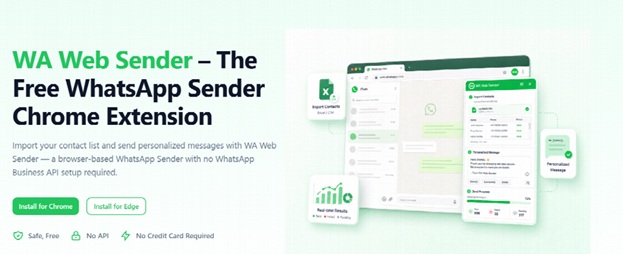
For teams already working through WhatsApp Web, a Free WhatsApp Sender can reduce repeated copying when preparing contact-based messages. The tool supports execution, but the business still controls the list, message, review and batch size.
The operator should always remain able to stop the process when the input no longer looks trustworthy.
Record Exceptions Before the Next Run
A messaging issue is not fully resolved until the reusable contact data has been corrected.
Common exceptions include:
- Invalid or reassigned phone numbers;
- Duplicate contacts;
- Incorrect names or references;
- Customers who already received the update;
- Requests not to receive further messages;
- Replies requiring another employee’s attention.
These issues should not remain only inside individual WhatsApp conversations.
A simple record can capture the affected contact, the problem, the required action and the person responsible. The source file should then be updated before it is used again.
This is especially important for opt-out requests. If the request remains in one employee’s chat history, another person may reuse an older spreadsheet and contact the same customer again.
A short review after each run can identify what should change before the next one.
Keep the Runbook Simple
A small team does not need a long policy document. A one-page runbook is usually enough:
- Confirm the purpose and intended contact group.
- Open the approved contact file.
- Check required fields, duplicates and contact status.
- Prepare the message and test several records.
- Approve the list and message.
- Send a small initial batch.
- Pause if errors appear.
- Record replies, corrections and opt-out requests.
- Update the source file.
The runbook should also define when the operator must stop. Examples include finding outdated dates, seeing unresolved placeholders or receiving more replies than the team can manage.
A WhatsApp Sender Chrome Extension can be included in the execution stage, but installing a tool does not make the workflow reliable by itself.
Reliability comes from using one approved source, checking the message before sending and feeding every correction back into the next run.
That is enough to turn a repeated copy-and-paste task into a process the team can follow and improve.