
Vertical Dual Monitor Setup: How the S15 PLUS Stacks Up for Real Work
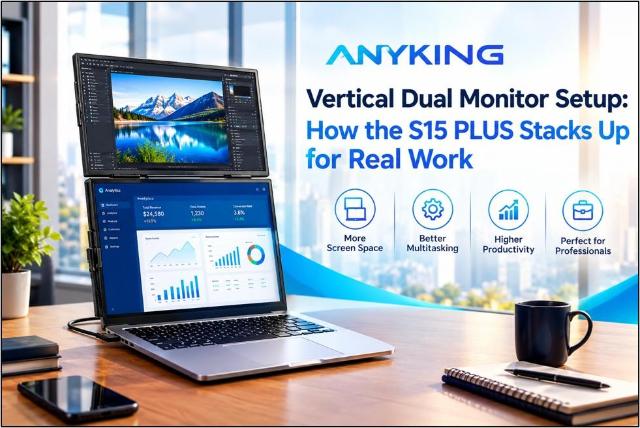
Did you know? One report found that 91 percent of users rated dual monitors as more useful than single screens. A vertical dual monitor setup brings that benefit to tight desks. Anyking designed the S15 PLUS for exactly this layout. Two screens sit in one tall stack. Work stays in view, and the desk stays clear. Here is how the design works and where it shines.
Why a Vertical Two-Screen Layout Saves Desk Space
Wide desks are a luxury. Many people work at kitchen tables, shared counters, or small home desks. A side-by-side pair can hog all that space. A tall stack uses height instead. Height costs nothing.
The stack also shortens eye travel. The gaze moves up and down in a small arc. The neck turns less. Many users find that less turning means less strain over long days.
Vertical Monitor for Laptop Users: A Natural Match
A laptop already makes a good bottom screen. The second display rises above it. Together, they form one tall workspace. The main task stays on the lower screen. Reference items live above.
OSHA advises keeping the top of the screen at or just below eye level. That is why the upper screen works best for glance-only content.
This table shows how the two layouts compare.
|
Feature |
Side-by-Side |
Stacked |
|
Desk width needed |
High |
Low |
|
Head movement |
Left and right |
Up and down |
|
Best for |
Wide timelines |
Long documents and code |
|
Tray table fit |
Poor |
Good |
Product Design Choices Behind a Vertical Stacked Screen Setup
Design shapes daily use. The S15 PLUS keeps its goals simple. Stay light, stay clear, and stay easy to connect.
Slim and Light for a Portable Dual Monitor
A portable dual monitor must travel well. An ultra slim portable monitor body fits a bag with little fuss. Less bulk means less strain on the shoulders. It also means faster packing at the end of the day.
Single Cable Convenience with Portable Monitor USB C
Cable tangles waste time. A portable monitor USB C connection keeps things neat. One cable can carry both power and video on a supported laptop. Some machines lack that port. For them, a portable monitor USB C HDMI route offers another way to connect.
Clear Text on a Portable Monitor 1080p Screen
Tall layouts show long pages, so text must stay sharp. A portable monitor 1080p panel handles that job well. An FHD portable monitor also suits spreadsheets, code, and chat windows. Full HD gives clear detail without heavy power use.
Quick Setup with a Magnetic Portable Monitor Cover
Nobody enjoys long setups. A magnetic portable monitor cover snaps on in seconds. It can also prop the screen at a useful angle. That means fewer loose parts and a faster start.
Real Uses for a Vertical Two-Monitor Workspace
Tall screens suit tall content. Here are the most common uses:
- Developers: Code runs on one screen while docs stay on the other.
- Writers: The draft stays open beside research notes.
- Analysts: Long tables show more rows at once.
- Students: Lectures play above while notes grow below.
- Remote workers: Video calls stay up while tasks stay open.
Dual Screen Laptop Extender for Hybrid Work
A dual screen laptop extender turns any café table into an office. Hybrid workers move between spaces often. The S15 PLUS packs a full workspace into one carry. Calls, chats, and files stay open together. Nobody needs to juggle tabs.
Stacked Dual Monitor Gains for Creators and Traders
Editors keep a timeline low and a preview high. Traders watch charts above and place orders below. Streamers monitor chat without leaving the game. Each setup cuts clicks. The data agrees. One study found fewer window switches and fewer mouse clicks among dual monitor users.
Smart Tips to Set Up a Vertical Two-Screen Workspace
Small tweaks improve comfort. Try these steps:
- Center the lower screen right in front of the chair.
- Keep the main task on that screen.
- Use the upper screen for glance-only items.
- Sit about an arm’s length away. OSHA suggests 20 to 40 inches.
- Dim the brightness in low light.
- Stand up and stretch every hour.
Common Stacked Monitor Mistakes to Avoid
Some people tilt the top screen too far back. That strains the neck. Others forget to check the laptop port first. Confirm video output support before buying. A two-minute check saves real frustration.
What to Check Before Buying a Stacked Screen Setup
A smart purchase starts with a short checklist. Each point below saves time later.
- Port support: Confirm the laptop handles video over USB-C or HDMI.
- Weight: Pick a slim body that fits the daily bag.
- Resolution: Choose Full HD for sharp, easy reading.
- Stability: Look for a stand or cover that holds firm.
- Power draw: Check how the screen uses laptop battery.
Why a Dual Screen Laptop Extender Beats a Bigger Laptop
A bigger laptop adds weight to every trip. An extra screen adds space only when needed. The user packs it, sets it up, and starts work. When the day ends, it goes back into the bag. That flexibility is hard to match.
Turn Your Laptop into a Tall Workspace
The S15 PLUS proves that smart layout beats a bigger desk. Anyking builds each portable display for speed, clarity, and easy travel. Readers who want a clean vertical dual monitor setup can explore the full range at anykingscreen.com. Pick a screen and stack it up. Feel the difference on the very next workday. Small changes in layout often bring big gains in focus and comfort. Smarter screens make every workday feel lighter. Start with the S15 PLUS and build from there.