Operations | Monitoring | ITSM | DevOps | Cloud

We rebuilt Spike app for Slack

The new Spike app for Slack brings incident response into the channel your team already works in. This walkthrough covers the @Spike AI assistant, the redesigned incident alert template, Statuspage syncing, and on-call overrides. To get started, head to Slack settings inside Spike and reconnect the app. Chapters Statuspage syncing is available on all plans. Spike is an incident response and on-call management platform. Alert routing, escalation policies, on-call schedules, and incident management, built for engineering teams.

Slack overview video

The new Spike app for Slack brings incident response into the channel your team already works in. This walkthrough covers the @Spike AI assistant, the redesigned incident alert template, Statuspage syncing, and on-call overrides. To get started, head to Slack settings inside Spike and reconnect the app. Chapters Statuspage syncing is available on all plans. Spike is an incident response and on-call management platform. Alert routing, escalation policies, on-call schedules, and incident management, built for engineering teams.

We redesigned Spike

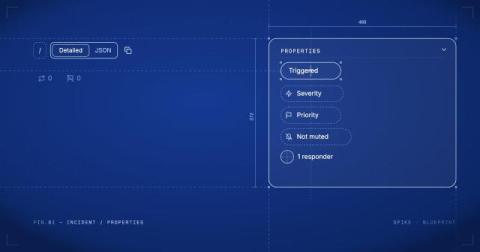
Last Christmas, after everyone had gone quiet for the holidays, I sat down with a pen and some paper and started drawing Spike. Not the Spike we actually had, but the Spike I wanted, the one I had been carrying around in my head for a long time without ever really putting it down anywhere. A little while later I brought a few of those screens into Figma and showed them to the team over coffee one afternoon.

How to reduce alert noise without missing what matters

Reducing alert noise involves drawing a line between incidents that need an immediate response and ones that do not. Get this distinction wrong and your team is either interrupted unnecessarily or misses something critical. In this guide, we’ll help you make that distinction clear. We’ll cover what counts as noise and how to reduce it without missing what matters.

What is alert fatigue? (And how does it happen)

Alert fatigue doesn’t announce itself. It builds quietly over weeks and months until one day a critical incident triggers and nobody responds with the urgency it deserves. By that point, the damage is already done. This guide walks through what alert fatigue actually is, how it happens, and what you can do about it.

A guide to setting up alerts for a new service

When you launch a new service in production, you’re working with a lot of unknowns. You don’t yet know how it behaves under real traffic or which incidents are worth waking someone up for. That makes alerting for a new service a little different from what you’re used to with an established one. The goal in the early days isn’t to get everything perfectly configured. It’s to learn enough about the service to get your alerting right.

Four types of incident alerts every team should know

Not every incident alert needs the same kind of response. One incident may need to wake someone up right away. Another may simply need to be picked up when the team starts work in the morning. Without a clear way to tell them apart, every incident feels equally urgent. That usually adds noise and makes incident response decisions harder than they need to be. This is where two questions help: In this guide, we’ll discuss what those questions mean and the four combinations that follow.

Why do you need incident alerting? (And why monitoring alone isn't enough)

Monitoring tools track what’s happening across your systems and send a Slack message or email when something looks off. But they don’t call anyone and they don’t escalate the incident. If that Slack message goes unseen at 3 AM on a Saturday, the incident just sits there until someone opens their dashboard. Incident alerting fills this gap. When an incident triggers, it contacts the right person directly through a phone call or their preferred channel.

Building an Alert Routing setup that never misses a critical incident

Critical incidents have a direct impact on your business revenue and the trust your customers place in you. The longer a critical incident goes unnoticed, the higher the stakes. A reliable alert routing setup automatically catches these incidents the moment they trigger and gets them to the right person without delay. This guide walks you through how to build that reliable routing setup.