Operations | Monitoring | ITSM | DevOps | Cloud

How to monitor host reachability

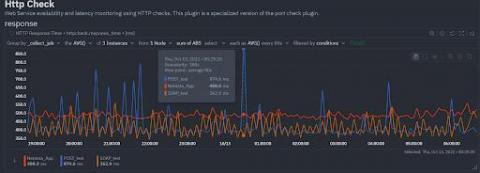
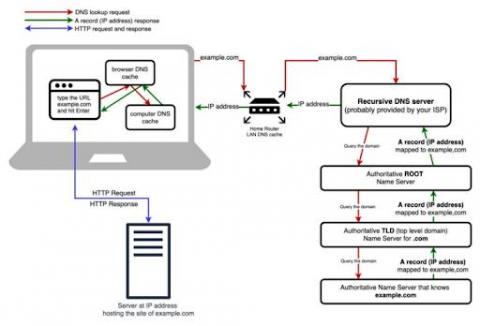
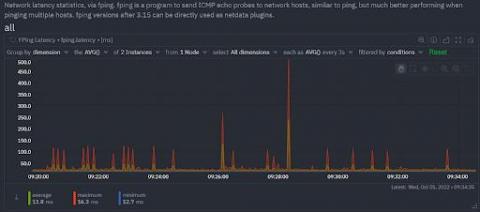
Most sysadmins and developers have at some point used a few of the popular Linux networking commands or their Windows equivalents to answer the common questions of host reachability- that is, whether a host or service is reachable and how fast it responds. One of the simplest, common checks, is to simply ping a host to verify that it’s reachable from where you issue the command, and to see the total time it takes for the host to receive your request.

Why is data replication important?

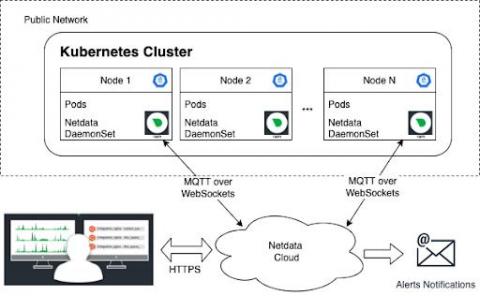
High availability. This is what every monitoring tool needs to ensure that you never compromise on IT infrastructure visibility. On top of high availability, do you really want to enable all available features on your production system? It is important for the monitoring tool to have a low footprint on your CPU consumption and memory usage. Let’s dive deeper into the recommended way of configuring Netdata to ensure high availability and a low resource footprint through data replication.

How to filter metrics by label?

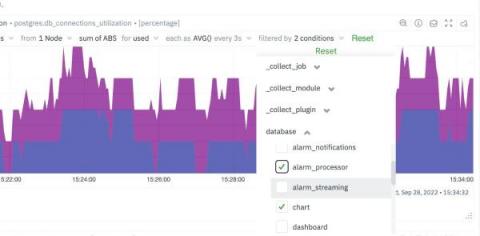
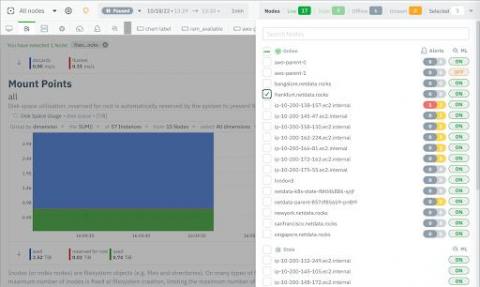
It is sometimes easy to get lost in the mountain of metrics and infinite number of dimensions when working with an infrastructure monitoring tool. Being able to filter metrics by label and visualize only what is relevant to the current scope of monitoring & troubleshooting, becomes absolutely crucial to the success of SREs, Sysadmins and DevOps professionals.

Missing indexes in PostgreSQL? How to quickly identify it

While working on improving the Netdata PostgreSQL collector, we were monitoring our production PostgreSQL instance and something caught our attention immediately. The rows fetched ratio seemed really, really low for one particular database… there were missing indexes in PostgreSQL! Rows fetched ratio is the percentage of rows that contain data needed to execute the query (rows fetched), out of the total number of rows scanned (rows returned).

PostgreSQL Monitoring with Netdata

PostgreSQL is a popular open source object-relational database system designed to work for a wide range of workloads from single machines to data warehouses to web services with many concurrent users. PostgreSQL runs on all major operating systems and is used by teams and organizations across the world, including Netdata. If you are using PostgreSQL in production, it is crucial that you monitor it for potential issues. And the more comprehensive the monitoring the better!

Introducing Netdata Source Plugin for Grafana: Enhanced high-fidelity troubleshooting data source for the Open Source community!

The open-source community is about to benefit greatly from Netdata’s new Grafana data source plugin, which makes use of a powerful data collection engine. This new plugin maximizes the troubleshooting capabilities of Netdata in Grafana, making them more widely available. Some of the key capabilities provided to you with this plugin include the following.

Data Collection Strategies for Infrastructure Monitoring - Troubleshooting Specifics

Monitoring and troubleshooting; unfortunately, these terms are still used interchangeably, which can lead to misunderstandings about data collection strategies. In this article we aim to clarify some important definitions, processes, and common data collection strategies for monitoring solutions. We will specify the limitations of the described strategies, as well as key benefits which can potentially be also used for troubleshooting needs.

How Netdata's Machine Learning works

Following on from the recent launch of our Anomaly Advisor feature, and in keeping with our approach to machine learning, here is a detailed Python notebook outlining exactly how the machine learning powering the Anomaly Advisor actually works under the hood. Or if you’d rather watch a video walkthrough of the notebook then check out below. Try it for yourself, get started by signing in to Netdata and connecting a node.

Anomaly rate in every chart

A month ago, we introduced unsupervised ML & Anomaly Detection in Netdata, the Anomaly Advisor. Today, we’re happy to announce that we’re bringing anomaly rates to every chart in Netdata Cloud. Anomaly information is no longer limited to the Anomalies tab and will be accessible to you from the Overview and Single Node View tabs as well. This will make your troubleshooting journey easier, as you will have the anomaly rates for any metric available with a single click.