Operations | Monitoring | ITSM | DevOps | Cloud

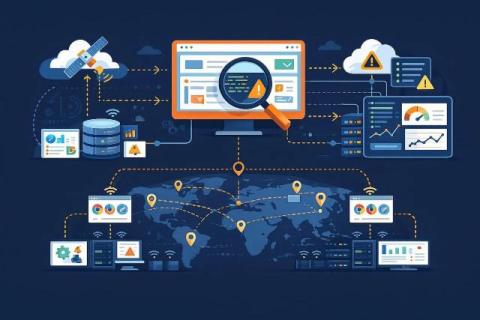
Synthetic End User Monitoring simulates complex user journeys across global environments

Traditional monitoring solutions provide valuable infrastructure metrics, they fundamentally lack the capability to understand what users actually experience. There is a significant technical gap between server-side metrics and client-side experience. Research shows that traditional monitoring fails to detect 52–68% of user-facing errors since they happen outside of the server infrastructure.


Complete web Performance Strategy with Web Synthetic Monitoring

You’ve optimized your code, implemented caching strategies, and configured your CDN perfectly. Your analytics dashboard shows respectable load times, and your development team reports everything is running smoothly. Yet, conversion rates remain stagnant, bounce rates climb during peak hours, and your competitors consistently outperform you in user experience metrics. What’s missing?

Why Web Synthetic Monitoring essential for Modern Web Performance

Your analytics dashboard is green, which indicates that your application is up 99.9% of the time, pages load in under three seconds on average, and conversion rates are stable. But here’s the uncomfortable reality, you’re probably missing 40% to 60% of the actual performance problems which impact real customers every day.

Protecting PII in Synthetic Monitoring: How to Monitor Safely

Synthetic monitoring feels like the safest layer in the observability stack. It uses artificial users. It runs scripted journeys. It never touches real customer accounts. Yet this is exactly why many teams overlook the privacy exposure hidden inside it. Synthetic tests often produce screenshots, network captures, HTML snapshots, console logs, authentication artifacts or even short screencasts.

A comprehensive Guide for Synthetic Transaction Monitoring

Synthetic Transaction Monitoring is a technique that uses automated scripts to simulate user activities on an application to test performance and functionality. By using automated scripts, it creates fake transactions such as logging in, searching for a product, or completing a purchase without requiring real users. These transactions are executed regularly from various locations to ensure the application is performing smoothly and as expected, even during off-peak hours.

Synthetic Monitoring for ServiceNow: Tables, Rules & Endpoints

ServiceNow is one of those platforms that looks simple from the outside but turns into a labyrinth the moment an organization starts customizing it. What begins as a service catalog or an HR portal quickly evolves into a tangle of custom tables, UI policies, business rules, Flow Designer actions, and scripted REST endpoints. None of this is bad. In fact, it’s the whole reason companies choose ServiceNow: you can build anything.

How to Choose the Best Synthetic Monitoring Solutions & Software

To have a fast and reliable experience digitally you would need to do more than resolving issues. This is why people prefer synthetic monitoring which simulates real user actions with regular intervals. Using this method, businesses can detect performance shortcomings and any technical issues. From testing website load to full flow checkout, everything can be tested before users face any issues.

Synthetic Monitoring for Internal Applications: SAP, ERP & More

Modern IT teams know the story by heart: uptime dashboards look green, the public website is fast, yet somewhere inside the corporate network, the finance team can’t submit purchase orders and the factory floor’s ERP terminals are frozen. What broke isn’t the internet—it’s the internal backbone. These internal systems—SAP, Oracle, Microsoft Dynamics, homegrown ERPs, HR and payroll platforms—keep the business running.

What Is Synthetic Monitoring?

Synthetic Monitoring is a proactive approach to testing a website or web server to ensure that digital services stay available, responsive, and functional at all times. Instead of waiting for real users to encounter a problem, synthetic monitoring uses automated scripts to imitate user interaction, such as visiting pages, submitting forms, or performing transactions from multiple global locations.

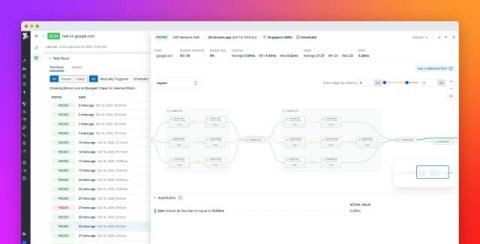
Understand user experience through network performance with Datadog Synthetic Monitoring

When an application slows down or fails, pinpointing the cause isn’t always simple. Is it a backend regression, a misbehaving API, or a bottleneck somewhere deep in the network? Without full visibility, teams waste precious time troubleshooting across disconnected tools and layers. Datadog Synthetic Monitoring now supports Network Path to help you proactively identify whether user-facing issues stem from your code or from the underlying network.