Operations | Monitoring | ITSM | DevOps | Cloud

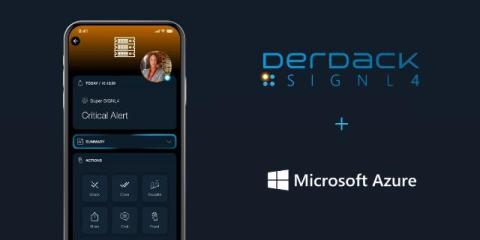
Supercharge Microsoft Sentinel with SIGNL4 | Mobile Alerts & On-Call Automation

Are your Microsoft Sentinel alerts stuck in dashboards or buried in emails? It's time to take your SecOps mobile. In this video, discover how SIGNL4 transforms Microsoft Sentinel and Microsoft Defender for Cloud into a fully mobile, on-call incident response platform. SIGNL4 delivers persistent mobile alerts to the right person - instantly - with full escalation, tracking, and acknowledgement. Improve incident response time Eliminate missed alerts Automate on-call scheduling Ensure SLA compliance Reduce alert fatigue.

Enhanced Messaging with RCS in SIGNL4

Rich Communication Services (RCS) is an advanced messaging protocol designed to replace traditional SMS. Supported by most modern Android smartphones and, starting with iOS 18, also iPhones, RCS offers a significantly richer messaging experience. It brings features like: RCS elevates the way organizations communicate with users by aligning with the capabilities expected from today’s messaging platforms.

How to Integrate SIGNL4 with Microsoft Sentinel | Step-by-Step Setup Guide

Take your incident response to the next level by integrating SIGNL4 with Microsoft Sentinel. In this step-by-step tutorial, we’ll show you how to connect SIGNL4 to your Sentinel environment to ensure real-time mobile alerting, on-call escalation, and faster response times for critical security events.

How to Convert Email to Push Notifications

Email alerts alone often aren’t enough when you’re responsible for critical systems or infrastructure. Messages can easily be buried in inbox clutter – or worse, completely missed during off-hours. If you’re managing IT operations, DevOps, or facility monitoring, timely awareness of issues is crucial – but email just doesn’t cut it. SIGNL4 provides email-to-push-notification capabilities, helping teams stay connected to urgent events – wherever they are.

Spend Holidays with Family, Even While On-Call | How SIGNL4 Filters Alert Noise

Being on-call during a holiday doesn’t have to mean missing out on quality time with family. With SIGNL4, you can stay connected to your IT operations while enjoying the moments that matter most. In this video, discover how SIGNL4 helps on-call IT professionals by: Filtering out non-critical alerts Delivering only high-priority notifications Reducing alert fatigue Ensuring fast response to real emergencies Supporting mobile alerting and escalation workflows.

What is Notification Software? From Routine Alerts to Emergency Response

Imagine this. You’re walking your dog, sipping a coffee, when your phone buzzes: Each ping comes from a different app, but they all have one thing in common: notification software. It’s woven into our everyday lives – quietly buzzing, blinking, or nudging us with information. But when it comes to critical operations in IT, healthcare, logistics, or utilities, not all notifications are created equal. Some are simply updates. Some are mass notifications. Others require immediate action.

SIGNL4 April 2025 Release: Redesign Signl-Center

Our SIGNL4 April Update is here - packed with powerful new features! In this video, we introduce the redesigned Signl-Center featuring a sleek, modern interface with a bento-style layout, one-tap action buttons, streamlined status tabs, and modular detail views. Incident handling is now faster than ever, with enhanced notification tracking and easy CSV export.

SIGNL4 April 2025 Release: AI Shift Planning & Duty Scheduling

Our SIGNL4 April Update is here - packed with powerful new features! In this video, we showcase how our AI-powered shift and duty scheduling works. The SIGNL AI identifies rotation patterns and proactively assigns future shifts based on historical scheduling data. Redesigned Signl-Center: Experience a sleek, modern interface with a bento-style layout, one-tap action buttons, streamlined status tabs, and modular detail views.