Operations | Monitoring | ITSM | DevOps | Cloud

A better way to monitor your AI agents in .NET apps

We launched agent monitoring earlier this year, allowing our users to instrument LLM usage and tool calls in their applications. However, we only had Agent Monitoring support for Python and JavaScript. We’ve been working on creating an Agent Monitoring SDK for.NET — specifically for Microsoft.Extensions.AI.Abstractions.

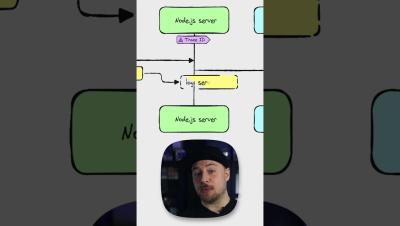
Fixing Performance Issues Fast with Logs & Tracing

Learn how to quickly track down performance bottlenecks using Sentry Logs and Tracing. In this video, we walk through identifying a slow screen, jumping into the connected trace, and pinpointing slow backend steps, database calls, and AI/LLM operations. See how logs, issues, and traces work together to show the full picture of what happened in a single session.

Expose Hidden State Bugs with Sentry Logs

See how Sentry Logs can surface hidden state bugs that stack traces alone can’t explain. In this walkthrough, we debug a React Native app with an Express.js backend where a missing diet value causes a crash. We inspect the issue, pull in the connected logs, and confirm whether the problem comes from an initial render or from real backend data. By combining issues, traces, and logs from the same session, you get the full story—and a faster path to the fix.

Prioritizing Bugs with Sentry Logs

Learn how to use Sentry Logs to measure how often a bug occurs and which users it impacts. In this example, a React Native app with an Express.js backend crashes when the diet value becomes undefined. After identifying the root cause, we use Explore Logs to count how many times users switch their diet to “none,” filter the related log messages, and group results by user type to understand the impact.

Meet Web Vitals Performance Issues

We’ve introduced a new type of Performance Issues, Web Vitals Performance Issues. These issues will be opened for the highest opportunity pages in your application if your Web Vitals metrics drop into our meh, or poor thresholds for performance. We’ve built these issues with Seer Issue Fix specifically in mind. Our goal is to not just alert you about low vitals scores, we want to give you actionable steps you can take to improve your scores and, when possible, fix the problem for you.

Sentry x Acquired

On October 23, 2025, Sentry hosted a special live event featuring the hosts of the Acquired podcast, Ben Gilbert and David Rosenthal. Together, we spoke with some of today’s most inspiring leaders across tech and sports. Whether you’re a longtime Acquired listener or new to Sentry, tune into this rare chance to hear directly from some of the people shaping the next generation of everything from technology and storytelling to leadership and more.

Eliminating N+1 Queries with Seer's Automated Root Cause Analysis

When I was working at Shopify, Black Friday and Cyber Monday were our Superbowl. We initiated code-freeze weeks before to make sure merchants wouldn't have any unexpected issues during one of the most important times of the year. Sometimes, though, you need to ship updates last minute. Picture this: It's Black Friday Eve, 11:47 PM. You've just deployed a new /sale page with 50+ products at discounted prices. Marketing is about to email 500,000 subscribers. Everything tested fine with your sample data.

<100ms E-commerce: Instant loads with Speculation Rules API

In e-commerce, we all know that speed = money. I know it, you know it, Amazon knows it, eBay knows it, Shopify knows it, everyone knows it. In this article we’ll see how we can improve the perceived performance of our site’s critical pages, like the Product Details page, the Cart page, the Checkout page. We’re going to use the Speculation Rules API (SRA) to prerender/prefetch them, and also explain how certain frameworks like Next.js offer their own prefetching mechanisms.