Operations | Monitoring | ITSM | DevOps | Cloud

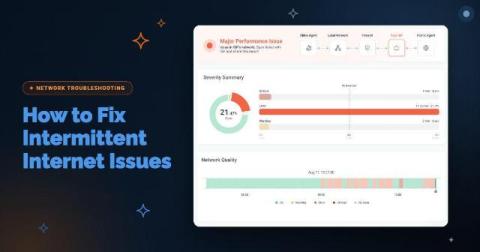
How to Fix Intermittent Internet Issues: Is It Your Network or Your ISP?

Your Internet circuit is up. The firewall shows the WAN link as connected, your ISP's status page is green, and a speed test comes back at full provisioned bandwidth. Meanwhile, Teams calls at one branch break up for ten minutes every afternoon, and every user at that site sees Salesforce slow to a crawl at the same moment. Then everything recovers before anyone can capture it.
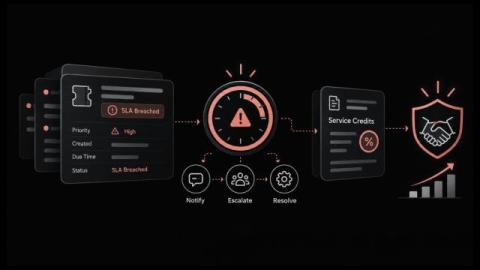
What Happens When an SLA is Breached and How to Recover Customer Trust

What does your organization owe a customer when a priority ticket misses its resolution target by forty minutes? For most service providers and internal service desks, the answer stays unclear until the customer asks for a credit or a manager asks why the monthly SLA report shows a miss. By then, the facts that decide the outcome, such as when the clock started, whether it paused and who was told, are scattered across tickets, emails and chat threads.

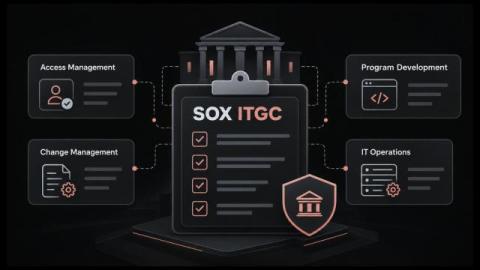
SOX ITGC Controls Checklist for IT Service Management and Year-Round Audit Readiness

How much of your SOX audit season goes into rebuilding proof of work that was already done? Access was approved, the change went through review, the backup ran, yet the evidence lives in email threads, chat messages and a spreadsheet someone updated last quarter. When an auditor asks for a complete list of production changes, IT staff have to pull records from several places against a deadline.

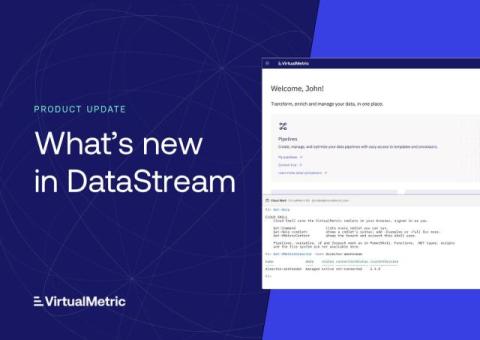
Cloud Shell, New Integrations, and More

VirtualMetric DataStream now includes a PowerShell console in the browser, more than a dozen new integrations, and a new way to collect data from servers and virtualization hosts, where teams choose exactly what they collect. This update also brings guided learning for new users, built-in monitoring rules, and new controls for organizations managing branding and sign-in. Here’s what’s new.

The new Civo dashboard is in beta: Try it today

First previewed on stage at Civo Navigate London, the new Civo dashboard is now in beta, and getting to it just got a lot easier. Starting today, you'll see a Try it now banner at the top of your current dashboard at dashboard.civo.com. Click it to head to the new dashboard, sign in with your usual Civo account details, and you're in. You can also go directly to dashboard-manager.civo.com. Look for the Try it now banner in your current dashboard.

EVOLVE 2026 Recap: Operational Excellence for the AI-Native SDLC

Last week we hosted our annual conference, EVOLVE, where global engineering leaders came to talk through the realities of building AI-native SDLCs. When asked to name the biggest friction point in their software lifecycle, attendees gave telling answers: ‘reviewing changes’ took 36 percent, ‘measuring impact’ took 35, and ‘building’ drew zero votes.

Building Investigations: what it takes to build an AI SRE

At incident.io, we've spent the last two years building Investigations, our AI SRE. When you get paged, it starts investigating straight away, looking across your telemetry, recent deploys, past incidents, docs and code, and posts what it's found in your incident channel (or on your phone, if it's 2am and you're still deciding whether you need to get out of bed). By the time you open your laptop, you're starting at step six of triage rather than step one.

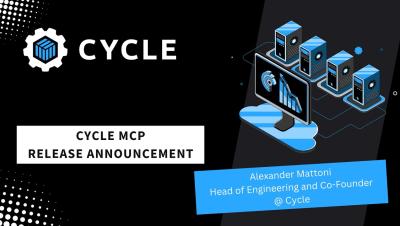
Cycle's Hosted MCP Release Announcement

We are stoked to announce that we have released our very own hosted MCP that allows you to use natural language to interact with and control anything you have running on Cycle.io. Alexander Mattoni, CTO and co-founder of Cycle, shares a few scenarios where the MCP can be useful. With the MCP, Cycle users can communicate with the Cycle platform directly from their preferred AI tool. In minutes, users can provision a new server, deploy an application, or troubleshoot an issue directly from their AI assistant like Claude, Claude Code, ChatGPT or Codex.

Endpoint Management with AIDriven Automation

In just two minutes, learn how our AI-powered platform unifies control across Windows, Mac, Linux, Mobile, and even VR/XR headsets. Discover how to eliminate tedious tasks with automated patching, zero-touch onboarding, and self-healing capabilities—allowing your team to focus on strategy instead of firefighting. What you’ll see in this video: How to achieve full visibility across your entire environment. The benefits of risk-based patching and continuous compliance. Proactive user experience optimization powered by AI. How to reduce risk and scale IT efficiency on a single platform.