
Operations | Monitoring | ITSM | DevOps | Cloud

How long does it take to replace every certificate after a CA distrust?

Last week we moved every certificate in one of our products to a new CA in 10 minutes. It was six certificates and 18 deployments. I said issuance was the part that slows down, because most CAs limit how fast you can order, and then I waved it off. A reader did the math for me. Some organizations run 30,000 certificates, they claimed, and that’s common at MSPs, telcos, and government agencies. Google Trust Services takes 100 orders an hour by default.


Modular Staging Systems That Transform Corporate Event Rental Services Inventories

Picture arriving onsite for a corporate event, only to find that the venue's stage is too small for the keynote address, or too large and impractical for an intimate breakout session. For corporate event planners and rental providers, being able to adjust a staging setup quickly and efficiently is no longer just a convenience-it's a necessity. Modular staging equipment for rental businesses addresses this challenge head-on, offering solutions that adapt to virtually any event scenario.

Can driver-monitoring systems help prove fault in a rideshare crash?

Driver-monitoring systems are increasingly used by rideshare companies to capture data during every trip. These technologies gather detailed information that can become crucial evidence in resolving rideshare accidents. Understanding how this evidence is collected, preserved, and accessed is important for both passengers and legal professionals in places such as Paramus.

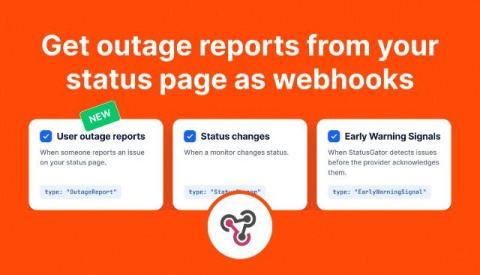
Get outage reports from your status page as webhooks

StatusGator webhooks now support user outage reports, so you can send reports from your status page to your own tools as soon as they’re confirmed. We’ve also added event settings to each webhook, letting you choose which notifications an endpoint receives. Use outage reports to create support tickets, alert your on-call team, or collect reports for analysis. Each payload includes the affected service, selected components, the reporter’s comment, and their approximate location.

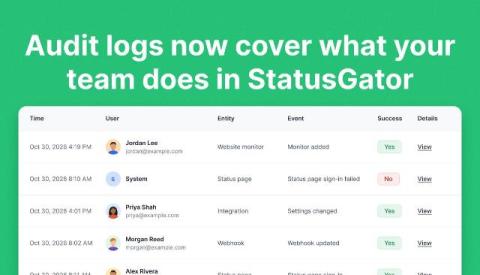
Audit logs now cover what your team does in StatusGator

StatusGator’s audit logs now track more of your team’s activity, including changes to monitors, incidents, scheduled maintenance, status pages, and integrations. Previously, audit logs focused on sign-ins and account security. With this update, organization admins can also see who changed a monitor’s component filters, rescheduled maintenance, resolved an incident, or updated a status page’s password.

The $6.3B Binance Hack: What Happened and What It Teaches Security Teams About Investigation

TL;DR On October 29, 2026, attackers drained about $6.3 billion in crypto assets from Binance’s hot wallets, the largest crypto theft on record. Binance says the incident may have started with a compromised laptop, but its investigation has since found additional points of breach, and the root cause is still being confirmed. For engineering and security teams, the lesson is about how quickly you can reconstruct what happened across many systems once something goes wrong. In this post.

How to monitor Kafka Consumer Lag with an AI Agent?

TL;DR Managing Kafka consumer lag manually is time-consuming and error-prone. Today, we'll show you how to create a fully automated consumer lag monitoring agent in just 5 minutes using Aiven Managed Agents. This agent will monitor your Kafka services and send real-time alerts to Slack when consumer lag is high.
Sponsored Post

5 AWS Logging Tips and Best Practices

If you're an Amazon Web Services (AWS) user, you're probably familiar with some of Amazon's native services available for logging and monitoring, such as CloudWatch and CloudTrail. With that said, log management can get complicated quickly, especially if you're dealing with a high volume of logs from AWS Lambda functions or a multi-cloud/hybrid cloud environment. In this blog, we'll introduce the basics of AWS logging along with five tips and best practices for optimizing your log management in AWS.

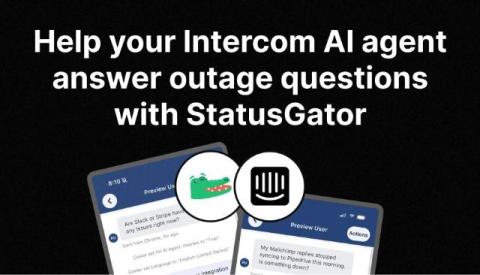
Help your Intercom AI agent answer outage questions with StatusGator

“Why aren’t my campaigns syncing to Salesforce?” “Your dashboard won’t load. Is something down?” When customers report a problem, your support team needs to understand whether it’s related to your product or a provider you depend on. Your AI support agent needs that context, too. By connecting StatusGator to Intercom through MCP, you can give Fin access to live status data and help it provide more useful answers during support conversations.

How to Run an On-Call Schedule in Microsoft Teams

If your company lives in Microsoft Teams, your on-call schedule should live there too. An on-call schedule in Microsoft Teams means anyone in a channel can see who is on call right now, reach that person with one mention, and trust that the answer is correct without opening a separate tool or a stale spreadsheet. This guide covers the options Teams gives you out of the box, where each one breaks down, and a step-by-step setup that works for engineering, IT and support teams of any size.