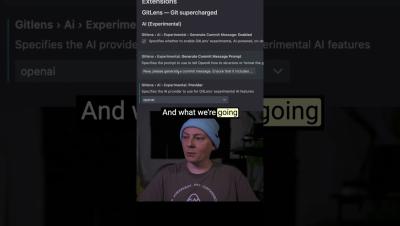
In our upcoming Workshop, we'll explore features for more efficient code navigation and project understanding. 🧠 Discover tips to boost your coding flow in just one session! 👏
Ever found yourself diving into a new project, tasked with something you have no clue about? 😅 Where do you even start? 🤔 Join us for a FREE GitLens Workshop where we walk through features to help you navigate codebases like a pro! Whether you're a seasoned dev or just getting started, understanding features like the commit graph, inline blame, and more can help you decipher the history behind each feature and bug. 🐛🔍
So you created a merge commit, but now you want to go back. What to do? Panic?? 😱 Not quite. Just right-click on the merge commit and select 'reset hard' to discard all changes. 🚮 Voilà! Your repo is back to how it was, merge-free. 👏
Merge with ease using GitKraken Client! Learn the steps for merging branches using the intuitive drag-and-drop interface. We'll show you how to handle merges, resolve conflicts with the merge tool, and reset merges effectively using the GitKraken Client GUI.
Drag and drop branches onto each other to start #merge operations seamlessly. 🖥️ This approach to merging is quick and easy, visually mapping out merge history for clarity into your repo's history. 🔍
So, you want to stay in your terminal. That doesn't mean you have to miss out on any GitKraken goodness. 👀 The GitKraken CLI makes it easy to use features like Workspaces, Cloud Patches, and more, all without leaving the comfort of your terminal. 🖥️ Download for free at gitkraken.com/cli or 'gk-cli' on GitHub!
Effective communication lies at the heart of successful teamwork, and SIGNL4 emerges as a powerful tool crafted to elevate collaboration within teams. In this blog post, we will explore five of the often small but all the more intuitive features that distinguish SIGNL4, positioning it as the preferred solution for teams aiming to enhance productivity and streamline communication.