Operations | Monitoring | ITSM | DevOps | Cloud

The latest News and Information on DevOps, CI/CD, Automation and related technologies.

How To Monitor Server Uptime

Keeping your servers online is always important for the health of your business and keeping users happy. Essentially, if you are keeping an eye on your servers, you can proactively fix problems before they blow up rather than fighting them as they arise. Setting all this up can be a breeze or a bit of a headache, depending on your servers, what metrics you're tracking, and your expertise. Either way, MetricFire’s got your back!
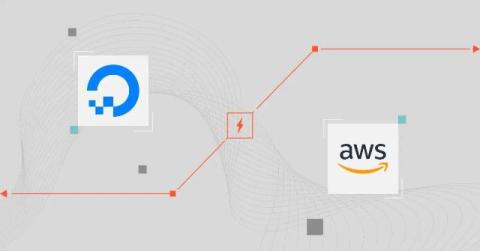
DigitalOcean Vs. AWS: Which Solution Offers The Best Value?

Whether you’re a startup looking for simplicity or an enterprise needing high-performance scalability, this guide breaks down the key differences between DigitalOcean vs. AWS — pricing, features, use cases, and more. We’ll start with a quick overview of each provider. And, right away, you’ll notice their different focus areas, target customers, and what makes each platform unique.

How to install Anbox Cloud Appliance?

In this video, the Anbox team shows how to install the appliance on a dedicated machine. What is Anbox Cloud? Anbox Cloud lets you run virtualized Android environments securely, at any scale, to any device letting you focus on your use case. Run Android in system containers, not emulators, on AWS, OCI, Azure, GCP or your private cloud with ultra low streaming latency. Trademark notice Android is a trademark of Google LLC. Anbox Cloud uses assets available through the Android Open Source Project.

Improving Resilience for GenAI Workloads on AWS

GenAI can do incredible things, but like any technology, its success depends on how we implement and use it. Without proper implementation, GenAI failures can pose significant risks to your organization's reputation and customer trust, leading to real financial impact. And like any other application, regulatory rules, SLAs, and reliability standards still apply to GenAI. With more companies integrating GenAI into their systems and products, it’s essential to make sure GenAI workloads and applications are highly available to deliver an exceptional user experience.

Hyperview DCIM 4.8 Software Release

This update brings key improvements to asset management and power tracking. Highlights include Template Power metrics in bulk actions, simplified rack layouts for easier asset placement, and advanced power sensors for detailed analysis. The upgraded asset discovery engine now supports more vendor asset types, streamlining management.

Best Data Integration Tools for 2025: Features, Pricing, and Use Cases

Dealing with different data sources without efficient data integration tools turns valuable information into a liability. These solutions give you a unified view of your data, eliminating silos and ensuring data consistency, accuracy, and accessibility. But, where do you start? Navigating the 2025 data integration market, with the shift towards scalable cloud platforms, self-service integrations, and AI automation, can be tough.

Data Types in SQL Server: A Complete Guide to Choosing and Using Them

SQL Server data types are the foundation upon which your entire database structure rests. They define the kind of data you can store in each column, from simple integers and text strings to complex date/time values and binary data. Picking the right SQL data type means your data is stored efficiently, queries run fast, and your information stays accurate. Using an overly large data type wastes space and slows things down, while using a too small type risks data loss or errors.

7 Best Tools to Compare Two SQL Server Databases - Free and Paid

As someone who’s worked with SQL Server databases, you know there’s no margin for error. A single discrepancy between environments can cascade into a failed deployment, broken workflows, or inaccurate reports. And let’s face it, manually comparing schemas and data isn’t just tedious; it’s risky. This is where industry-leading database comparison tools come to the rescue, turning a frustrating, time-consuming process into a smooth and efficient one.

SQL DROP INDEX Statement With Syntax, Examples

SQL Server DROP INDEX is a command you’ll find yourself using regularly as you manage and optimize your databases. Indexes are important for performance, but they’re not a “set it and forget it” kind of thing. Sometimes, an index becomes obsolete, redundant, or even detrimental. That’s when you need to know how to use the DROP INDEX SQL statement effectively.

SQL Server GET DATE Function: Usage and Practical Applications

The SQL Server GETDATE() function grabs the current date and time of the server down to the millisecond. This makes it perfect for general timestamping, logging events, and simple date/time math. But what about time zones or when you need a rock-solid, consistent timestamp? Is GETDATE() enough, or do you need something else, like CURRENT_TIMESTAMP? In this article, we’ll show you how and when to use GETDATE() in SQL.