Operations | Monitoring | ITSM | DevOps | Cloud

Commit Code, Embrace Vulnerability, Ask Questions, Grow Together

Think they’ll find out you don’t know everything? Good. That means you’re learning. Every great dev was once a beginner who asked the right questions. This clip from our chat with Descript’s Corbin Crutchley and our own Chris G hits hard. GitKraken Desktop: gitkraken.com/git-client GitKraken CLI: gitkraken.com/cli GitLens for VS Code: gitkraken.com/gitlens Git Integration for Jira: gitkraken.com/git-integration-for-jira.

GitKraken Desktop 11.2: AI Conflict Resolution, Explained (Preview)

In GitKraken Desktop 11.2, we're introducing AI Conflict Resolution, now in Preview. This update lets GitKraken AI suggest context-aware merge resolutions and explain its decisions, helping you resolve conflicts faster and with more confidence. We've also added hunk reverts, avatar support in the Commit Graph, and improvements to Commit Explain. Timestamps: Watch the full walkthrough, share your feedback, and stay tuned. The future of Git tooling is getting smarter.

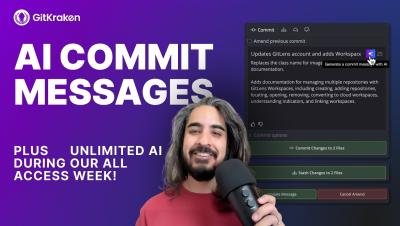
GitKraken Desktop Release 11.0: GitKraken AI

In this release, GitKraken evolves into your development co-pilot with new AI features designed to save time and reduce toil. Learn how to use AI-generated commit explanations, commit message generation, and how to customize your AI model settings with OpenAI, Anthropic, or Gemini—all included with your subscription.

Git GUI Showdown: Top Git Clients Compared - Best Git GUI 2025

Which Git GUI is right for you? Microsoft MVP and GitKraken Ambassador Kevin Bost compares GitHub Desktop, SourceTree, Fork, Tower, SmartGit, Sublime Merge, Git Butler, and GitKraken in this hands-on walkthrough. Find out which client fits your workflow best and why GitKraken stands out. Timestamps: 00:00 Intro Special thanks to GitKraken Ambassador @Kitokeboo.

GitKraken Desktop 101 Ep 30: Use the On-Prem Launchpad | Your Self-Hosted Workflow Hub

Your Git workflow, all in one place and fully on-prem Launchpad in GitKraken On-Premise gives you a focused view of your Git activity without relying on the cloud. See what needs your attention and jump straight into action. With Launchpad, you can.

GitKraken Desktop Release 10.8: Conflict Prevention, Multi Cherry Pick

With GitKraken Desktop 10.8 and its Conflict Prevention, you can detect conflicts with org members early, reducing messy merges and painful rework. Plus, we’ve added highly requested features like cherry picking multiple commits to make your workflow smoother than ever!

Introducing the GitLens Home View

Introducing the GitLens Home View | A Smarter Way to Navigate Your Repos Welcome to the GitLens Home View—your new command center for effortless repository navigation and insights. With the Home View, you can: Quickly access your recent repositories Jump into your workspaces and projects with ease Get instant context on stashes, commits, branches, and more Customize your view to fit your workflow.