Operations | Monitoring | ITSM | DevOps | Cloud

Grafana Beyla: what's new and what's next for the open source eBPF auto-instrumentation tool

It’s been a year since Grafana Labs announced the general availability of Grafana Beyla, our open source OpenTelemetry and Prometheus eBPF auto-instrumentation tool to help you easily get started with application observability. As a Beyla maintainer, I wanted to take a minute to reflect on what we’ve accomplished with Grafana Beyla since then, what we have learned about supporting an eBPF tool in production, and, in general, how exciting this whole journey has been.

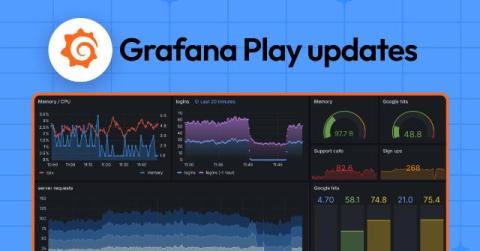
Grafana Cloud updates: redesigned dashboard filters, more ways to use RBAC, and more

We consistently roll out helpful updates and fun features in Grafana Cloud, our fully managed observability platform powered by the open source Grafana LGTM Stack (Loki for logs, Grafana for visualization, Tempo for traces, and Mimir for metrics). In case you missed them, here’s our monthly roundup of the latest and greatest Grafana Cloud updates. You can also read about all the features we add to Grafana Cloud in our What’s New in Grafana Cloud documentation.

Visualize real-time CAN-to-USB data via custom Grafana dashboards and the MQTT plugin

Martin Falch, co-owner and head of sales and marketing at CSS Electronics, is an expert on CAN bus data. Martin works closely with end users, typically OEM engineers, across diverse industries (automotive, heavy-duty, maritime, industrial). He is passionate about data visualization and has been spearheading the integration of the CANedge/CANmod with Grafana dashboards through various data sources.

Grafana release cycle: end-of-year update

It’s been another big year for Grafana. In April, we unveiled Grafana 11.0 at GrafanaCon 2024, which introduced a queryless experience with Explore Metrics and custom visualizations with Canvas panels. Since then, we’ve made improvements to data sources and visualizations in our minor releases, and just last month the 11.3 release marked the general availability of Scenes-powered dashboards.

How to work with multiple data sources in Grafana dashboards: best practices to get started

Grafana dashboards enable you to visualize and correlate data from a wide range of sources. With a centralized view of your data, you can troubleshoot faster, make better decisions, and streamline monitoring. But for those of you ramping up with Grafana, you might have a few questions about how, exactly, to create these rich dashboards featuring data from disparate sources, or even how to incorporate multiple queries from a single source into your visualization.

Prometheus 3.0 and OpenTelemetry: a practical guide to storing and querying OTel data

Over the past year, a lot of work has gone into making Prometheus work better with OpenTelemetry—a move that reflects the growing number of engineers and developers that rely on both open source projects. Historically, Prometheus users have faced a number of challenges when trying to work with OpenTelemetry (and vice versa).

Creating alerts from panels in Kubernetes Monitoring: an overlooked, powerhouse feature

As a product manager here at Grafana Labs, I’ve learned that sometimes the most powerful features can sneak by unnoticed, buried in those three little dots off to the side of the panel. But what happens when one of those hidden gems suddenly becomes the star of the show? Recently, we released a new Kubernetes Monitoring feature in Grafana Cloud—an alert system you can use to create alerts from panels in the app.

Grafana dashboards are now powered by Scenes: big changes, same UI

Though you might not immediately notice it the next time you log in, Grafana’s frontend has undergone a major upgrade. We recently migrated our dashboard architecture to utilize the Grafana Scenes library, enabling the creation of more stable, dynamic, and flexible Scenes-powered dashboards. Yes, the UI is pretty much the same, but under the hood, the engine responsible for visualizing the dashboards used by millions of people around the world has largely been rewritten.

Grafana variables: what they are and how they create dynamic dashboards

A common pattern when building Grafana dashboards is to represent data for many items at once, such as simultaneously monitoring hundreds of servers. But what if there’s a problem with one of those servers? You’d want the ability to quickly identify that single server, and drill into the details without noise from all the other systems. In Grafana, dashboard variables are a great way to filter data and focus on the information that’s most important to you.

Edit your Git-based Grafana dashboards locally

Grafana has grown to become one of the most prominent dashboarding tools available, with an extensive set of features that support organizations of all sizes. There can come a time, however, when you have too many dashboards. As a software engineer, you might think, “Why can’t I do with dashboards what I do with my code?” That is, you know how to keep your code in version control (e.g., Git). You know how to share and review your code with colleagues (e.g., pull requests).