Operations | Monitoring | ITSM | DevOps | Cloud

Azure Management Talk: Multi-tenant resource management at scale

In this Azure Management Talk webinar, Azure MVP Martin Ehrnst is taking a closer look at Azure Lighthouse. With Azure Lighthouse, managed service providers and enterprises can manage Azure resources cross tenants. This allows MSPs to create their own managing solutions, protecting their IP, as well as eliminating tenant switching. Enterprises with multiple tenants can benefit from the same service and manage their entire infrastructure from one single pane.
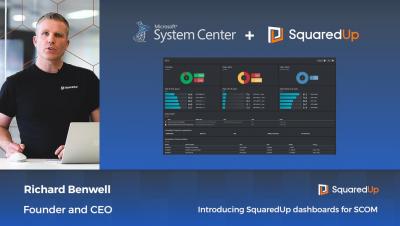
Introducing SquaredUp dashboards for SCOM

Despite its wealth of monitoring data, SCOM is often seen as a source of noisy alerting and can lack visibility of problems before they impact the business. SquaredUp transforms SCOM into one of the most visible and highly valued tools in your IT organisation. Founder and CEO, Richard Benwell, gives a quick taste of what SquaredUp for SCOM can do in your SCOM environment.

SquaredUp for SCOM - Licensing - Introduction

Welcome to the SquaredUp for SCOM Licensing Overview video series, in this video series we are going to show you the difference between the Essentials, Enterprise, and EAM license tiers. We will take you through the different license tiers for SquaredUp for SCOM and we will explore the different tiles and features available in each license tier. Reference

SquaredUp for SCOM - Quick Win Video Series - Part 6: NOC Dashboard

In this series we take you through some of the fundamentals of building and designing your own dashboards. We look at some of the tile types and visualizations that are available, show you how to run SCOM agent tasks from SquaredUp, and finish up with an example of using a SquaredUp dashboard to troubleshoot an issue. This video focuses on how to create a NOC dashboard. We’ll bring together what we’ve learned so far in this video series, whilst also introducing the Matrix tile, and show you how to share your dashboard using our Open Access feature.

SquaredUp for SCOM - Quick Win Video Series - Part 7: Using a NOC Dashboard

In this series we take you through some of the fundamentals of building and designing your own dashboards. We look at some of the tile types and visualizations that are available, show you how to run SCOM agent tasks from SquaredUp, and finish up with an example of using a SquaredUp dashboard to troubleshoot an issue. This video focuses on how to use a NOC dashboard. We’ll now use a NOC dashboard, and the drilldowns in SquaredUp, to help us resolve a problem in our environment.

SquaredUp for SCOM - Quick Win Video Series - Part 1: Dashboard Designer

If you are new to SquaredUp, and just need a little helping hand getting started, this Quick Win Video Series is for you! In this series we take you through some of the fundamentals of building and designing your own dashboards. We look at some of the tile types and visualizations that are available, show you how to run SCOM agent tasks from SquaredUp, and finish up with an example of using a SquaredUp dashboard to troubleshoot an issue.

SquaredUp for SCOM - Quick Win Video Series - Part 2: Alerts Tile

In this series we take you through some of the fundamentals of building and designing your own dashboards. We look at some of the tile types and visualizations that are available, show you how to run SCOM agent tasks from SquaredUp, and finish up with an example of using a SquaredUp dashboard to troubleshoot an issue. This video focuses on the Alerts Tile. We’ll discuss monitor and rule alerts and show you how to scope both a Donut and List Alerts tile.

SquaredUp for SCOM - Quick Win Video Series - Part 3: Status Tile

In this series we take you through some of the fundamentals of building and designing your own dashboards. We look at some of the tile types and visualizations that are available, show you how to run SCOM agent tasks from SquaredUp, and finish up with an example of using a SquaredUp dashboard to troubleshoot an issue. This video focuses on the Status Tile. We’ll show you how to scope Donut, Blocks, and Icons Status tiles, including a brief look at how to add custom labels.