When people hear the term "Node.js Debugging," they immediately think of the function "console.log()." They also assumed that's how pros debug Node.js applications. Nah!!! That's not good enough, mate. You'll need more than the console.log() function to debug your Node.js application like a pro. If the proper technique is not taken before testing, debugging a Node.js application might be difficult. Testing is an essential part of the development process for any application, software, or website.
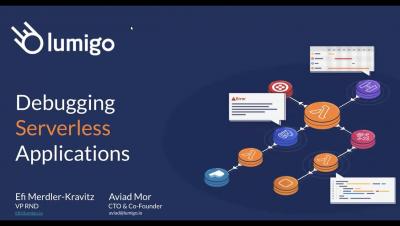
“How am I supposed to debug this?" Just imagine: Late Friday, you are about to shut down your laptop and … an issue comes up. Warnings, alerts, red colors. Everything that we, developers, hate the most. The architect decided to develop that system based on microservices. Hundreds of them! You, as a developer, think why? Why does the architect hate me so much? And then, the main question of the moment: How am I supposed to debug this?
Here are the articles, videos, and tools that we’ve been excited about this July and August. We hope you enjoy these links, and we look forward to hearing what you’ve been reading in the comments or on the Interrupt Slack.

Systems run into problems all the time. To keep things running smoothly, we need to have an error monitoring and logging system to help us discover and resolve whatever issue that may arise as soon as possible. The bigger the system the more challenging it becomes to monitor it and pinpoint the issue. And with serverless systems with 100s of services running concurrently, monitoring and troubleshooting are even more challenging tasks.
You’re likely familiar with local debugging—the ability to go through your code line by line to find and eliminate bugs. However, with the ever-increasing complexity of development environments, working efficiently with remote systems is becoming more necessary. In this case, “remote” can mean any machine you don’t have native OS-level access to, such as Virtual Machines, Docker containers, and entirely separate devices accessed over the network.
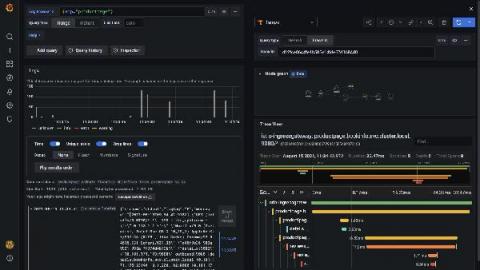
No matter what you’re using Kubernetes for, visibility into your applications’ performance and activity is a beneficial and often essential undertaking – essential, but colossal, requiring entire teams dedicated to nothing but maintaining deployments, auditing, debugging, and keeping up with compliance. Kubernetes has robust support documentation dedicated exclusively to assisting customers with Monitoring, Logging, and Debugging.