Splunk Data Insider: What is Observability?
A 30-second overview describing Observability and its function.


If there is one thing organizations can take away from the past few years, it's that they are far more vulnerable than they could realize before. From pandemics to critical supply shortages to widespread data breaches and natural disasters, businesses that don’t have plans in place to handle and respond to emergencies are at tremendous risk. As leaders plan for inevitable crises and disruption, interest in business resilience and continuity grows.
When monitoring your application performance or troubleshooting an issue in production, context is key. The more information available, the faster the prevention of or detection of a user impacting issue. Observability tools offer many different features, like code profiling, to help contextualize your data. In this post, I’ll discuss what code profiling is and show an example of how it works.
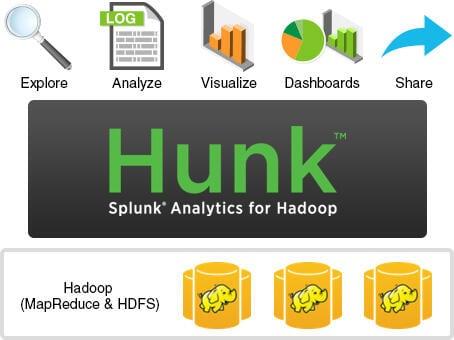
Splunk Hunk is the nickname of Splunk Analytics for Hadoop. Hunk is an app available in Splunkbase. It is great for exploring, analyzing and visualizing data in Hadoop and NoSQL data stores. Hunk offers a shortcut around the hard work of inventing and coding every inquiry in Hadoop. Hunk helps to create insights from big data, without the need for specialized skills, fixed schemas, or months of development.
Curious about Splunk® Universal Forwarders? This article will sum up what they are, why to use them and how the universal forwarder works. Importantly, we’ll point you to the very best tips, tricks and resources on using universal forwarders (and other ways) to get data into Splunk.
On November 16, 2022, I sat down with analyst KellyAnn Fitzpatrick from RedMonk to discuss my favorite topic: observability. This time, we looked at observability in a context of what to do and what to avoid doing as you’re starting and going on an observability journey. Click the image below (or here) for a replay of the session. A machine-generated transcript is available at the end of the post.