Operations | Monitoring | ITSM | DevOps | Cloud

APM Integrated Experience

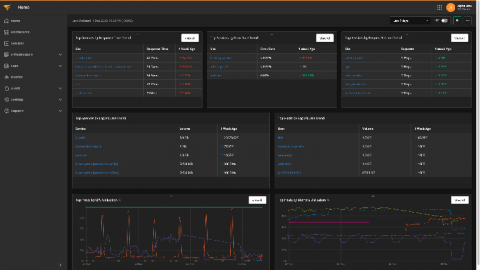
We’ve been listening to our customers. Whether you’re a SolarWinds® Loggly® or SolarWinds AppOptics™ user, we’ve been working hard to make your life easier. We’re happy to announce a brand-new experience that brings together metrics, traces, and logs in a single platform, making it faster and easier to troubleshoot application and infrastructure issues.

What Can Website Uptime History Tell You? (That You Don't Already Know)

According to a 2019 study conducted by Forrester, 44% of the IT directors surveyed indicated their organizations face unplanned downtime bimonthly. The study also estimated unplanned downtime costs 35% more per minute than planned downtime. If you’re an MSP, a failure to meet SLAs for uptime can lead to even higher costs and penalties.

Can You Consistently Deliver the Digital Experience You've Promised?

If the users aren’t happy, then in short order, neither will anyone else be. The ubiquity of information technology has exposed users to the best the IT industry has to offer—and the worst. So, if end-user experience is king, how does one go about ensuring users stay happy? The short answer is application performance management (APM) tools. Users don’t care if the apps they use are in the cloud, on-premises, or something in between.

ipMonitor Free Edition: Essential IT Monitoring

SolarWinds® ipMonitor® is built to be quick, affordable, and agentless monitoring software for your network, servers, and applications. ipMonitor delivers out-of-the-box visibility into essential availability and performance metrics for your critical IT environment, and includes a built-in database and web server, so you don’t need to install anything but ipMonitor.

How Network Telemetry Is Becoming the New Normal

The work being done on federal, state, and local levels to ensure the health of society during and post-COVID-19 will be driven by the Internet of Things (IoT). From contact tracing to drones, the reopening of America will be regulated by millions of data streams delivered from thousands of connection points. IT practitioners will be tasked with making sense of all the information coming across their screens. Different devices produce different types of data streams and logs.

Tried and True Tech Tips

Anyone who’s worked in IT knows a great deal of the day-to-day work doesn’t come down to one secret trick—the job consists mainly of stringing together hard-won wisdom and convenient Google searches to solve problems. Working in IT is a little like parenting; when you’re first told you need to pick up your children’s LEGO bricks every day, you say, “Really? Is it really necessary to do it every single day?” But you only have to step on one at 1 a.m.

Lift the Haze of the Cloud With These 6 Considerations

Gartner says when COVID-19 hit the United States in March, 88% of businesses mandated or strongly encouraged employees to work from home. Sales, marketing, human resources, and most other business operations were all conducted from somewhere outside of the office. This drastic move required IT to accommodate employees in an entirely new way than what they had become accustomed to.

Using rKubeLog Collector for Aggregated Log Centralization

Debugging and resolving incidents in nodeless environments can be difficult, time-consuming, and most of all, frustrating. Exporting your logs from these ephemeral and disparate services to a centrally aggregated log is a great way to correlate information, quickly resolve incidents, and make your life a little easier.

Building a Zero-Trust Model With SolarWinds Security Tools - SolarWinds Lab Episode #92

The zero-trust model is critical for building a successful strategy to detect both internal and external cybersecurity threats. This approach requires setting and maintaining strict access controls and "no trust" as the default to all, including those already inside your network. There are several steps needed to properly evaluate your organization's current state before you can start implementing best practices.