Operations | Monitoring | ITSM | DevOps | Cloud

GitKraken Client Tutorial: How to Connect an Integration

GitKraken Client connects with a variety of services and platforms, simplifying your work with remote repositories. This includes major Git hosting services like GitHub, GitHub Enterprise Server, GitLab, GitLab Self-Managed, Bitbucket, Bitbucket Server, and Azure DevOps. Beyond repository management, GitKraken Client integrates seamlessly with leading issue tracking and project management tools such as Jira, Jira Server, Trello, GitLab Issues, GitLab Self-Managed Issues, GitHub Issues, and GitHub Enterprise Server Issues.

Auto Assign Notifications, Alerts, messages, streamline and manage all of these within Slack

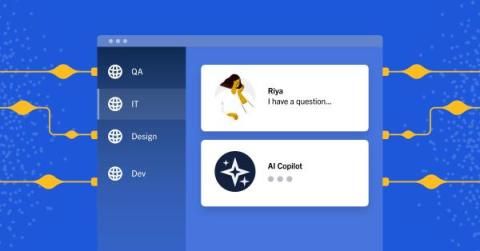
Imagine Having to deal with multiple alerts , requests and messages on Slack You get notifications from Mixpanel, AWS, Zendesk etc. With Pagerly you can streamline and manage all of these within Slack itself all without paying to external tools Pagerly would automatically create your messages as tasks on Slack. It will assign tasks to the current rotation or oncall or in round robin manner within your team.

Use Cases for Cloud Patches | #GitKraken #shorts

Need a better way to keep certain code changes under wraps while collaborating? 🤔 Developer & GitKraken ambassador Kevin Bost (@Kitokeboo) showcases how Cloud Patches can be a lifesaver for managing sensitive data and personal settings discreetly. Plus, it's a game-changer for open source projects 👀

Manage & Reapply Code Changes with Cloud Patches | #GitKraken #shorts

Cloud Patches are a great way to share code with your team, but they're also handy for personal coding tasks! 🧑‍💻 Developer Kevin Bost (@Kitokeboo), a #GitKraken Ambassador, demonstrates how easily you can manage and reapply code changes just for yourself. It's all about making your development routine more efficient and focused, one patch at a time. 😌👍

Setting Up Your First Cloud Patch in GitKraken Client #shorts

So, you flipped the switch to enable Cloud Patches in GitKraken Client's experimental features. ✅ What's next? 🤷 Follow GitKraken Ambassador Kevin Bost (@kitekeboo) through naming & permissions settings for Cloud Patches, allowing you to easily share code with yourself, your colleagues, or anyone else within your org. 👍

How to Enable Cloud Patches in #GitKraken Client? | Experimental Features #shorts

GitKraken Ambassador Kevin Bost (@kitekeboo) takes a deep dive into this new way to share code – but first, how do you enable them in GitKraken Client? 🤨 Simply head from Preferences ➡️ Experimental, then check ✅ Use Cloud Patches. That's it! ✨ Since this is an experimental feature, feedback is needed! Try them out & share your thoughts at feedback.gitkraken.com 📝