Operations | Monitoring | ITSM | DevOps | Cloud

The latest News and Information on Microsoft 365 and related technologies.

New Microsoft M365 Management Pack for SCOM

Microsoft have announced a new management pack for Office 365 – M365! It completely replaces the Office 365 management pack and is packed with new capabilities. Aakash Basavaraj, Program Manager at Microsoft, and Sameer Mhaisekar, Technical Evangelist at SquaredUp, joined Bruce Cullen, Director of Products at Cookdown, to reveal the new capabilities of the M365 management pack and the accompanying dashboard pack created for SquaredUp.

Use Microsoft Teams as Your Phone System: How to Get Started

Join Dr. E. Brent Kelly, Principal analyst at KelCor & Greg Zweig, Director of Solutions marketing for Ribbon as they discuss the critical thinking required to plan a successful transition to Teams Phone System. Brent regularly provides strategy and counsel to CIOs, CTOs, and technology buyers. More importantly, Dr. Kelly is not afraid to get his hands dirty, having deployed Teams Phone Systems himself; he’ll speak from firsthand experience!

SCOM Connector for Microsoft Teams

The SCOM connector helps you to manage SCOM alerts by using a bi-directional connection between Microsoft Teams and SCOM. When a new SCOM alert is generated it will appear in a Microsoft Teams Channel, the members of the Microsoft Teams Channel can collaborate on resolving an alert by using all the collaborative tools available in Microsoft Teams. Because the alerts forwarded to Microsoft Teams are context sensitive, it is easy to have conversations and meetings in an alert thread. The forwarded alert in Microsoft Teams also contains a wealth of information like you would see in your Operations Manager Console. The great part is that you do not need to open SCOM to view performance data or update the status of an alert, this can be seamlessly done in the SCOM Connector. Want to give it a test run? Use the free version and experience what it is like to truly collaborate on solving issues in your IT environment.
Sponsored Post

How to Monitor ALL of Microsoft 365

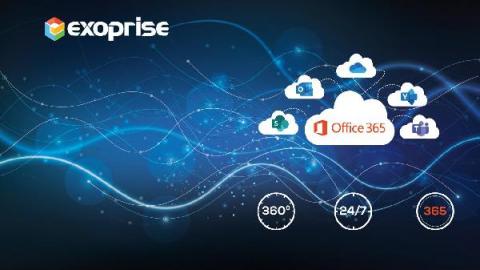
Only Exoprise provides full coverage for synthetic monitoring of the entire Microsoft 365 suite. The use of 8-10 different synthetic sensors per site provides customers and prospects with an ideal start. These site locations may include corporate headquarters, branch offices, or work from home settings with knowledge workers. Exoprise effectively monitors the health, availability, and performance of applications such as Azure AD, Exchange Online, Teams, Yammer, OneDrive, Outlook, Portal, etc. via synthetic sensors and captures real-time metric data in CloudReady.

Improve Business Productivity

In the past year, Microsoft Teams has become one of the top videoconferencing and telecommunications platforms that have helped keep businesses productive throughout this global pandemic. Pivoting to remote/hybrid work environments in the long term is more easily achieved with a service like Microsoft Teams, which makes ensuring and maintaining optimal service on your end that much more important. Behold the key to help improve business productivity and optimize your Teams performance.

Exoprise Delivers Resilient Digital Experience and Microsoft 365 Visibility to BCD Travel

Founded in 2005 and headquartered in the Netherlands, BCD Travel is a provider of global corporate travel management with offices in more than 100 countries. The company simplifies the complexity of business travel and drives savings for travel and procurement partners. The company's IT department has hundreds of employees worldwide with expertise in managing and supporting infrastructure across North America, Europe, and Asia.

Integrating AppSignal With Microsoft Teams

We’re constantly looking for interesting integrations for our performance incidents, exception incidents, anomaly detection and uptime monitoring notifications, and our latest addition is an integration for Microsoft Teams. Microsoft Teams is a hub for team collaboration in Microsoft 365. It integrates people, content, and tools your team needs to be more engaged and effective.

Why You Need a Digital Experience Monitoring Strategy

Delivering a digital experience with traditional monitoring tools is a challenge. Most legacy tools are monitoring on servers and websites and lacking coverage on holistic real-time user experience. These tools also have a limited view into cloud services they don't own. Rapid migration to digital tools and platforms creates additional challenges for IT to deliver and manage end-user experience. New expectations as a result of remote work are redefining the new IT landscape. The workplace model is changing fast and a variety of variables such as internet speed, multiple endpoints, limited remote troubleshooting ability, etc. impacts the delivery of a great experience.

Best Practices to Improve Digital Experience Monitoring

Businesses need best practices and implementation strategies to improve the end-user experience for their employees. By combining synthetics and real user monitoring, IT can deliver a seamless Microsoft 365 and SaaS application experience. As work anywhere becomes a dominant reality, employee productivity and technology empowerment will be critical goals to measure. Ultimately, business leaders will need to determine key processes and workflows that need effective monitoring. Dedicating specific staff resources to digital workplace experience will impact end-user productivity.