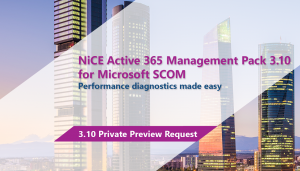
NiCE Active 365 Management Pack 3.10 for SCOM Preview
The new NiCE Active 365 Management Pack 3.10 comes with tons of stunning new features. Register now for the public preview version.


The latest News and Information on Monitoring for Websites, Applications, APIs, Infrastructure, and other technologies.
The new NiCE Active 365 Management Pack 3.10 comes with tons of stunning new features. Register now for the public preview version.
Continuous integration is the first half of the acronym CI/CD, with Continuous Delivery completing the second half. In this three-part article, we look at the two halves of CI/CD to define and understand them, and then, in part three, we talk about how Uptrends fits into your CI/CD processes. Let’s get started at the beginning with continuous integration.
Network device monitoring with Simple Network Management Protocol (SNMP) gives you complete visibility into the health and availability of your network devices. Monitoring tools conduct periodic checks to gather device status and performance metrics. The device's status is updated only when a check is initiated by the monitoring system in the defined time interval. Any fault that happens in between polls is only captured when the next check is initiated.
REST has reigned for a long time in the world of web services. It’s easy to implement, allows standardization through RESTful patterns and has lots of libraries that support and facilitate its development. Then came GraphQL, the famous query language for APIs.
It’s 3 AM and you are roused out of sleep by the dull buzzing of your phone in the other room. Some sort of emergency, you conclude as you fumble with the lockscreen. There it is: an alert that the API governing user registration is acting up. When we think about the lag between time of incident and time to respond, it’s not just about how long the system went down. How long it physically takes us to respond to the problem also contributes to lost downtime.
Logs are an important part of troubleshooting and it’s critical to have them when you need them. When it comes to logging, Google Kubernetes Engine (GKE) is integrated with Google Cloud’s Logging service. But perhaps you’ve never investigated your GKE logs, or Cloud Logging? Here’s an overview of how logging works in GKE, and how to configure, find, and interact effectively with the GKE logs stored in Cloud Logging.