Operations | Monitoring | ITSM | DevOps | Cloud

Who is on standby? Simple question, simple answer.

In our feature session for the current Enterprise Alert release, we were asked if it was possible to make the on-call page available to every employee regardless of whether they have a user account in Enterprise Alert or not. This option has existed in Enterprise Alert for a long time, but admittedly it is not very well documented. So I would like to take this opportunity to show you what the on-call overview can offer you and how to share the on-call page.

Copy and Paste Multi-Team Schedules

With the release of Enterprise Alert 9, not only have our capabilities for tighter integration with almost any source system imaginable been massively expanded, but our front end has also received some much requested updates. Among them are our multi-team schedules. These allow – especially for international companies – a simple and clear planning of readiness of several teams across different time zones.

Integration of Enterprise Alert 9 with AzureMonitor

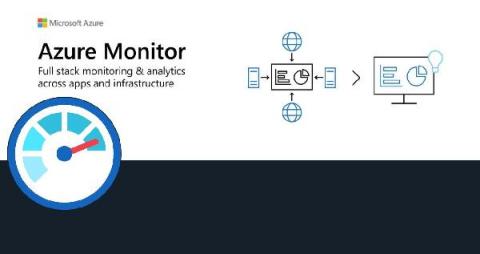
Our Azure Monitor connector provides seamless 2-way integration of Enterprise Alert 9 with Azure Monitor. Once added to your Enterprise Alert instance, the connector will read your Azure Monitor alerts fully automatically and trigger alert notifications, e.g. to your team members on duty. It also synchronizes the alert status from Enterprise Alert 9 to Azure Monitor so that if alerts are acknowledged or closed, this status is also updated on the according alert in Azure Monitor.

Do You Need an Alert for Your Alerts? Building Smarter Monitoring Systems

Traditional systems monitoring solutions poll various counters (typically simple network management protocol [SNMP]), pull in data and react to it. If an issue requiring attention is found, an event is triggered—perhaps an email to an administrator or the firing of an alert. The admin subsequently responds as needed. This centralized pull approach is resource-intensive. Due to the pull nature of the requests, it results in data gaps and data that may not be granular enough.

Monitor and alert on essential RabbitMQ cluster metrics with the new Grafana Cloud integration

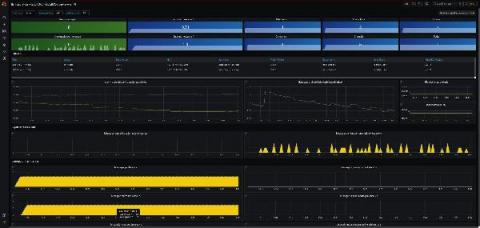
We are happy to announce that the RabbitMQ integration is available for Grafana Cloud, our composable observability platform bringing together metrics, logs, and traces with Grafana. RabbitMQ is one of the most popular open source message brokers, used worldwide at both small startups and large enterprises. It is easy to deploy on premises and in the cloud, and supports multiple messaging protocols.

Top 3 NLP Use Cases for ITSM

What is NLP Natural Language Processing is a specialized subdomain of Machine Learning which is generally concerned with the interactions between the human and machine using a human verbal or written language. NLP helps in processing huge volumes of text which would take a significant amount of time for a human to comprehend and process otherwise. Hence a lot of organizations take advantage of NLP to gain useful insights out of their text and free formatted data.

Statuspal vs Status.io

If you’re wasting precious time and resources responding to customer emails and phone calls whenever an incident arises - now sounds like a good time to set up your very own status page! A Statuspal status page is a professional and effective way to communicate incidents and maintenance updates internally for your team or publicly to your customers. You would be right in thinking that there are many options available and one of the largest operators in the market is Status.io.