Operations | Monitoring | ITSM | DevOps | Cloud

Introducing our new notification logs

One of the core features of Oh Dear is that we can notify you whenever we detect problems with one of your sites. Our notification system is quite powerful. We support many different channels (like email, Slack, Telegram, ... and a whole bunch more), and have fine-grained control over which events should trigger a notification. Today, we've added notification logs.

What's the easiest way to check my website's uptime?

Whether you're keeping a personal blog or manage a corporate site or online storefront, website downtime can cost money and can damage your reputation. Let alone when you're maintaining a bunch of different client sites. And while downtime can't always be prevented, it's really easy to at least keep track of things, and diagnose potential issues from there. So, let’s start with the easy part.

Here's how you can monitor your site's SEO performance

SEO is in a weird place right now. About one in five LinkedIn posts in my feed currently claims that SEO is dead, or has been assimilated by LLMs. Do not be remiss, dearest reader, because even an LLM still uses search engines like Google and Bing for web crawling. In other words, SEO still matters, a lot. Additionally, it's never a bad idea to keep tabs your website's SEO performance.

How to monitor your Laravel app for critical vulnerabilities using Oh Dear

A critical security vulnerability was recently discovered in Livewire v3 that allows remote code execution, as Stephen Rees-Carter reported on Securing Laravel. While patches are released quickly, many applications remain vulnerable because developers simply don't know about the issue yet. Oh Dear's Application Health monitoring solves this by continuously checking your production environment for security vulnerabilities and immediately notifying you when issues are detected.

Here's how you can build site templates for Oh Dear

When you're managing a handful of client sites, setting things up manually is fine. Though if you're managing dozens of them, you're going to think twice about your approach. For agencies, development teams and platforms who are responsible for loads of websites, having to repeat the same configuration over and over is not only inefficient but also more prone to errors. That’s where this blog post comes in handy.

We now support Google Chat

I'm pleased to share that we've can now notify you via Google Chat. Here's what that looks like: Our Google Chat notifications include: You can read more on how to set up Google Chat notifications in our docs. Of course, we also offer numerous other channels to notify you when something is wrong with your site. I'm pleased to share that we've can now notify you via Google Chat.

Dynamic Status Pages on Demand

Clients expect transparency - especially when things go wrong. But manually updating a status page during an incident or maintenance window slows you down when speed matters most. Oh Dear’s status pages are more than just a pretty uptime dashboard. They’re fully API-driven and designed to scale with your workflow. Whether you manage five client sites or five hundred, you can create, update and sync status pages as needed. Here’s how to do it.

5 Tips for Managing Client Sites With Oh Dear

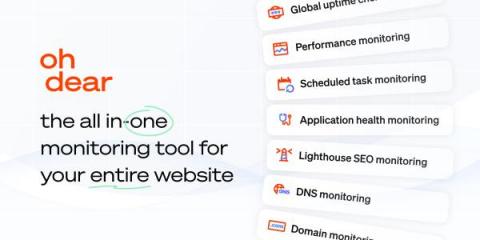
Managing dozens (or hundreds) of client sites can quickly become chaotic without the right tools. Whether you're running an agency, internal platform team or dev shop, visibility and control are everything. That's where Oh Dear comes in. Oh Dear is an all-in-one monitoring service that gives you a unified dashboard for uptime checks, performance monitoring, broken link detection, SSL and domain expiry alerts, scheduled task validation and more.