Operations | Monitoring | ITSM | DevOps | Cloud

Save space and money with improved storage efficiency in Elasticsearch 7.10

We're excited to announce that indices created in Elasticsearch 7.10 will be smaller. Bigger isn't always better, and our internal benchmarks reported space reductions up to 10%. This may not seem like much for small use cases, but it's huge for teams handling (and paying for cloud storage of) petabytes of data.

Migrating from Swiftype App Search to Elastic Cloud

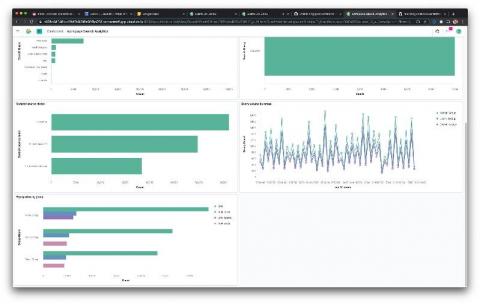
Whether you consume App Search from Elastic or from Swiftype, you’re getting a set of robust APIs and unprecedented relevance controls to deliver amazing search experiences. But what if you could have that same powerful set of search tools, only better, faster, more flexible, and still built on the powerful, scalable foundation of Elasticsearch? We’d like to invite you to migrate your Swiftype App Search deployment over to App Search on Elastic Cloud.

Why should you use Elasticsearch on your website?

In this post we’re covering a range of the best reasons why you should consider using Elasticsearch for your business or website. We’ve brought together some of our favourite experts working in eCommerce and Technology to let us know why they love using Elasticsearch for their projects & why they would recommend this powerful search engine. Two of the biggest reasons for using Elasticsearch were detailed by Usama Raudo, Marketing Strategist at Within The Flow.

Benchmarking and sizing your Elasticsearch cluster for logs and metrics

With Elasticsearch, it's easy to hit the ground running. When I built my first Elasticsearch cluster, it was ready for indexing and search within a matter of minutes. And while I was pleasantly surprised at how quickly I was able to deploy it, my mind was already racing towards next steps. But then I remembered I needed to slow down (we all need that reminder sometimes!) and answer a few questions before I got ahead of myself.

Elasticsearch Vulnerability: How to Remediate the most recent Issues

An Elastic Security Advisory (ESA) is a notice from Elastic to its users of a new Elasticsearch vulnerability. The vendor assigns both a CVE and an ESA identifier to each advisory along with a summary and remediation details. When Elastic receives an issue, they evaluate it and, if the vendor decides it is a vulnerability, work to fix it before releasing a remediation in a timeframe that matches the severity.

Improve Elasticsearch Query Performance with Profiling and Slow Logs

If our end users end up too long for a query to return results due to Elasticsearch query performance issues, it can often lead to frustration. Slow queries can affect the search performance of an ecommerce site or a Business Intelligence dashboard – either way, this could lead to negative business consequences. So it’s important to know how to monitor the speed of search queries, diagnose and debug to improve search performance.

Is Elasticsearch the Ultimate Scalable Search Engine?

For enterprise applications and startups to scale, they need to manage large volumes of data in real-time. Customers must have the ability to search for any product or service from your database within seconds. When you manage a relational database, data is spread across multiple tables. So, customers may experience lag during search and data retrieval. However, this is different with Elasticsearch and other NoSQL databases.

Elasticsearch Release: Roundup of Changes in 7.9.2

The latest Elasticsearch release version was made available on September 24, 2020 and contains several bug fixes and new features from the previous minor version released this past August. This article highlights some of the crucial bug fixes and enhancements made, discusses issues common to upgrading to this new minor version and introduces some of the new features released with 7.9 and its subsequent patches. A complete list of release notes can be found on the elastic website.

Elasticsearch Autocomplete with Search-as-you-type

You may have noticed how on sites like Google you get suggestions as you type. With every letter you add, the suggestions are improved, predicting the query that you want to search for. Achieving Elasticsearch autocomplete functionality is facilitated by the search_as_you_type field datatype. This datatype makes what was previously a very challenging effort remarkably easy.

Add flexibility to your data science with inference pipeline aggregations

Elastic 7.6 introduced the inference processor for performing inference on documents as they are ingested through an ingest pipeline. Ingest pipelines are incredibly powerful and flexible but they are designed to work at ingest. So what happens if your data is already ingested? Introducing the new Elasticsearch inference pipeline aggregation, which lets you apply new inference models on data that's already been indexed.