Operations | Monitoring | ITSM | DevOps | Cloud

3 Ways to Boot Windows in Safe Mode with Networking

We all know the situation: You’re about to start working on your Windows machine, but instead of the familiar welcome chime and desktop, you’re greeted by relentless error messages, unpredictable system behavior, or even the infamous Blue Screen of Death. The good news is there’s a troubleshooter at your disposal. Safe Mode with Networking is the easiest way to troubleshoot issues and get back online quickly. So how can you boot Windows in Safe Mode with Networking?

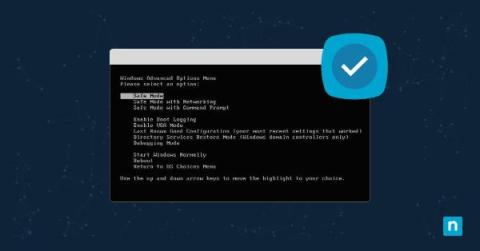
How to Enable and Disable Kernel-mode Hardware-enforced Stack Protection

As technology evolves, with hackers perpetually sharpening their tools to breach our digital walls, understanding your computer’s built-in defenses is crucial. Kernel-mode hardware-enforced stack protection is one such mechanism. This article will look into the intricacies of this feature, as well as how to enable and disable kernel-mode hardware-enforced stack protection.

How to Export a Windows Registry Key

Navigating the Windows system registry can seem like traversing a minefield, especially if you are new to it—a single misstep could create complex issues in your system. Specifically, incorrect manipulations of the registry key might lead to errors or even complete system crashes. Fortunately, understanding how to export a registry key can make things significantly easier and safer. Below, we’ll talk through some of the basics of Windows Registry operations.

How to Install and Set up a VPN on Windows Server 2022

A VPN, or Virtual Private Network, enables secure communications over an untrusted network. It enables users to connect to servers and networks from virtually anywhere, creating a secure tunnel between the user and a remote network or server. VPNs ensure data privacy and prevent unauthorized access, ensuring the data transmitted remains confidential and protected from external threats.

Monitoring Microsoft Windows with Grafana Cloud: new updates

Windows is widely used by developers, businesses, and individuals alike. Renowned for its adaptability, security, and reliability, the operating system is a preferred choice for servers, desktops, and embedded devices. It also holds a significant presence in the cloud, serving as the foundation for numerous major websites and applications.

Unleash optimal IT network performance with OpManager's Windows service monitoring capabilities

Windows services are the unsung heroes of Windows machines. This is because they act as critical components of the Windows operating system that run in the background to keep your computer running smoothly and securely. They are responsible for a wide array of tasks, including system startup and shutdown, security, performance, and application support.

The Quest to Process Microsoft Windows Event Logs in Snare Format with Cribl

One of the things I really love about working for Cribl is the ability to help our customers optimize their data. Microsoft Windows Event Logs are something I have always looked to as a proverbial Rosetta Stone to help translate semi-structured, classic-style events into something more efficient and less resource-intensive to search. Extracting field values requires a large number of regular expressions to parse the events, which isn’t ideal.

Evolution of The Windows Experience Index and Reliability Monitor

As technology advances, operating systems play a vital role in providing a seamless user experience. Microsoft’s Windows OS has been at the forefront, constantly introducing innovative features over time. Two features related to improving the end-user digital experience are the Windows Experience Index (WEI) and Reliability Monitor. These measurements have become instrumental to Digital Experience Monitoring (DEM) in assessing system capabilities and measuring stability.

Forwarding Windows Events to CLM

Looking at your IT environment, you probably have various machines and applications connected to your networks. From network devices to servers to laptops, you need to know what’s happening at all times. While your log data provides the monitoring information you need, your environment’s diversity makes aggregating and correlating this information challenging. If your company invested in Windows devices, then your struggle is even more real because Microsoft uses proprietary format.