Operations | Monitoring | ITSM | DevOps | Cloud

How to Patch PHP2Shell Across Every Server and Prove Each Fix to Auditors

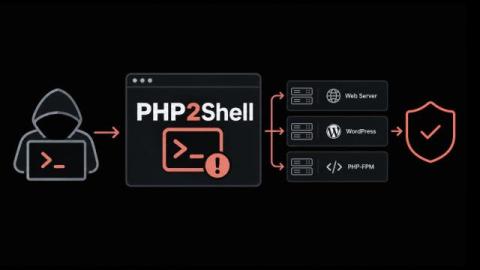
When a critical flaw surfaces in the language behind a large share of your web applications, how quickly can your organization name every server that runs it? PHP2Shell puts that question in front of every IT leader who runs PHP. The answer decides how long the business stays exposed. Here's the short version. PHP2Shell covers two flaws in the PHP engine, and either one lets an attacker run code on a web server with no login at all.

VMware Monitoring: Why Opslogix continues to be the right choice for you

In December 2021 we wrote VMware Monitoring: Why Opslogix is the right choice for you. At the time, vSphere 7 was new, Kubernetes was coming to vSphere, and the Log4j vulnerability was in the news. A lot has changed since then. vSphere 9 and SCOM 2025 are here, ransomware gangs now target ESXi hosts directly, and many organizations are reconsidering how they monitor their VMware estate.

Should you use a log or a metric?

Since Sentry added Logs and Application Metrics, there are now two ways to record that something happened in your app, and they can look pretty similar: Sentry.logger.info("user.signup") versus Sentry.metrics.count("user.signup"). Both store attributes, both include shared context automatically, and both can be filtered, grouped, and counted. So when you’re instrumenting your code, which one do you reach for?

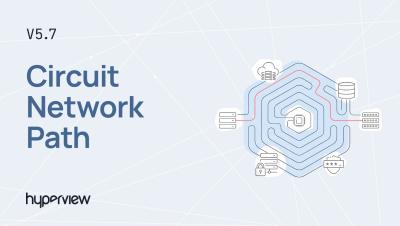
Hyperview DCIM 5.7 Software Release

Hyperview 5.7 is here! See what's new in this release: formula-based Custom Sensors, a Network Path view for circuits, and temperature heat maps for racks and floor plans. WHAT'S NEW IN HYPERVIEW 5.7 Custom Sensors: Create numeric sensors calculated from a formula that uses other sensors as inputs. Manage them from the new Assets → Custom Sensors page. Connectivity Visualization (Phase 1): The new Network Path tab on circuits shows the assets and connections that make up each circuit. Select any asset or connection for details, and export the path as a JPG, PDF or PNG.

Shipped: Create a Jira ticket from a cost spike, with status synced both ways

When Monitors flags a cost spike, the fix usually belongs to an engineering team, and that team might track their work in Jira. Now you can hand the incident to them from CloudZero in one click. The Jira ticket and the CloudZero incident stay in step. When the engineer resolves the ticket, the incident resolves too. You track the work in one place, and the status you see in CloudZero matches what the team is doing.

Capping the AI free-for-all? Know what each dollar returns first.

Most companies gave everyone AI access and thought they’d sort out the costs later. Engineering, support, product, marketing, and finance all got licenses to the best models. The early results looked good, and for a while it didn’t matter there wasn’t an explicit business case. Let’s call the first half of 2026 the free-for-all period for many companies. AI adoption spread across the org fast, people and teams loved it, and then the invoices started coming in.

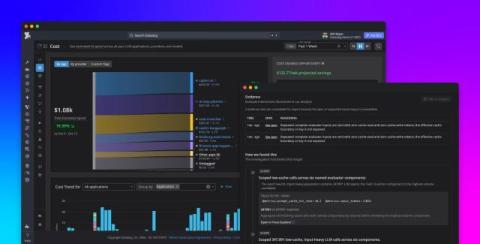
Optimize AI costs with Agent Observability

AI agent costs accumulate along more dimensions than a model-call count. Spend is a product of both which models you call and how the agent is architected: how many turns the loop runs, how many tools it invokes, how much retrieved context it carries, and how much of that context is re-sent on every turn. Provider bills tell you how much you spent, but they’re keyed to API keys and models instead of the applications and workflow steps that generated the calls.

What Is a Citizen Developer, and Why IT Teams Need Them Now

"Citizen developer" sounds simple: give business teams low-code tools and let them solve their own process problems. In practice, many organizations discover that the tools are still too technical for the intended builders or too loosely governed for IT to trust. Both problems matter. A policy cannot create citizen developers if the tool still demands platform expertise. An approachable builder cannot scale safely if workflows operate outside permissions, testing, audit, and lifecycle controls.

Getting started with the CircleCI CLI

The CircleCI CLI brings CI into your terminal, where developers and coding agents can work with it directly. You can set up projects, trigger and monitor pipelines, investigate failures, retrieve test results and artifacts, manage project settings, and more. Agents can use the CLI through shell commands or its built-in MCP server, giving them the tools and context to validate changes, diagnose failures, and try again without switching to a browser.