✨ Discover how GitLens' powerful search features help you find relevant commits, explore code changes in detail, and gain the context you need to hit the ground running.
🌐 Did you know that your GitKraken license unlocks more than just the Git GUI? 👀 Dive into the versatility of GitKraken with tools tailored to your needs, including our sleek browser extension. 🛠️
Check out how we've leveraged NodeGit in the toolbar, commit graph, and other features inside the GitKraken GUI! Want more #Git goodness? 👀 Our recent YouTube video walks through the shift to Native Git and what that means for your workflow. 👨💻
GitKraken's tools utilize heavy git functionality powered by libgit2 and nodegit. In this video, we'll cover what exactly those are, how you can use them, and a few reasons why we're migrating to native git. (Spoiler alert: it includes performance enhancements, new features, and more.
Don't panic! GitKraken makes resolving these conflicts intuitive. In our latest tutorial, we walk through how to handle a rebase that doesn’t go as planned. Discover how to navigate through conflicted files, utilize the merge tool, and successfully continue your rebase for a clean commit history! ✨
Want to understand your project history better AND learn about underrated GitLens features? Our Workshop's got it all and more! Join us TOMORROW for a deep dive into all the GitLens features at your disposal to stay productive, help with onboarding, and enhance your team's development. Plus, 10 lucky attendees will win an exclusive swag prize pack! 🎁 ⏰
Check out our upcoming Workshop to see how GitLens can enhance your development process! Explore features like pivotal commit identification, line history, and creating pull requests directly within VS Code. 💻 AND, 10 lucky attendees will be selected for an exclusive swag bundle! 👀
Code reviews can quickly become code catch-ups – you’re sifting through countless commits, trying to understand the story behind a particular piece of code. Who made this change? When was this pushed? Which files were modified? These blockers can make code reviews feel like wasted time digging through the project’s commit history. That’s where GitLens comes into play, providing powerful Git functionalities right into VS Code.
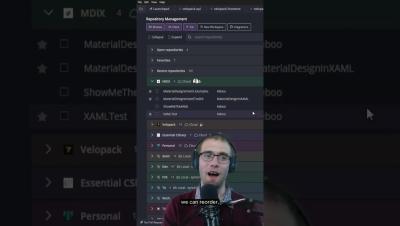
Quickly drag-and-drop changes from one branch onto another, with options like rebase, merge, and more, all within a few clicks. Watch the full tutorial here on YouTube for more tips on branch management and keeping your project history clean! 🧼🧹
In our upcoming Workshop, we'll explore features for more efficient code navigation and project understanding. 🧠 Discover tips to boost your coding flow in just one session! 👏