Operations | Monitoring | ITSM | DevOps | Cloud

Repo rightsizing: audit every model call in a repo you already shipped

Repo rightsizing is a single-pass audit of every real model call in a codebase you already shipped: SDK invocations, sub-agent dispatch sites, and agent frontmatter pins. Each call site is scored on the job it actually does, and the result commits as one blueprint file you can diff next quarter. It replaces one-skill-at-a-time reviews, which miss files where a single model key covers two different jobs.

AI usage tracking: Monitor spend by team, feature & model

AI usage tracking means measuring who and what consumes AI across your company, by team, feature, and model, then converting the usage into spend and cost per unit of work. Provider consoles stop at totals per API key. Tracking puts names on those totals: which team, which product, which model, and whether any of it was worth the money. In May 2026, CNBC reported that “almost every Fortune 500 is tracking overall AI usage,” quoting ModelOp CTO Jim Olsen. The same reporting carried his warning.

Shipped: Find the S3 buckets paying early delete fees

S3 lifecycle rules move data to Standard-IA or Glacier to cut storage cost. CloudZero now flags the buckets where that move backfires: an early delete fee is charged when an object leaves its tier before the tier’s minimum storage duration. The cause isn’t always a misconfigured lifecycle rule. A manual delete, an overwrite, or an object written straight into the tier by a replication or backup job produce the identical charge.

Application Metrics caught my broken size estimator

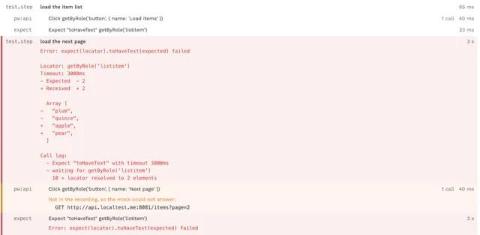
There’s a very specific kind of frustration that comes from waiting several minutes for a video to encode, dragging it into a message, and getting hit with a “file too large” error. Then you’re blindly trying to shave off a few more megabytes by re-encoding, maybe at a lower resolution or a smaller bitrate, hoping you won’t have to do it more than one or two more times. Here’s how I used Sentry’s Application Metrics to make a more accurate video size estimator.

Visualize how CUPED adjusts experiment results with Datadog

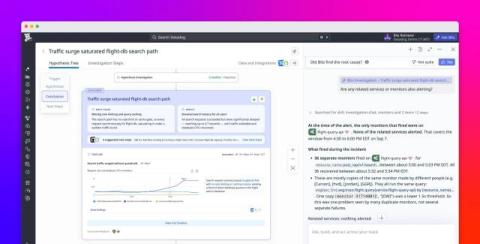
CUPED (Controlled-experiment Using Pre-Experiment Data) is a powerful tool that can reduce metric variance and help teams obtain precise experiment results with less data. However, the difference between an experiment’s CUPED-adjusted lift and raw lift can be difficult to explain, especially when an experiment uses many pre-exposure metrics and subject properties. The CUPED adjustments visualization in Datadog Experiments breaks the difference into a sequence of specific adjustments.

From traces to experiments: A loop for improving AI agents

Let’s say your team shipped a support agent last quarter. The launch demo went well, stakeholders were pleased, and everyone moved on. A few months later, things start to look off. Summaries of long conversations are truncated, and monitors show latency spikes on tool calls to the billing API. Your team’s first instinct is to ship fixes such as tweaking prompts or upgrading the model.

Bringing the Most Advanced Sampling to the OpenTelemetry Collector

Sampling is a core skill that everyone who runs an observability pipeline at scale will learn. There are lots of tradeoffs within the various decisions you'll make from reducing bandwidth, CPU, and memory, to reducing costs and making the observability backend's performance better for users. Historically, there have only been three mechanisms, each with their own tradeoffs: However, there is a secret fourth option: adaptive tail sampling—which changes those tradeoffs.

Managing Dedicated Lines in OnPage | How to Set up Dedicated Lines

Learn how to set up and manage Dedicated Lines in OnPage. In this step-by-step tutorial, we’ll walk through how to configure your Dedicated Lines to control how incoming calls are received, processed, and routed. You’ll learn how to:✓ Configure basic line details✓ Customize call processing behavior✓ Set up interactive routing menus✓ Add caller instructions and prompts✓ Review and save your Dedicated Line settings.