
Operations | Monitoring | ITSM | DevOps | Cloud

The latest News and Information on DevOps, CI/CD, Automation and related technologies.

Create a Legal Risk Policy in JFrog Curation

Protect your proprietary code with JFrog Curation! Learn how to create a legal risk policy that blocks packages with licenses you don’t want developers using. In this demo, we build a policy for the GNU AGPL license, add a waiver for a package covered by a commercial license, and configure how waiver requests are handled. Read more about it in the JFrog Docs.
Create an Operational Risk Policy in JFrog Curation

Protect your organization from the next software package hijacking with JFrog Curation! Learn how to create an operational risk policy in JFrog Curation that flags immature package versions. This walkthrough reviews the available operational risk conditions, explains why brand-new or outdated releases can carry supply chain risk, and shows how a Dry Run action lets you measure a policy's impact on developers before you switch it to Block.

Demo: New Loom for Mac Desktop App

Introducing the all-new Loom Desktop app for Mac. About Atlassian: Behind every great human achievement, there is a team. From medicine and space travel to disaster response and pizza deliveries, we help teams all over the planet advance humanity through the power of software. Our mission is to help unleash the potential of every team.

Hyperview DCIM 5.7 Software Release

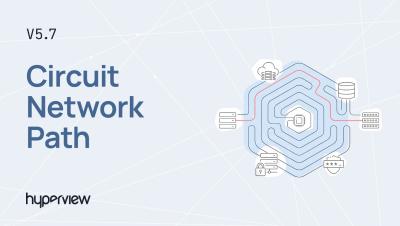
Hyperview 5.7 is here! See what's new in this release: formula-based Custom Sensors, a Network Path view for circuits, and temperature heat maps for racks and floor plans. WHAT'S NEW IN HYPERVIEW 5.7 Custom Sensors: Create numeric sensors calculated from a formula that uses other sensors as inputs. Manage them from the new Assets → Custom Sensors page. Connectivity Visualization (Phase 1): The new Network Path tab on circuits shows the assets and connections that make up each circuit. Select any asset or connection for details, and export the path as a JPG, PDF or PNG.

Shipped: Create a Jira ticket from a cost spike, with status synced both ways

When Monitors flags a cost spike, the fix usually belongs to an engineering team, and that team might track their work in Jira. Now you can hand the incident to them from CloudZero in one click. The Jira ticket and the CloudZero incident stay in step. When the engineer resolves the ticket, the incident resolves too. You track the work in one place, and the status you see in CloudZero matches what the team is doing.

Capping the AI free-for-all? Know what each dollar returns first.

Most companies gave everyone AI access and thought they’d sort out the costs later. Engineering, support, product, marketing, and finance all got licenses to the best models. The early results looked good, and for a while it didn’t matter there wasn’t an explicit business case. Let’s call the first half of 2026 the free-for-all period for many companies. AI adoption spread across the org fast, people and teams loved it, and then the invoices started coming in.

What Is a Citizen Developer, and Why IT Teams Need Them Now

"Citizen developer" sounds simple: give business teams low-code tools and let them solve their own process problems. In practice, many organizations discover that the tools are still too technical for the intended builders or too loosely governed for IT to trust. Both problems matter. A policy cannot create citizen developers if the tool still demands platform expertise. An approachable builder cannot scale safely if workflows operate outside permissions, testing, audit, and lifecycle controls.

Getting started with the CircleCI CLI

The CircleCI CLI brings CI into your terminal, where developers and coding agents can work with it directly. You can set up projects, trigger and monitor pipelines, investigate failures, retrieve test results and artifacts, manage project settings, and more. Agents can use the CLI through shell commands or its built-in MCP server, giving them the tools and context to validate changes, diagnose failures, and try again without switching to a browser.

How to run fewer tests and speed up CI with CircleCI Smarter Testing

A one-line fix shouldn’t wait on the whole test suite. Yet a typical CI pipeline runs every test on every push, and a single flaky failure sends developers back to the rerun button. CircleCI’s Smarter Testing addresses both problems. Test impact analysis tracks which source files each test executes, then runs only the tests affected by a code change. Auto rerun retries flaky tests inside the job instead of failing the build.