Developers are building features at an unprecedented speed using what they need from the software ecosystem. These ever-expanding options include open-source libraries and packages, SaaS tools, deployment systems, cloud services, and more. To keep things secure, we always need the same thing: a secret.
Github’s, “Github Actions” CI/CD tooling is becoming an increasingly popular option for developers. I've personally worked with several Cycle users who are adopting Github Actions as part of their deployment solution and we've found that when pairing GH actions with Cycle it makes for a simple, yet powerful combination. Today we’ll stroll through a basic example of using Github Actions alongside the Cycle platform.
GitLens is a popular extension built for Visual Studio Code that helps developers extract the powerful insights hidden within Git code repositories. This VS Code extension makes development effortless by providing tools to quickly glance through, compare, and track each line of a code. It also helps address the drawbacks and intrusiveness of native Git features in large-scale projects.
One of our goals here at Checkly is to make it easier for developers to ship excellent software. But let’s face it, getting features out is only a tiny fraction of the story. Fast-moving development teams also break things. And the more things you build, the more things can go wrong. And trust me, they will. This is where API and end-to-end monitoring helps. Define automated test suites that check all your properties constantly and guarantee that everything’s up and running. All the time.
In this article, I’ll provide a guide to Git for non-developers. So, if you are reading this as a full experienced Git user, you may disagree with some of my statements. Don’t bother reading on; we recognize you as the expert! If, on the other hand, you’re new to Git, this piece is for you.
In previous articles in our Intro to the CLI series, we’ve gone over why to master using the command line, some command line basics and tools, and tips for customizing your CLI shell. In case you missed any, feel free to catch up using the links below. And now, you’re going to learn the basics of shell scripting to automate complex jobs and build entirely new applications!
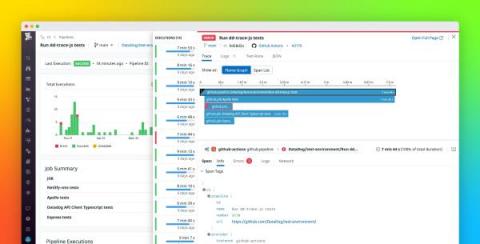
GitHub Actions provides tooling to automate and manage custom CI/CD workflows straight from your repositories, so you can build, test, and deliver application code at high velocity. Using Actions, any webhook can serve as an event trigger, allowing you, for example, to automatically build and test code for each pull request. Datadog CI Visibility now provides end-to-end visibility into your GitHub Actions pipelines, helping you maintain their health and performance.