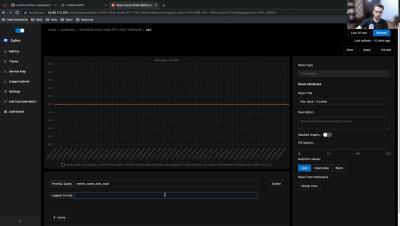
NodeJs Instrumentation Monitor Custom Metrics from your application using OpenTelemetry & SigNoz
In this video, I take you through a simple app which shows how to monitor custom metrics in your NodeJS application with OpenTelemetry & SigNoz.


Software developers use the Node.js environment to develop robust and innovative applications. But the bigger the goal, the higher the risk. Learn about Node.js performance monitoring to ensure quality and risk-free software products. Part of diligent software development is making sure all system applications work well individually and as a whole.
When people hear the term "Node.js Debugging," they immediately think of the function "console.log()." They also assumed that's how pros debug Node.js applications. Nah!!! That's not good enough, mate. You'll need more than the console.log() function to debug your Node.js application like a pro. If the proper technique is not taken before testing, debugging a Node.js application might be difficult. Testing is an essential part of the development process for any application, software, or website.
Good logging practices are crucial for monitoring and troubleshooting your Node.js servers. They help you track errors in the application, discover performance optimization opportunities, and carry out different kinds of analysis on the system (such as in the case of outages or security issues) to make critical product decisions. Even though logging is an essential aspect of building robust web applications, it’s often ignored or glossed over in discussions about development best practices.
Using Node.js as a JavasScript runtime has its advantages. However, it requires significant maintenance to keep it working as expected. Here are the top metrics you should monitor for Node.js performance measurement analysis. Application programming interfaces or APIs that use the Node.js runtime environment are scalable. Node.js is asynchronous and event-driven, which means the application can handle multiple connections at the same time.
Node.js projects in Honeybadger can now officially take advantage of source maps, just like Client-Side JavaScript projects can.
Logging helps developers in reducing errors and cyber-attacks. The application is designed to be dynamic. We can't always predict how an application will react to data changes, errors, or program changes. Logging in allows us to better understand our own programs. For all applications, an absolute logging solution is essential. A good logging system increases the application's stability and makes it easier to maintain on the production server.